
# Frontend Runtime Extension Contract (V1) This document defines the stable frontend runtime integration surface for plugins that extend FrontEdit in the browser. ## Purpose This contract answers four questions for external integrations: 1. How another plugin may open and control FrontEdit editing. 2. What schema-resolved runtime data FrontEdit guarantees to expose. 3. Which lifecycle hooks and events are stable for observing editing and the standard FrontEdit save flow. 4. Which globals and implementation details are explicitly private. ## Scope This contract covers the browser runtime only. It does not define: 1. PHP handler registration. 2. Schema authoring rules. 3. Internal editor-state layout. 4. REST endpoint internals or private save helpers. 5. Internal DOM classes or data attributes unless explicitly documented here. ## Stability Model FrontEdit exposes one stable base namespace for browser integrations: ```js window.MWP.SFE.PublicApi ``` When FrontEdit Pro is active, FrontEdit also exposes one optional pro-only namespace: ```js window.MWP.SFE.ProApi ``` Everything else on `window.MWP.SFE` is private unless this document explicitly says otherwise. ### Two-tier contract This document uses two stability tiers: 1. `V1 committed surface` External plugins may rely on these methods, events, and return shapes. 2. `Candidate APIs under evaluation` These are roadmap items only. They are not part of the stable contract and may change or never ship. ### Versioning The runtime extension contract is versioned independently from the schema contract. `window.MWP.SFE.PublicApi` must expose: ```js SFE.PublicApi.getApiInfo(); ``` Expected shape: ```js { apiVersion: 1, namespace: 'window.MWP.SFE.PublicApi', features: { editorControl: true, runtimeInspection: true, editableBlockDiscovery: true, editingRuntimeResolution: true, publicOperationContracts: true, operations: true, operationPreflight: true, listOperationContracts: true, mediaInspection: true, mediaSessionControl: true, explicitStaging: true, events: true, blockRefresh: true } } ``` Version rules: 1. Additive methods, additive event payload fields, and additive snapshot fields are minor-safe. 2. Removing or renaming methods, changing event semantics, or changing documented return-shape meaning requires an `apiVersion` bump. 3. Private internals may change at any time without notice. ## Public Namespace Rules External plugins may: 1. Call documented `SFE.PublicApi.*` methods. 2. Call documented `SFE.ProApi.*` methods only when the pro plugin is active and the method is documented here as pro-only. 3. Subscribe only to documented `SFE.PublicApi` events. 4. Store and compare documented snapshot data returned by the API. External plugins must not: 1. Monkey-patch FrontEdit methods. 2. Directly mutate `window.MWP.SFE` objects unless a documented API explicitly allows it. 3. Depend on underscore-prefixed properties. 4. Rebuild schema runtime resolution, media descriptor resolution, or block-state hydration from private internals when a public API exists. ## V1 Committed Surface ### Discovery #### Server-side AI discovery When the WordPress Abilities API is available, an authorized FrontEdit editor may call the following post-scoped, read-only abilities: 1. `mwpsfe/list-editable-blocks` with `post_id` to retrieve selectable block UUIDs, block types, edit handler IDs, and source-text summaries. 2. `mwpsfe/get-editable-block` with `post_id` and `uuid` to retrieve focused content for one already-authorized editable block. 3. `mwpsfe/get-public-operation-contract` with `post_id` and `uuid` to retrieve the handler-derived public operation contract and its current public input state for one already-authorized editable block. 4. `mwpsfe/get-frontend-runtime-contract` with `post_id` to retrieve this canonical browser contract. These abilities authorize the current user against the exact requested post; they do not discover WordPress posts/pages, execute browser methods, or create an external save path. WordPress core remains responsible for page discovery. Once the browser runtime is present, integrations must still verify availability through `SFE.PublicApi.getApiInfo()` and use `SFE.PublicApi.getEditableBlocks()` to enumerate the live page. #### Server-side `current_operation_state` `mwpsfe/get-public-operation-contract` returns an immutable `contract` and a separate mutable `current_operation_state` array. Each record is: ```json { "componentId": "content", "operationId": "rewrite_text", "state": { "runs": [] } } ``` The record's `state` object contains only the public inputs declared by that operation. FrontEdit derives these values from the owning handler's schema and current parsed block state; it never publishes attributes, bindings, selectors, or executor metadata. Integrations must use this projection when a generated proposal needs to preserve a current text, media, link, or setting value. They must not reconstruct an equivalent map from raw block attributes. `core/list` keeps its documented browser-owned current-state surface through `SFE.PublicApi.getListStructure(...)` and its operation descriptor through `SFE.PublicApi.getListOperationContract(...)`, because its runtime list-item UUIDs are session-scoped rather than server-side generic operation IDs. #### `getEditableBlocks() -> EditableBlock[]` Return the FrontEdit-editable blocks currently known to the live page runtime. ```js const blocks = SFE.PublicApi.getEditableBlocks(); const match = blocks.find(block => block.contentText.includes('Pricing')); ``` Each entry is a `BlockSnapshot` plus `contentText`, which is normalized text from the current rendered block element. Use its `uuid` with `resolveEditingRuntime(...)` before choosing a documented edit operation. This method is the supported browser discovery path; integrations must not scrape private FrontEdit DOM attributes to enumerate UUIDs. #### Human save handoff An integration may inspect a block, open FrontEdit, and apply documented runtime operations or staging. It must then hand control to the authorized human to review and complete FrontEdit's standard save UI. V1 has no external direct-save API. #### `getApiInfo()` ```js const info = SFE.PublicApi.getApiInfo(); ``` Returns the contract version and feature flags for this runtime. ### Editor Control #### `openEditor(options) -> Promise` Open FrontEdit editing for a target block through the supported runtime path. ```js await SFE.PublicApi.openEditor({ uuid, element, handlerId, componentId, mode: 'edit', source: 'external' }); ``` Rules: 1. `uuid` is required. 2. `element` is optional when the block can be resolved from `uuid`. 3. `handlerId` is optional when FrontEdit can resolve the applicable handler for the block. 4. `componentId` is optional. When supplied, FrontEdit targets the documented editable component for the session. 5. `mode` defaults to `'edit'`. 6. `source` is a caller label for diagnostics and event payloads. Returns an `EditorSnapshot` when FrontEdit opened an editor session, otherwise `null`. #### `closeEditor(options = {}) -> boolean` Close the active editor session through the supported runtime path. ```js SFE.PublicApi.closeEditor({ uuid, restoreOriginal: true, reason: 'api', source: 'external' }); ``` Rules: 1. `uuid` is optional. When omitted, FrontEdit closes the active editor if one exists. 2. `restoreOriginal` defaults to `true`. 3. `reason` is an informational reason token. 4. `source` is a caller label for diagnostics and event payloads. Returns `true` when a close was attempted through the active supported editor session, otherwise `false`. #### `isEditorOpen() -> boolean` Returns whether FrontEdit currently has an active editor session. #### `getActiveEditor() -> EditorSnapshot|null` Returns a stable snapshot of the current active editor session. The return value is a snapshot, not a mutable live internal object. ### Runtime Inspection #### `resolveRuntime(options) -> ResolvedRuntime|null` Resolve the schema-aware runtime view FrontEdit would use for editing. ```js const runtime = SFE.PublicApi.resolveRuntime({ uuid, element, handlerId }); ``` Returns a stable runtime snapshot for the target block or `null` when no supported runtime could be resolved. #### `resolveEditingRuntime(options) -> ResolvedEditingRuntime|null` Resolve the richer schema-driven editing runtime FrontEdit would use for active editing or proposal materialization. ```js const runtime = SFE.PublicApi.resolveEditingRuntime({ uuid, element, handlerId, blockState, attributeChanges }); ``` Returns a detailed editing runtime snapshot with resolved component metadata and live component element references. Rules: 1. `uuid`, `element`, and `handlerId` follow the same resolution rules as `resolveRuntime()`. 2. `blockState` is optional. When supplied, FrontEdit resolves the runtime against that staged block state instead of the current session baseline. 3. `attributeChanges` is optional. When supplied, FrontEdit resolves the runtime against those pending block attribute changes. 4. The returned runtime data is read-only snapshot data except for documented DOM element references inside component entries. #### `getEditOperationContract(options) -> EditOperationContract|null` Return FrontEdit's read-only, schema-derived contract for AI or other generated operation proposals. It is a compact projection of the currently resolved handler components and their `editor.operations`; it does not expose a DOM element, route, save control, nonce, or mutable editor state. ```js const contract = SFE.PublicApi.getEditOperationContract({ uuid, element, handlerId }); ``` ```ts type EditOperationContract = { contractVersion: 1; uuid: string; operations: Array<{ id: string; componentId: string; inputs: Record; values?: Array; allowedRunFormats?: string[]; requiredRunFormatAttributes?: Record; }>; }; ``` Rules: 1. Use this contract to discover the exact operations, allowed values, and required inputs for this live block. Do not infer them from a block name or toolbar label. 2. The contract deliberately excludes attribute paths, selectors, executor kinds, serialization behavior, routes, and mutable editor internals. 3. It is not an authorization or mutation API. Generated proposals remain untrusted and must pass FrontEdit preflight before apply. 4. A handler must explicitly mark an operation `publicOperation: true` before it appears here. FrontEdit does not maintain a second public allowlist or synthesize generic operations from a block type. 5. `allowedRunFormats`, when present for a `rich_text_runs` input, contains the handler-declared format tokens permitted in each returned run. `requiredRunFormatAttributes`, when present, maps a format token to the minimum named values that must be present in that run's `formatAttributes[formatToken]` object. It exposes neither rendering tags, optional format data, selectors, nor mutation details. 6. List editing retains its established UUID-oriented list API. Its legal operation kinds and inputs are exposed separately through `getListOperationContract(...)`; they are not part of this generic generated-proposal envelope. #### `getEditableComponents(options) -> EditableComponent[]` Returns the runtime-editable components for the resolved block. #### `getDefaultComponent(options) -> EditableComponent|null` Returns the default editable component for the resolved block, if one exists. ### Public Operation Runtime V1 uses one attribute-free public operation envelope: ```js const operations = [ { id: operation.id, componentId: operation.componentId, inputs: { /* only values declared by getEditOperationContract() */ } } ]; const preflight = SFE.PublicApi.preflightOperations({ uuid, operations }); if (preflight?.valid === true) { SFE.PublicApi.applyOperations({ uuid, operations }); } ``` #### `preflightOperations(options) -> OperationPreflightResult|null` Validate an opaque operation batch against an already open editor without mutating DOM, history, preview state, or saved content. ```ts type OperationPreflightResult = { uuid: string; valid: boolean; validatedOperationIds: string[]; errors: Array<{ code: string; id?: string; componentId?: string }>; }; ``` #### `applyOperations(options) -> OperationResult|null` Stage the same preflighted opaque batch through FrontEdit's shared schema executor. FrontEdit resolves the operation locally from the active handler, performs normal preview and history work, and leaves review, save, and cancel under its normal editor lifecycle. Rules: 1. Call `openEditor(...)` explicitly before preflight or apply. 2. Each operation must exactly match a declaration from `getEditOperationContract(...)`. 3. Callers must not send `kind`, `attribute`, `attributes`, `bindingSource`, DOM selectors, or serialization metadata. 4. Callers processing generated or untrusted content must require `valid === true` before apply. 5. This is a staging API, never a direct-save API. `applyOperations(...)` returns `appliedOperationCount` in addition to its operation ID summary. Integrations that generate a batch must treat the stage as failed unless that count equals the requested operation count. ### V1 Operation Recipes All non-list mutations use the schema-derived operation envelope. Discover the operation on the live block, open that block's editor, preflight the exact batch, then apply the same batch. FrontEdit owns the resulting preview, history, review, cancel, and save lifecycle. #### Operation Envelope ```js const contract = SFE.PublicApi.getEditOperationContract({ uuid, element, handlerId }); if (!contract) { throw new Error('No edit-operation contract is available for this block.'); } const getOperation = predicate => { const operation = contract.operations.find(predicate); if (!operation) { throw new Error('The requested operation is not supported by this block.'); } return operation; }; const stage = async operations => { const preflight = SFE.PublicApi.preflightOperations({ uuid, operations }); if ( preflight?.valid !== true || preflight.validatedOperationIds.length !== operations.length ) { throw new Error('FrontEdit rejected the operation batch.'); } const result = SFE.PublicApi.applyOperations({ uuid, operations }); if (result?.appliedOperationCount !== operations.length) { throw new Error('FrontEdit did not stage every operation.'); } return result; }; ``` Every generic operation has exactly this shape: ```js { id: operation.id, componentId: operation.componentId, inputs: { // Exactly the declared input names and values for this operation. } } ``` Use the operation's `inputs` map as the complete field contract. Include every required input, omit optional inputs you do not need, and do not send `kind`, attribute paths, selectors, binding metadata, or other internal fields. #### Text Replacement Find an operation that declares a `rich_text_runs` input and submit the complete replacement run sequence for that component: ```js const rewrite = getOperation(operation => ( operation.componentId === 'content' && operation.inputs.runs?.type === 'rich_text_runs' )); await SFE.PublicApi.openEditor({ uuid, element, handlerId, componentId: rewrite.componentId }); await stage([{ id: rewrite.id, componentId: rewrite.componentId, inputs: { runs: [ { text: 'Updated copy', formats: [], formatAttributes: {} } ] } }]); ``` Use only `allowedRunFormats` exposed by that operation. When `requiredRunFormatAttributes` declares values for a format, include them in the matching run's `formatAttributes` object. #### Scalar Block Setting Settings such as alignment or heading level are schema operations with a declared scalar input. The concrete ID, component, allowed values, and any additional inputs come from the resolved contract: ```js const alignment = getOperation(operation => ( operation.componentId === 'content' && operation.inputs.value?.type === 'scalar' && Array.isArray(operation.values) && operation.values.includes('center') )); await SFE.PublicApi.openEditor({ uuid, element, handlerId, componentId: alignment.componentId }); await stage([{ id: alignment.id, componentId: alignment.componentId, inputs: { value: 'center' } }]); ``` If the declared operation has additional required inputs, include those exact fields in `inputs`. For example, a column-scoped setting can require a `columns` input in addition to `value`. #### Host Link Update For an anchor-host component, select the operation that declares the URL input and provide its declared optional link settings only when needed: ```js const link = getOperation(operation => ( operation.componentId === 'label' && operation.inputs.href?.type === 'url' )); await SFE.PublicApi.openEditor({ uuid, element, handlerId, componentId: link.componentId }); await stage([{ id: link.id, componentId: link.componentId, inputs: { href: 'https://example.com/pricing', new_tab: true } }]); ``` #### Media URL Replacement When the live operation contract declares a URL input for a media component, stage the URL as a generic operation. The operation ID remains contract-owned: ```js const media = getOperation(operation => ( operation.componentId === 'image' && operation.inputs.url?.type === 'url' )); await SFE.PublicApi.openEditor({ uuid, element, handlerId, componentId: media.componentId }); await stage([{ id: media.id, componentId: media.componentId, inputs: { url: 'https://example.com/uploads/updated-image.jpg', source: 'input' } }]); ``` Include `attachmentId` only when the media source provides one. When the contract declares `source`, use `library` for a WordPress media-library item or `input` for a direct URL. For a selected WordPress media-library or upload item, use the documented [`applyActiveMediaSelection(options)`](#applyactivemediaselectionoptions---editorsnapshotnull) method in [Media Inspection And Session Control](#media-inspection-and-session-control). That method's reference includes its required active-session setup and exact request shape. ### List Runtime V1 retains the public list-tree runtime for `core/list`-style blocks that are edited as one root block while exposing nested item/list structure to external callers. #### `getListStructure(options) -> ListNode|null` Return the current live structural snapshot for one open or discoverable list block. ```js const structure = SFE.PublicApi.getListStructure({ uuid, element }); ``` Rules: 1. `uuid` is required unless `element` can be resolved to a block UUID. 2. The target block must resolve to a live `UL` or `OL` root. 3. The return value is a read-only structural snapshot of the live DOM tree. #### `getListOperationContract(options) -> ListOperationContract|null` Return the FrontEdit-owned, read-only operation descriptor for one live list root. This is the machine-readable source of truth for public list operation kinds and their exact input fields. Integrations must use it rather than maintaining a separate list-operation catalog. ```js const contract = SFE.PublicApi.getListOperationContract({ uuid, element }); ``` ```ts type ListOperationContract = { contractVersion: 1; uuid: string; operations: Array<{ kind: string; inputs: Record; }>; }; ``` Rules: 1. `uuid` is required unless `element` can be resolved to a block UUID. 2. The target must resolve to a live `UL` or `OL` root. 3. Each `inputs` map is exact: callers must not add an input not declared for that operation. 4. `existing_list_item_uuid` accepts an item UUID from the current `getListStructure(...)` result. `new_list_item_uuid` is a fresh caller-owned item UUID for an insertion. `direct_list_item_html` is direct item text HTML and must not contain `li`, `ul`, or `ol` wrappers. 5. This is an inspection API, not mutation authority. Callers still must use `preflightListOperations(...)` successfully before `applyListOperations(...)`. #### `applyListOperations(options) -> ListOperationResult|null` Apply one or more structural list mutations as one runtime batch. #### `preflightListOperations(options) -> ListOperationPreflightResult|null` Validate a UUID-oriented list batch against the open FrontEdit list editor without mutating it. ```js const preflight = SFE.PublicApi.preflightListOperations({ uuid, operations }); if (preflight?.valid === true) { SFE.PublicApi.applyListOperations({ uuid, operations }); } ``` Return shape: ```ts type ListOperationPreflightResult = { uuid: string; valid: boolean; validatedOperationKinds: string[]; errors: Array<{ code: string; index?: number }>; }; ``` `insert_child` validates its supplied insertion command during preflight. Its internal follow-up indent is resolved only during the subsequent FrontEdit apply because the new runtime item does not exist until that point. ```js const result = SFE.PublicApi.applyListOperations({ uuid, operations: [ { kind: 'update_list_item_text', itemUuid: '7db1a4ff-8e25-4f7d-a806-9328d473bb96', contentHtml: 'Alpha' }, { kind: 'toggle_list_type', itemUuid: '7db1a4ff-8e25-4f7d-a806-9328d473bb96', } ] }); ``` Rules: 1. `uuid` is required. 2. The target list editor must already be open. 3. `operations` are applied in order against the live mutated tree. 4. Every operation must supply the correct documented UUID target token family for its kind. 5. FrontEdit resolves each operation's runtime UUIDs against the current post-mutation tree immediately before that operation runs. 6. Public callers must use only operation kinds and exact inputs advertised by `getListOperationContract(...)`. 7. Some public operations may expand into multiple internal primitive mutations. For example, `insert_child` inserts the new item after the parent item, then indents it so the tracker creates the nested child list through the normal editor path. 8. Successful batches return one updated list structure snapshot. #### Current V1 list operation descriptor The contract currently advertises: 1. `update_list_item_text` 2. `insert_before` 3. `insert_after` 4. `insert_child` 5. `remove_list_item` 6. `move_before` 7. `move_after` 8. `indent_list_item` 9. `outdent_list_item` 10. `toggle_list_type` These are the public API kinds only. Internally FrontEdit still executes lower-level primitive list operations such as `insert_list_item`, `move_list_item`, and `toggle_list_type`, but only the descriptor returned by `getListOperationContract(...)` is the machine-readable runtime contract. #### List operation payloads | Kind | Required fields | Optional fields | Description | | --- | --- | --- | --- | | `update_list_item_text` | `kind`, `itemUuid`, `contentHtml` | -- | Replaces the direct text HTML for one existing list item. | | `insert_before` | `kind`, `newItemUuid`, `targetItemUuid`, `contentHtml` | -- | Inserts a new sibling item before the target item. | | `insert_after` | `kind`, `newItemUuid`, `targetItemUuid`, `contentHtml` | -- | Inserts a new sibling item after the target item. | | `insert_child` | `kind`, `newItemUuid`, `targetItemUuid`, `contentHtml` | -- | Creates a new child item under the target item. | | `remove_list_item` | `kind`, `itemUuid` | -- | Removes one existing list item and its nested children. | | `move_before` | `kind`, `itemUuid`, `targetItemUuid` | -- | Moves an existing item before the target item. | | `move_after` | `kind`, `itemUuid`, `targetItemUuid` | -- | Moves an existing item after the target item. | | `indent_list_item` | `kind`, `itemUuid` | -- | Indents one existing item through the normal editor list behavior. | | `outdent_list_item` | `kind`, `itemUuid` | -- | Outdents one existing item through the normal editor list behavior. | | `toggle_list_type` | `kind`, `itemUuid` | -- | Toggles the containing list for the referenced item between ordered and unordered. | `contentHtml` is required for operations that create or replace item content. It represents the direct item text HTML only. It must not include wrapping `
  • `, `
      `, or `
        ` elements. Consumers must derive whether an operation carries content from its `direct_list_item_html` input descriptor, not from a copied operation-kind allowlist. #### Public target-token rules Public list operations must use only the documented runtime UUID token family for their kind. FrontEdit rejects public operations that omit the required token. 1. `update_list_item_text`, `remove_list_item`, `indent_list_item`, and `outdent_list_item` target one existing list item and must provide `itemUuid`. 2. `insert_before` and `insert_after` must provide `newItemUuid` plus `targetItemUuid`. 3. `insert_child` must provide `newItemUuid` plus `targetItemUuid`. If the target item does not already own a child list, FrontEdit creates the required nested list automatically. 4. `move_before` and `move_after` must provide `itemUuid` plus `targetItemUuid`. 5. `toggle_list_type` must provide `itemUuid`. FrontEdit resolves that item to its current containing list immediately before the toggle runs. 6. Public callers must use only the documented camelCase keys above. Any other keys are outside the API contract. 7. Public callers must not rely on cursor or selection state. Cursor-based inference is reserved for internal editor-originated calls only. #### Runtime UUID ownership List-item UUIDs and list-node UUIDs have different ownership rules. 1. Public callers are responsible for generating UUIDs for newly created list items. 2. FrontEdit is responsible for generating and managing UUIDs for list nodes. 3. Public callers must not create, assign, or mutate list-node UUIDs directly. 4. When a structural operation creates a new nested list, FrontEdit assigns the resulting `listUuid`. 5. Public list operations target items, not list nodes, even though returned structure snapshots still expose `listUuid` values. #### Recommended UUID convention FrontEdit does not enforce a specific caller UUID format for public list operations. Recommended convention: 1. Use RFC 4122 version 4 UUID strings for `itemUuid`, `targetItemUuid`, and `newItemUuid`. 2. Generate one fresh UUID for every new list item the caller intends to create. 3. Treat runtime UUIDs as session-scoped cursor tokens only. Do not persist or reuse them after the list editor closes or the page reloads. #### `ListNode` `getListStructure()` and successful list-operation results return recursive list nodes plus item nodes so child lists remain distinct from the list items that own them. A list node contains: 1. `listUuid` (string): session-scoped runtime UUID for this list node 2. `listPath` (string): empty string for the root list, or the parent item path that owns this nested child list 3. `ordered` (boolean): whether this specific list node is `OL` 4. `items` (array): direct child list items for this list node Each item contains: 1. `itemUuid` (string): session-scoped runtime UUID for this item 2. `path` (string): item tree path 3. `pathLabel` (string): human-readable 1-based path label 4. `depth` (number): zero-based nesting depth 5. `contentHtml` (string): direct item text HTML only 6. `childList` (`ListNode|null`): nested list node owned by this item, or `null` Example: ```json { "listUuid": "e183f2b5-2f90-4ca2-8ea8-c3d8c72ab2c1", "listPath": "", "ordered": false, "items": [ { "itemUuid": "7db1a4ff-8e25-4f7d-a806-9328d473bb96", "path": "0", "pathLabel": "1", "depth": 0, "contentHtml": "a", "childList": { "listUuid": "fd818143-75d8-4ae9-8f3f-798d54150472", "listPath": "0", "ordered": false, "items": [ { "itemUuid": "c71fad00-2d1f-4f70-b0fc-84681f5ef8a0", "path": "0_0", "pathLabel": "1.1", "depth": 1, "contentHtml": "b", "childList": { "listUuid": "2cd9f476-1d91-45e5-bd0b-ae981b78a111", "listPath": "0_0", "ordered": false, "items": [ { "itemUuid": "b2f4ffad-edbc-48e9-950d-2716b5bf6942", "path": "0_0_0", "pathLabel": "1.1.1", "depth": 2, "contentHtml": "c", "childList": null } ] } } ] } } ] } ``` #### `ListOperationResult` Successful list runtime mutations return: 1. `uuid` (string): target block UUID 2. `operationsApplied` (array of strings): normalized operation kinds applied in order 3. `structure` (`ListNode`): updated live list structure snapshot ### Media Inspection And Session Control #### `getMediaContext(options) -> MediaContext|null` Resolve the media-editable context for a block or specific component. ```js const mediaContext = SFE.PublicApi.getMediaContext({ uuid, element, handlerId, componentId }); ``` Returns `null` when the target block is not media-editable through the documented runtime surface. #### `getMediaDescriptor(options) -> MediaDescriptor|null` Returns the stable media descriptor for the selected file component, if one exists. #### `isMediaEditable(options) -> boolean` Returns whether the resolved block exposes a file-editable component through the public runtime contract. #### `applyActiveMediaSelection(options) -> EditorSnapshot|null` Apply one selected media item to the current active schema-media editor session through FrontEdit's supported runtime path. ```js const editor = SFE.PublicApi.applyActiveMediaSelection({ uuid, url, attachmentId, source: 'library' }); ``` Rules: 1. `uuid` is required and must match the current active editor session. 2. `url` is required. 3. `attachmentId` is optional. 4. `source` may be `'library'` or `'input'` and defaults to the input-style save transition when omitted. 5. Returns an updated `EditorSnapshot` when the active media session accepted the selection, otherwise `null`. ### Explicit Staging V1 supports explicit block-state staging only. Staging is editor preparation, not external save execution. External plugins may stage block state and open or guide the FrontEdit editor, but the user must complete saving through FrontEdit's standard save UI and normal FrontEdit save workflow. #### `stageBlockState(stage) -> void` Stage a temporary block-state payload for one block so that subsequent editor open and hydration flows may consume it through FrontEdit's supported staging path. ```js SFE.PublicApi.stageBlockState({ uuid, handlerId, blockState, source: 'external' }); ``` Rules: 1. `uuid` is required. 2. `handlerId` is optional metadata for the caller and diagnostics. 3. `blockState` must match the shape FrontEdit's canonical block hydration path expects. 4. Staged block state is temporary and applies only through the documented FrontEdit runtime path. 5. Staged changes do not create a supported external save path in V1. #### `clearStagedBlockState(uuid) -> void` Clear any currently staged block state for the given block UUID. ### Session Utilities #### `on(eventName, handler) -> unsubscribeFn` Subscribe to one documented runtime event. ```js const unsubscribe = SFE.PublicApi.on('save:after', payload => { // observe successful save completion }); ``` Returns an unsubscribe function equivalent to calling `off(eventName, handler)`. #### `off(eventName, handler) -> void` Remove a previously registered event handler. #### `refreshBlock(uuid, options?) -> Promise` Request that FrontEdit refresh the live DOM for one block through its supported refresh path and return the resulting `BlockSnapshot`. ### Dirty State, Page Context, and Lookup Utilities #### `getDirtyBlocks() -> DirtyBlock[]` Returns a stable summary of the blocks that currently have unsaved changes in the active runtime session. #### `hasDirtyBlocks() -> boolean` Returns whether any block currently has unsaved changes. #### `isBatchSessionActive() -> boolean` Returns whether FrontEdit currently has an active batch-edit session. #### `resetDirtyBlocks(uuids, options?) -> boolean` Reset the tracked dirty batch state for the supplied block UUIDs back to the current batch-session baseline. ### Pro-only Session Utilities These methods exist only when FrontEdit Pro is active on the page. #### `ensureBatchSession() -> Promise` Ensure the shared batch-edit session exists before downstream runtime checks or mutations depend on it. ```js const ready = await SFE.ProApi.ensureBatchSession(); ``` Rules: 1. This method is available only on `window.MWP.SFE.ProApi`. 2. It returns `false` when batch editing is unavailable or disabled for the current page. 3. It may be called repeatedly; repeated calls are safe and reuse any in-flight session bootstrap work. #### `getPageContext() -> PageContext` Returns a stable page-level runtime snapshot. #### `getRestContext() -> RestContext` Returns the REST context FrontEdit guarantees to expose for supported runtime integrations. #### `setRestNonce(nonce) -> RestContext` Update the REST nonce FrontEdit should use for subsequent supported runtime requests on the current page. ```js const restContext = SFE.PublicApi.setRestNonce(refreshedNonce); ``` Rules: 1. `nonce` must be a non-empty string. 2. This updates only the current page runtime state. It does not fetch or mint a new nonce on its own. 3. Callers should use this after their own authenticated nonce-refresh flow succeeds. 4. The return value is the updated `RestContext`. #### `getElementByUuid(uuid) -> Element|null` Returns the current live DOM element for a block UUID, if present. #### `getUuidForElement(element) -> string` Returns the FrontEdit block UUID for the supplied element, or an empty string when none is available. #### `getBlockSnapshot(uuid) -> BlockSnapshot|null` Returns a stable summary snapshot for one block UUID. #### `getEditableBlocks() -> EditableBlock[]` Returns the stable live-page discovery snapshots described above. ## Stable Snapshot Shapes Snapshots are plain data contracts. They are not live editor-state objects and must not be mutated to control FrontEdit. ### `EditorSnapshot` ```json { "uuid": "8d63...", "handlerId": "core_image", "mode": "edit", "blockName": "core/image", "componentType": "file", "componentId": "image", "saveStrategy": "single", "hasMediaSession": true, "isDirty": false, "isDraftSession": false, "isBatchSession": false } ``` Required fields: 1. `uuid` 2. `handlerId` 3. `mode` 4. `blockName` 5. `componentType` 6. `componentId` 7. `saveStrategy` 8. `hasMediaSession` 9. `isDirty` 10. `isDraftSession` 11. `isBatchSession` Field notes: 1. `hasMediaSession` is `true` when the active editor host currently exposes the supported media-selection control surface used by `SFE.PublicApi.applyActiveMediaSelection(...)`. ### `ResolvedRuntime` ```json { "uuid": "8d63...", "handlerId": "core_cover", "blockName": "core/cover", "schemaVersion": 1, "mode": "mixed", "defaultComponentId": "image", "components": [] } ``` Required fields: 1. `uuid` 2. `handlerId` 3. `blockName` 4. `schemaVersion` 5. `mode` 6. `defaultComponentId` 7. `components` ### `EditableComponent` ```json { "id": "image", "label": "Image", "type": "file", "selector": "figure", "default": true, "target": { "selector": "img", "attribute": "src", "mediaType": "image" }, "mediaDescriptor": { "componentId": "image", "scopeSelector": "figure", "targetSelector": "img", "attribute": "src", "mediaType": "image" } } ``` Required fields: 1. `id` 2. `label` 3. `type` 4. `selector` 5. `default` Optional fields: 1. `required` 2. `placeholder` 3. `target` 4. `mediaDescriptor` 5. `editor` ### `MediaDescriptor` ```json { "componentId": "image", "scopeSelector": "figure", "targetSelector": "img", "attribute": "src", "mediaType": "image" } ``` Required fields: 1. `componentId` 2. `scopeSelector` 3. `targetSelector` 4. `attribute` 5. `mediaType` ### `MediaContext` ```json { "supported": true, "componentId": "image", "mediaType": "image", "accept": "image/*", "label": "image block", "descriptor": { "componentId": "image", "scopeSelector": "figure", "targetSelector": "img", "attribute": "src", "mediaType": "image" } } ``` Required fields: 1. `supported` 2. `componentId` 3. `mediaType` 4. `accept` 5. `label` 6. `descriptor` ### `DirtyBlock` ```json { "uuid": "8d63...", "handlerId": "core_paragraph", "blockName": "core/paragraph", "beforeRaw": "

        Old

        ", "afterRaw": "

        New

        " } ``` Required fields: 1. `uuid` 2. `handlerId` 3. `blockName` 4. `beforeRaw` 5. `afterRaw` ### `PageContext` ```json { "postId": 123, "permissions": { "can_publish": true, "can_draft": false, "can_comment": true, "can_batch": true }, "hasDraftPreview": false, "isEditorOpen": false, "activeMode": "" } ``` Required fields: 1. `postId` 2. `permissions` 3. `hasDraftPreview` 4. `isEditorOpen` 5. `activeMode` ### `RestContext` ```json { "baseUrl": "https://example.com/wp-json/", "namespaceUrl": "https://example.com/wp-json/mwpsfe/v1/", "nonce": "..." } ``` Required fields: 1. `baseUrl` 2. `namespaceUrl` 3. `nonce` ### `BlockSnapshot` ```json { "uuid": "8d63...", "blockName": "core/image", "handlerIds": ["core_image", "core_image_comment"], "isPending": false, "pendingInfo": null, "elementPresent": true } ``` Required fields: 1. `uuid` 2. `blockName` 3. `handlerIds` 4. `isPending` 5. `pendingInfo` 6. `elementPresent` ### `EditableBlock` An `EditableBlock` contains every `BlockSnapshot` field plus: ```json { "contentText": "Visible normalized text from this block" } ``` `contentText` is the current rendered text used for live-page matching. It is not serialized Gutenberg block markup and must not be used as a write payload. ## Stable Events V1 events are observable only. They provide visibility into FrontEdit runtime lifecycle. They are not interception points and do not allow cancellation, mutation, or alternate control flow through event payload side effects. ### Subscription rules 1. Consumers may subscribe only through `SFE.PublicApi.on()`. 2. Consumers must treat event payloads as snapshots. 3. Event payload objects must not be mutated. ### `editor:opened` Fires after FrontEdit has opened an editor session through a supported path. Payload: ```json { "source": "external", "editor": {} } ``` Required fields: 1. `source` 2. `editor` as `EditorSnapshot` ### `editor:beforeClose` Fires before FrontEdit closes an editor session through a supported path. Payload: ```json { "source": "api", "reason": "api", "editor": {} } ``` Required fields: 1. `source` 2. `reason` 3. `editor` as `EditorSnapshot` ### `editor:closed` Fires after FrontEdit closes an editor session through a supported path. Payload: ```json { "source": "api", "reason": "api", "editor": {} } ``` Required fields: 1. `source` 2. `reason` 3. `editor` as `EditorSnapshot` ### `editor:componentChanged` Fires when FrontEdit changes the active editable component within one editor session. Payload: ```json { "source": "sfe", "editor": {} } ``` Required fields: 1. `source` 2. `editor` as `EditorSnapshot` ### `save:before` Fires when FrontEdit is about to begin a supported save path. Payload: ```json { "source": "sfe", "editor": {}, "saveStrategy": "single" } ``` Required fields: 1. `source` 2. `editor` as `EditorSnapshot` 3. `saveStrategy` ### `save:after` Fires after FrontEdit completes a supported save path successfully. Payload: ```json { "source": "sfe", "editor": {}, "saveStrategy": "single", "success": true } ``` Required fields: 1. `source` 2. `editor` as `EditorSnapshot` 3. `saveStrategy` 4. `success` ### `save:error` Fires when FrontEdit's supported save path fails. Payload: ```json { "source": "sfe", "editor": {}, "saveStrategy": "single", "message": "REVISION_CONFLICT" } ``` Required fields: 1. `source` 2. `editor` as `EditorSnapshot` 3. `saveStrategy` 4. `message` ### `block:staged` Fires after `stageBlockState()` records a staged block-state payload. Payload: ```json { "source": "external", "uuid": "8d63...", "handlerId": "core_image" } ``` Required fields: 1. `source` 2. `uuid` 3. `handlerId` ### `block:stageCleared` Fires after `clearStagedBlockState()` clears a staged block-state payload. Payload: ```json { "source": "external", "uuid": "8d63..." } ``` Required fields: 1. `source` 2. `uuid` ### `block:refreshed` Fires after FrontEdit refreshes a block's live DOM through the supported refresh path. Payload: ```json { "source": "sfe", "block": {} } ``` Required fields: 1. `source` 2. `block` as `BlockSnapshot` ## Candidate APIs Under Evaluation The following APIs are not part of V1 and are intentionally non-contractual in this document: 1. `consumeMediaSelection()` 2. `getActiveMediaSession()` 3. `registerBlockStateProvider()` 4. `unregisterBlockStateProvider()` These remain candidate APIs under evaluation so FrontEdit can improve its internal runtime boundaries before committing to stable provider or live media-session semantics. ## Private Runtime Boundary The following names and object families are explicitly private and unsupported for external integrations: 1. `SFE.Context` 2. `SFE.ManagerData` 3. `SFE.SchemaRuntime` 4. `SFE.MediaHelper` 5. `SFE.Api` 6. `SFE.SaveHelpers` 7. `SFE.SaveHooks` 8. `SFE.BlockSerializer` 9. `SFE.BatchEditManager` 10. `SFE.ResolveBlockState` 11. `SFE.ResolveEditorStrategy` 12. Raw `handler.client_config` 13. Raw editor-state objects 14. Underscore-prefixed properties such as `_mwpSchemaRuntime` and `_mwpSchemaMediaSession` 15. Undocumented DOM classes and data attributes Private APIs may change without a public contract version notice. ## Extension Rules External runtime integrations must follow these rules: 1. Use `window.MWP.SFE.PublicApi` as the only supported JS entry point. 2. Use FrontEdit runtime inspection APIs instead of re-resolving schema handlers or media descriptors from private state. 3. Use explicit staging APIs instead of overriding global block-state resolvers. 4. Use documented lifecycle events instead of patching editor open or close methods. 5. Use stable snapshots only for observation and coordination, never for direct mutation of live FrontEdit state. 6. Preserve FrontEdit's canonical save pipeline and do not bypass block serialization rules. 7. Do not treat V1 as a supported direct-save API; saving remains user-driven through standard FrontEdit controls. 8. When an integration refreshes the shared REST nonce during a long-lived session, it should synchronize FrontEdit through `SFE.PublicApi.setRestNonce(...)` instead of mutating `SFE.ManagerData` directly. Natural vs. Synthetic Pet Supplements: The Shocking Truth Every Pet Parent Needs to Know 2026 | PetEatWell

        Natural vs. Synthetic Pet Supplements: The Shocking Truth Every Pet Parent Needs to Know

        When I started looking into pet supplements for my own dogs and cats, I ran into a confusing mess of “natural” and “synthetic” labels. Turns out, those words often mean less than you’d expect.

        Natural supplements come from whole food sources, while synthetic ones are made in labs. But both can work just as well for your pet’s health.

        The real difference isn’t always about which one’s “better.” It’s about what your specific pet needs and how each type works in their body.
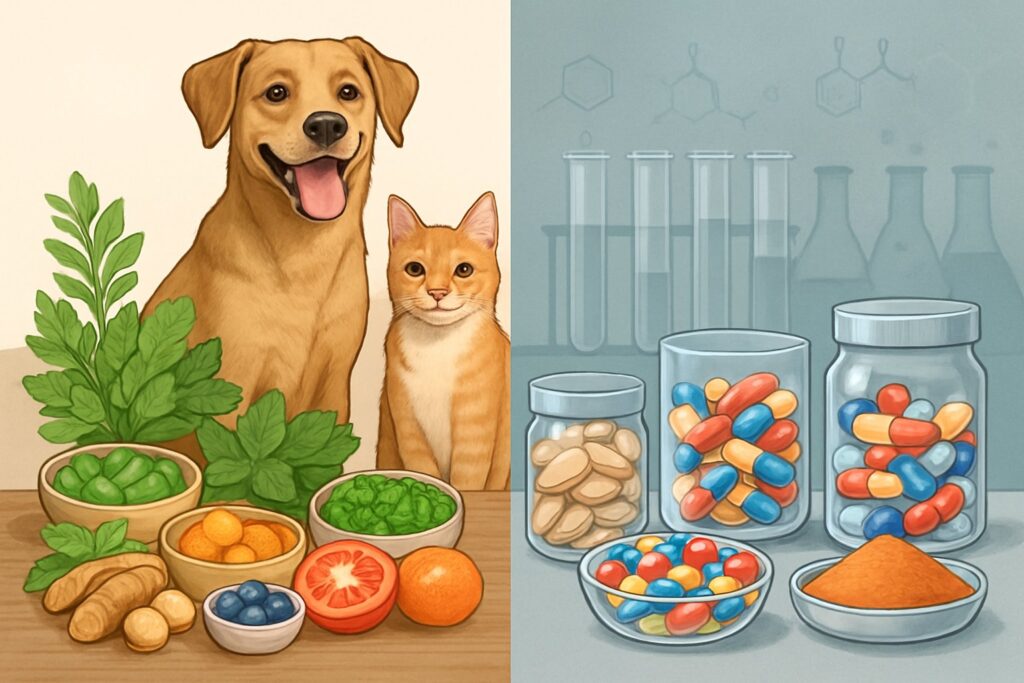
        Natural vs. Synthetic Pet Supplements

        The pet supplement aisle? Overwhelming. You’re standing there, staring at a natural omega-3 supplement made from fish oil and a synthetic version, trying to guess what’s best for your dog or cat.

        Marketing screams that natural is always better, but honestly, the science is a lot messier.

        Your pet’s body often can’t tell the difference between a vitamin from food and the same vitamin made in a lab. What really matters is how well your pet absorbs it, the quality of the supplement, and whether it actually helps their health. Sometimes, synthetic supplements are even more reliable than natural ones. But there are times when natural options really do shine.

        Key Takeaways

        • Natural supplements come from whole foods; synthetic ones are lab-made, but both can help your pet stay healthy
        • Your pet often absorbs synthetic vitamins just as well as natural ones, so effectiveness matters more than the source
        • The best choice depends on your pet, the specific nutrient, and the manufacturer’s standards—not just the label

        What Makes a Supplement ‘Natural’ or ‘Synthetic’?

        People ask me this all the time, and honestly, it’s not as obvious as you’d hope. Natural supplements come from food—plants or animals. Synthetic ones are built in labs with chemical processes.

        How Natural Pet Supplements Are Made

        Natural pet supplements start with real ingredients you’d probably recognize. Fish oil from salmon, glucosamine from shellfish shells, or probiotics from fermented foods.

        Here’s what makes them “natural”:

        • Whole food sources: Vitamins from fruits, veggies, or animal tissues
        • Minimal processing: Gentle drying, grinding, or cold-pressing to keep nutrients intact
        • Co-factors included: Natural vitamins come with helper compounds for better absorption

        I love that natural supplements provide essential nutrients in forms your pet’s body already knows. Kind of like the difference between eating an orange and popping a vitamin C pill.

        The extraction process usually goes like this:

        1. Harvest raw materials (kelp, organ meats, herbs)
        2. Gently dry or freeze-dry
        3. Grind into powder
        4. Test for purity and strength

        But natural doesn’t always mean better. Some natural ingredients can be all over the place in strength or even have contaminants if the source isn’t great.

        The Science Behind Synthetic Pet Supplements

        Synthetic supplements are lab-made versions of nutrients. Think of them as pharmaceutical-grade copies of what nature gives us.

        Synthetic vitamins are isolated, man-made chemical compounds that copy natural nutrients. Scientists create them using chemical synthesis or fermentation.

        Key advantages of synthetic pet supplements:

        • Consistent potency: Every batch has the same amount of active ingredient
        • Cost-effective: Usually cheaper than natural options
        • Longer shelf life: More stable and don’t break down as fast
        • Targeted dosing: Exact amounts for specific health needs

        The manufacturing process goes something like this:

        1. Chemical synthesis in a controlled lab
        2. Purification to get rid of unwanted stuff
        3. Quality testing for purity and strength
        4. Standardization to exact specs

        Synthetic doesn’t always mean worse. Many synthetic vitamins have the same molecular structure as natural ones. Your dog’s body often can’t even tell the difference between synthetic vitamin E and the natural kind.

        The main drawback? Synthetic supplements don’t include the extra helper compounds you’d get from whole foods. That can sometimes change how well your pet absorbs them.

        Key Differences: Natural vs. Synthetic Pet Supplements

        An illustration showing natural pet supplements with herbs and fruits on one side and synthetic supplements with pills and chemical symbols on the other, each side featuring a healthy dog and cat.

        Natural and synthetic pet supplements work differently in your pet’s body. The biggest differences? How well your pet absorbs them and how steady their strength stays over time.

        Bioavailability and Absorption

        I’ve met so many pet parents frustrated that their pricey supplement isn’t helping. Here’s the deal—bioavailability is everything.

        Natural supplements often come with extra compounds that help absorption. For example, when your dog gets vitamin C from rose hips, they also get bioflavonoids that help their body use that vitamin.

        Synthetic vitamins are just the isolated compound. Your dog’s digestive system has to work harder to recognize and use them.

        Natural advantages:

        • Come with co-factors to help absorption
        • Look like nutrients found in food
        • Usually gentler on sensitive stomachs

        Synthetic benefits:

        • Higher dose per serving
        • Sometimes absorbed faster
        • More predictable strength

        I notice pets often do better with natural dog supplements because their bodies seem to recognize the nutrients more easily.

        Consistency and Potency

        Consistency matters when you’re trying to help your pet feel better.

        Synthetic supplements win here. Each tablet has the same amount of active ingredient. No surprises, no changes from batch to batch.

        Natural supplements are more unpredictable. The vitamin C in one bottle of acerola cherry extract might be 10-15% higher or lower than another bottle.

        Why this matters:

        • Synthetic vitamins give you predictable doses
        • Natural supplements can vary in strength
        • Quality control is simpler with synthetics

        But here’s something I wonder about—synthetic vitamin C and other isolated nutrients don’t always work the same as their natural twins, even if the dose is higher.

        Common Ingredients and Sources

        The ingredient list tells you a lot.

        Natural supplement sources I like:

        • Fish oil from wild-caught salmon
        • Vitamin E from sunflower seeds
        • Probiotics from fermented foods
        • Glucosamine from shellfish

        Common synthetic ingredients:

        • Ascorbic acid (synthetic vitamin C)
        • dl-alpha tocopherol (synthetic vitamin E)
        • Lab-made amino acids
        • Factory-made minerals

        I always tell people: flip that supplement bottle over. If you see long chemical names you can’t pronounce, it’s probably synthetic.

        Natural vs synthetic pet supplements both have a place. I tend to prefer whole-food sources when I can find them. Dogs’ ancestors didn’t eat isolated nutrients—they got their vitamins from prey and plants.

        The choice between natural and synthetic usually comes down to your goals, your budget, and what your pet needs.

        How Do They Impact Your Pet’s Health?

        The big difference between natural and synthetic pet supplements is how your pet’s body uses them. Both types can help your pet, but they work a bit differently when it comes to absorption, side effects, and long-term results.

        Overall Vitality and Wellness

        I’ve heard so many pet parents ask if natural pet food products really make a difference compared to synthetic ones. Honestly? It depends on your pet.

        Natural supplements usually contain compounds that work together. For example, glucosamine from shellfish comes with other helpful stuff that might support your pet’s joints in ways we don’t fully understand yet.

        Your dog’s body tends to recognize natural forms more easily. This leads to better absorption and fewer tummy troubles. I’ve noticed pets on natural supplements often show slow, steady improvements in energy and coat shine.

        Synthetic supplements give precise doses of a specific nutrient. If your vet prescribes synthetic vitamin K, you know exactly what your pet is getting. No guessing.

        Natural supplements support overall vitality by working with your pet’s natural systems. Synthetic ones target specific deficiencies with precision.

        Potential Side Effects and Risks

        Let’s talk honestly about the risks with both supplement types. Neither natural nor synthetic options guarantee safety—it really depends on quality and how much you use.

        Natural supplement risks:

        • Contamination from environmental toxins
        • Inconsistent potency between batches
        • Allergic reactions to plant-based ingredients
        • Drug interactions you might not expect

        Synthetic supplement risks:

        • Few side effects when properly dosed
        • Potential for overdosing due to concentrated forms
        • Less bioavailable forms that pass through unused
        • Artificial additives and preservatives

        If you supplement without guidance, problems can crop up fast. Your cat definitely doesn’t need the same dosage as your neighbor’s Great Dane.

        Watch for these warning signs:

        • Digestive upset after starting any new supplement
        • Changes in appetite or behavior
        • Unusual lethargy or hyperactivity

        Real-Life Scenarios: Choosing What Works

        Imagine this: your 8-year-old Golden Retriever starts limping after walks. Do you grab natural glucosamine or reach for synthetic joint support?

        Scenario 1: Chronic joint issues

        I’d usually lean toward natural glucosamine with chondroitin. These slow-acting compounds support joints over time, and while it might take 6-8 weeks to notice improvement, the benefits often stick around.

        Scenario 2: Post-surgery recovery

        Synthetic supplements are the go-to here. Your vet can dial in the exact dosage for quicker healing, which is what you need after surgery.

        Scenario 3: Senior cat with multiple health concerns

        This one calls for a mixed approach. I like natural omega-3s for general wellness and synthetic B-vitamins for targeted deficiencies your vet finds in bloodwork.

        Start with your vet’s advice. They know your pet’s health history and what meds they’re on. Natural doesn’t always mean better, and synthetic isn’t automatically worse.

        Try one supplement at a time. That way, you’ll actually know what’s helping or causing issues. I keep a simple log of changes in appetite, energy, and behavior—makes it easier to spot patterns.

        Frequently Asked Questions

        A dog and cat with natural green leaves and herbs on one side and colorful pills in a container on the other, showing a contrast between natural and synthetic pet supplements.

        Pet parents ask me all the time about the real differences between natural and synthetic supplements. Let’s dig into the most common questions about ingredient safety, effectiveness, and what those tricky labels really mean for your furry friend.

        Ever wondered if your furry friend really benefits more from natural ingredients in their supplements?

        Here’s what I’ve learned after years of poking around in pet nutrition. Natural supplements usually come with extra compounds that help your pet’s body actually use the nutrients better.u003cbru003eFor example, when your dog gets vitamin C from rose hips instead of a synthetic tablet, they’re getting bonus flavonoids and antioxidants too. Those extras can give the main vitamin a little boost.u003cbru003eBut honestly, some synthetic vitamins work just as well as natural ones in your pet’s digestive system. The difference isn’t always as dramatic as people think.u003cbru003eNatural supplements do tend to be gentler on sensitive stomachs. I’ve noticed fewer upset tummies when pets switch from synthetic to natural forms.

        Why might some pet parents avoid synthetic vitamins in dog food, you ask?

        Let me lay out the main worries I hear. Some synthetic vitamins can upset sensitive dogs’ stomachs, especially at higher doses.u003cbru003eu003ca href=u0022https://avmajournals.avma.org/view/journals/javma/245/11/javma.245.11.1241.xmlu0022u003ePet food regulationsu003c/au003e allow synthetic vitamins even in products labeled “natural,” which confuses a lot of folks. This happens because some nutrients are tough to get from natural sources alone.u003cbru003eAnother issue? Synthetic vitamins sometimes lack the helper nutrients found in whole foods, so your pup might not absorb them as well.u003cbru003eAnd honestly, some pet parents just want to avoid synthetic stuff because it matches their own natural lifestyle. It’s a personal choice—no right or wrong.

        Heard about Sodium Selenite? Let’s chat about why it’s in your dog’s diet and what you should know.

        Sodium selenite is a synthetic form of selenium that shows up in lots of commercial dog foods and supplements. Dogs need selenium for a healthy immune system and thyroid support.u003cbru003eManufacturers use this synthetic version because it’s stable and doesn’t break down during food processing. Natural selenium sources can be all over the map in terms of actual nutrient levels.u003cbru003eBut I always tell pet parents to watch the dosage. Too much selenium can be harmful, so stick to products with carefully measured amounts.u003cbru003eMost reputable pet food companies balance sodium selenite levels pretty well, so your dog gets what they need—nothing extra.

        Natural verses manufactured supplements – curious about the real upsides for your cat’s health?

        Honestly, I’ve seen some impressive changes when cats switch to natural supplements. Their bodies seem to recognize and use natural forms more efficiently than synthetic versions.u003cbru003eNatural supplements usually contain cofactors—those little helper compounds that boost nutrient absorption. It’s like your cat gets more value for the same dose.u003cbru003eSometimes, cats on natural supplements end up with shinier coats and a bit more pep within a few weeks. It’s not magic, but it’s noticeable.u003cbru003eThe catch? Natural supplements can cost more and sometimes the potency isn’t as consistent. You’re basically trading convenience for what a lot of folks see as better quality.

        Caught yourself questioning the need for synthetic vitamins for your pup?

        Here’s what I’ve picked up about when synthetic vitamins actually make sense. Some nutrients are almost impossible to get in enough quantity from natural sources alone.u003cbru003eTake vitamin B12—it’s a classic example. Most natural pet supplements just can’t provide enough B12 for dogs with absorption issues or certain health conditions.u003cbru003eIf your dog eats a balanced, high-quality diet, they might not need many synthetic vitamins at all. But working dogs, u003ca href=u0022https://www.peteatwell.com/senior-dog-nutrition-guideu0022u003esenior petsu003c/au003e, or those with health challenges often benefit from targeted synthetic supplements.u003cbru003eThe real trick is u003ca href=u0022https://www.peteatwell.com/health/vet-adviceu0022u003eworking with your vetu003c/au003e to figure out what your specific dog actually needs. There’s no one-size-fits-all answer here.

        Looking at a supplement label can be confusing, right? Want to know what those vitamin names actually mean for your pet’s wellbeing?

        I get this question all the time from frustrated pet parents staring at u003ca href=u0022https://www.peteatwell.com/reading-pet-food-labelsu0022u003ecomplicated labelsu003c/au003e. Those long chemical names? They usually mean synthetic vitamins.u003cbru003eIf you see u0022ascorbic acidu0022 instead of u0022vitamin C from acerola cherries,u0022 that’s a clue. The first one’s synthetic, the second’s natural.

        Here’s a quick trick I like to share. Natural vitamins usually mention their food source, like “vitamin E from sunflower oil.”

        Synthetics just list the vitamin name or some chemical-sounding thing. Not super helpful, honestly.

        Natural indicators to look for:

        • Whole food sources listed
        • Terms like “derived from” or “extracted from”
        • Recognizable plant or animal sources

        Synthetic red flags:

        • Long chemical names
        • No source mentioned
        • Terms ending in “-ate” or “-ide”

        As an Amazon Associate, we may earn a commission from qualifying purchases if you click on the links within this article. Learn more.

        Leave a Reply