
# Frontend Runtime Extension Contract (V1) This document defines the stable frontend runtime integration surface for plugins that extend FrontEdit in the browser. ## Purpose This contract answers four questions for external integrations: 1. How another plugin may open and control FrontEdit editing. 2. What schema-resolved runtime data FrontEdit guarantees to expose. 3. Which lifecycle hooks and events are stable for observing editing and the standard FrontEdit save flow. 4. Which globals and implementation details are explicitly private. ## Scope This contract covers the browser runtime only. It does not define: 1. PHP handler registration. 2. Schema authoring rules. 3. Internal editor-state layout. 4. REST endpoint internals or private save helpers. 5. Internal DOM classes or data attributes unless explicitly documented here. ## Stability Model FrontEdit exposes one stable base namespace for browser integrations: ```js window.MWP.SFE.PublicApi ``` When FrontEdit Pro is active, FrontEdit also exposes one optional pro-only namespace: ```js window.MWP.SFE.ProApi ``` Everything else on `window.MWP.SFE` is private unless this document explicitly says otherwise. ### Two-tier contract This document uses two stability tiers: 1. `V1 committed surface` External plugins may rely on these methods, events, and return shapes. 2. `Candidate APIs under evaluation` These are roadmap items only. They are not part of the stable contract and may change or never ship. ### Versioning The runtime extension contract is versioned independently from the schema contract. `window.MWP.SFE.PublicApi` must expose: ```js SFE.PublicApi.getApiInfo(); ``` Expected shape: ```js { apiVersion: 1, namespace: 'window.MWP.SFE.PublicApi', features: { editorControl: true, runtimeInspection: true, editableBlockDiscovery: true, editingRuntimeResolution: true, publicOperationContracts: true, operations: true, operationPreflight: true, listOperationContracts: true, mediaInspection: true, mediaSessionControl: true, explicitStaging: true, events: true, blockRefresh: true } } ``` Version rules: 1. Additive methods, additive event payload fields, and additive snapshot fields are minor-safe. 2. Removing or renaming methods, changing event semantics, or changing documented return-shape meaning requires an `apiVersion` bump. 3. Private internals may change at any time without notice. ## Public Namespace Rules External plugins may: 1. Call documented `SFE.PublicApi.*` methods. 2. Call documented `SFE.ProApi.*` methods only when the pro plugin is active and the method is documented here as pro-only. 3. Subscribe only to documented `SFE.PublicApi` events. 4. Store and compare documented snapshot data returned by the API. External plugins must not: 1. Monkey-patch FrontEdit methods. 2. Directly mutate `window.MWP.SFE` objects unless a documented API explicitly allows it. 3. Depend on underscore-prefixed properties. 4. Rebuild schema runtime resolution, media descriptor resolution, or block-state hydration from private internals when a public API exists. ## V1 Committed Surface ### Discovery #### Server-side AI discovery When the WordPress Abilities API is available, an authorized FrontEdit editor may call the following post-scoped, read-only abilities: 1. `mwpsfe/list-editable-blocks` with `post_id` to retrieve selectable block UUIDs, block types, edit handler IDs, and source-text summaries. 2. `mwpsfe/get-editable-block` with `post_id` and `uuid` to retrieve focused content for one already-authorized editable block. 3. `mwpsfe/get-public-operation-contract` with `post_id` and `uuid` to retrieve the handler-derived public operation contract and its current public input state for one already-authorized editable block. 4. `mwpsfe/get-frontend-runtime-contract` with `post_id` to retrieve this canonical browser contract. These abilities authorize the current user against the exact requested post; they do not discover WordPress posts/pages, execute browser methods, or create an external save path. WordPress core remains responsible for page discovery. Once the browser runtime is present, integrations must still verify availability through `SFE.PublicApi.getApiInfo()` and use `SFE.PublicApi.getEditableBlocks()` to enumerate the live page. #### Server-side `current_operation_state` `mwpsfe/get-public-operation-contract` returns an immutable `contract` and a separate mutable `current_operation_state` array. Each record is: ```json { "componentId": "content", "operationId": "rewrite_text", "state": { "runs": [] } } ``` The record's `state` object contains only the public inputs declared by that operation. FrontEdit derives these values from the owning handler's schema and current parsed block state; it never publishes attributes, bindings, selectors, or executor metadata. Integrations must use this projection when a generated proposal needs to preserve a current text, media, link, or setting value. They must not reconstruct an equivalent map from raw block attributes. `core/list` keeps its documented browser-owned current-state surface through `SFE.PublicApi.getListStructure(...)` and its operation descriptor through `SFE.PublicApi.getListOperationContract(...)`, because its runtime list-item UUIDs are session-scoped rather than server-side generic operation IDs. #### `getEditableBlocks() -> EditableBlock[]` Return the FrontEdit-editable blocks currently known to the live page runtime. ```js const blocks = SFE.PublicApi.getEditableBlocks(); const match = blocks.find(block => block.contentText.includes('Pricing')); ``` Each entry is a `BlockSnapshot` plus `contentText`, which is normalized text from the current rendered block element. Use its `uuid` with `resolveEditingRuntime(...)` before choosing a documented edit operation. This method is the supported browser discovery path; integrations must not scrape private FrontEdit DOM attributes to enumerate UUIDs. #### Human save handoff An integration may inspect a block, open FrontEdit, and apply documented runtime operations or staging. It must then hand control to the authorized human to review and complete FrontEdit's standard save UI. V1 has no external direct-save API. #### `getApiInfo()` ```js const info = SFE.PublicApi.getApiInfo(); ``` Returns the contract version and feature flags for this runtime. ### Editor Control #### `openEditor(options) -> Promise` Open FrontEdit editing for a target block through the supported runtime path. ```js await SFE.PublicApi.openEditor({ uuid, element, handlerId, componentId, mode: 'edit', source: 'external' }); ``` Rules: 1. `uuid` is required. 2. `element` is optional when the block can be resolved from `uuid`. 3. `handlerId` is optional when FrontEdit can resolve the applicable handler for the block. 4. `componentId` is optional. When supplied, FrontEdit targets the documented editable component for the session. 5. `mode` defaults to `'edit'`. 6. `source` is a caller label for diagnostics and event payloads. Returns an `EditorSnapshot` when FrontEdit opened an editor session, otherwise `null`. #### `closeEditor(options = {}) -> boolean` Close the active editor session through the supported runtime path. ```js SFE.PublicApi.closeEditor({ uuid, restoreOriginal: true, reason: 'api', source: 'external' }); ``` Rules: 1. `uuid` is optional. When omitted, FrontEdit closes the active editor if one exists. 2. `restoreOriginal` defaults to `true`. 3. `reason` is an informational reason token. 4. `source` is a caller label for diagnostics and event payloads. Returns `true` when a close was attempted through the active supported editor session, otherwise `false`. #### `isEditorOpen() -> boolean` Returns whether FrontEdit currently has an active editor session. #### `getActiveEditor() -> EditorSnapshot|null` Returns a stable snapshot of the current active editor session. The return value is a snapshot, not a mutable live internal object. ### Runtime Inspection #### `resolveRuntime(options) -> ResolvedRuntime|null` Resolve the schema-aware runtime view FrontEdit would use for editing. ```js const runtime = SFE.PublicApi.resolveRuntime({ uuid, element, handlerId }); ``` Returns a stable runtime snapshot for the target block or `null` when no supported runtime could be resolved. #### `resolveEditingRuntime(options) -> ResolvedEditingRuntime|null` Resolve the richer schema-driven editing runtime FrontEdit would use for active editing or proposal materialization. ```js const runtime = SFE.PublicApi.resolveEditingRuntime({ uuid, element, handlerId, blockState, attributeChanges }); ``` Returns a detailed editing runtime snapshot with resolved component metadata and live component element references. Rules: 1. `uuid`, `element`, and `handlerId` follow the same resolution rules as `resolveRuntime()`. 2. `blockState` is optional. When supplied, FrontEdit resolves the runtime against that staged block state instead of the current session baseline. 3. `attributeChanges` is optional. When supplied, FrontEdit resolves the runtime against those pending block attribute changes. 4. The returned runtime data is read-only snapshot data except for documented DOM element references inside component entries. #### `getEditOperationContract(options) -> EditOperationContract|null` Return FrontEdit's read-only, schema-derived contract for AI or other generated operation proposals. It is a compact projection of the currently resolved handler components and their `editor.operations`; it does not expose a DOM element, route, save control, nonce, or mutable editor state. ```js const contract = SFE.PublicApi.getEditOperationContract({ uuid, element, handlerId }); ``` ```ts type EditOperationContract = { contractVersion: 1; uuid: string; operations: Array<{ id: string; componentId: string; inputs: Record; values?: Array; allowedRunFormats?: string[]; requiredRunFormatAttributes?: Record; }>; }; ``` Rules: 1. Use this contract to discover the exact operations, allowed values, and required inputs for this live block. Do not infer them from a block name or toolbar label. 2. The contract deliberately excludes attribute paths, selectors, executor kinds, serialization behavior, routes, and mutable editor internals. 3. It is not an authorization or mutation API. Generated proposals remain untrusted and must pass FrontEdit preflight before apply. 4. A handler must explicitly mark an operation `publicOperation: true` before it appears here. FrontEdit does not maintain a second public allowlist or synthesize generic operations from a block type. 5. `allowedRunFormats`, when present for a `rich_text_runs` input, contains the handler-declared format tokens permitted in each returned run. `requiredRunFormatAttributes`, when present, maps a format token to the minimum named values that must be present in that run's `formatAttributes[formatToken]` object. It exposes neither rendering tags, optional format data, selectors, nor mutation details. 6. List editing retains its established UUID-oriented list API. Its legal operation kinds and inputs are exposed separately through `getListOperationContract(...)`; they are not part of this generic generated-proposal envelope. #### `getEditableComponents(options) -> EditableComponent[]` Returns the runtime-editable components for the resolved block. #### `getDefaultComponent(options) -> EditableComponent|null` Returns the default editable component for the resolved block, if one exists. ### Public Operation Runtime V1 uses one attribute-free public operation envelope: ```js const operations = [ { id: operation.id, componentId: operation.componentId, inputs: { /* only values declared by getEditOperationContract() */ } } ]; const preflight = SFE.PublicApi.preflightOperations({ uuid, operations }); if (preflight?.valid === true) { SFE.PublicApi.applyOperations({ uuid, operations }); } ``` #### `preflightOperations(options) -> OperationPreflightResult|null` Validate an opaque operation batch against an already open editor without mutating DOM, history, preview state, or saved content. ```ts type OperationPreflightResult = { uuid: string; valid: boolean; validatedOperationIds: string[]; errors: Array<{ code: string; id?: string; componentId?: string }>; }; ``` #### `applyOperations(options) -> OperationResult|null` Stage the same preflighted opaque batch through FrontEdit's shared schema executor. FrontEdit resolves the operation locally from the active handler, performs normal preview and history work, and leaves review, save, and cancel under its normal editor lifecycle. Rules: 1. Call `openEditor(...)` explicitly before preflight or apply. 2. Each operation must exactly match a declaration from `getEditOperationContract(...)`. 3. Callers must not send `kind`, `attribute`, `attributes`, `bindingSource`, DOM selectors, or serialization metadata. 4. Callers processing generated or untrusted content must require `valid === true` before apply. 5. This is a staging API, never a direct-save API. `applyOperations(...)` returns `appliedOperationCount` in addition to its operation ID summary. Integrations that generate a batch must treat the stage as failed unless that count equals the requested operation count. ### V1 Operation Recipes All non-list mutations use the schema-derived operation envelope. Discover the operation on the live block, open that block's editor, preflight the exact batch, then apply the same batch. FrontEdit owns the resulting preview, history, review, cancel, and save lifecycle. #### Operation Envelope ```js const contract = SFE.PublicApi.getEditOperationContract({ uuid, element, handlerId }); if (!contract) { throw new Error('No edit-operation contract is available for this block.'); } const getOperation = predicate => { const operation = contract.operations.find(predicate); if (!operation) { throw new Error('The requested operation is not supported by this block.'); } return operation; }; const stage = async operations => { const preflight = SFE.PublicApi.preflightOperations({ uuid, operations }); if ( preflight?.valid !== true || preflight.validatedOperationIds.length !== operations.length ) { throw new Error('FrontEdit rejected the operation batch.'); } const result = SFE.PublicApi.applyOperations({ uuid, operations }); if (result?.appliedOperationCount !== operations.length) { throw new Error('FrontEdit did not stage every operation.'); } return result; }; ``` Every generic operation has exactly this shape: ```js { id: operation.id, componentId: operation.componentId, inputs: { // Exactly the declared input names and values for this operation. } } ``` Use the operation's `inputs` map as the complete field contract. Include every required input, omit optional inputs you do not need, and do not send `kind`, attribute paths, selectors, binding metadata, or other internal fields. #### Text Replacement Find an operation that declares a `rich_text_runs` input and submit the complete replacement run sequence for that component: ```js const rewrite = getOperation(operation => ( operation.componentId === 'content' && operation.inputs.runs?.type === 'rich_text_runs' )); await SFE.PublicApi.openEditor({ uuid, element, handlerId, componentId: rewrite.componentId }); await stage([{ id: rewrite.id, componentId: rewrite.componentId, inputs: { runs: [ { text: 'Updated copy', formats: [], formatAttributes: {} } ] } }]); ``` Use only `allowedRunFormats` exposed by that operation. When `requiredRunFormatAttributes` declares values for a format, include them in the matching run's `formatAttributes` object. #### Scalar Block Setting Settings such as alignment or heading level are schema operations with a declared scalar input. The concrete ID, component, allowed values, and any additional inputs come from the resolved contract: ```js const alignment = getOperation(operation => ( operation.componentId === 'content' && operation.inputs.value?.type === 'scalar' && Array.isArray(operation.values) && operation.values.includes('center') )); await SFE.PublicApi.openEditor({ uuid, element, handlerId, componentId: alignment.componentId }); await stage([{ id: alignment.id, componentId: alignment.componentId, inputs: { value: 'center' } }]); ``` If the declared operation has additional required inputs, include those exact fields in `inputs`. For example, a column-scoped setting can require a `columns` input in addition to `value`. #### Host Link Update For an anchor-host component, select the operation that declares the URL input and provide its declared optional link settings only when needed: ```js const link = getOperation(operation => ( operation.componentId === 'label' && operation.inputs.href?.type === 'url' )); await SFE.PublicApi.openEditor({ uuid, element, handlerId, componentId: link.componentId }); await stage([{ id: link.id, componentId: link.componentId, inputs: { href: 'https://example.com/pricing', new_tab: true } }]); ``` #### Media URL Replacement When the live operation contract declares a URL input for a media component, stage the URL as a generic operation. The operation ID remains contract-owned: ```js const media = getOperation(operation => ( operation.componentId === 'image' && operation.inputs.url?.type === 'url' )); await SFE.PublicApi.openEditor({ uuid, element, handlerId, componentId: media.componentId }); await stage([{ id: media.id, componentId: media.componentId, inputs: { url: 'https://example.com/uploads/updated-image.jpg', source: 'input' } }]); ``` Include `attachmentId` only when the media source provides one. When the contract declares `source`, use `library` for a WordPress media-library item or `input` for a direct URL. For a selected WordPress media-library or upload item, use the documented [`applyActiveMediaSelection(options)`](#applyactivemediaselectionoptions---editorsnapshotnull) method in [Media Inspection And Session Control](#media-inspection-and-session-control). That method's reference includes its required active-session setup and exact request shape. ### List Runtime V1 retains the public list-tree runtime for `core/list`-style blocks that are edited as one root block while exposing nested item/list structure to external callers. #### `getListStructure(options) -> ListNode|null` Return the current live structural snapshot for one open or discoverable list block. ```js const structure = SFE.PublicApi.getListStructure({ uuid, element }); ``` Rules: 1. `uuid` is required unless `element` can be resolved to a block UUID. 2. The target block must resolve to a live `UL` or `OL` root. 3. The return value is a read-only structural snapshot of the live DOM tree. #### `getListOperationContract(options) -> ListOperationContract|null` Return the FrontEdit-owned, read-only operation descriptor for one live list root. This is the machine-readable source of truth for public list operation kinds and their exact input fields. Integrations must use it rather than maintaining a separate list-operation catalog. ```js const contract = SFE.PublicApi.getListOperationContract({ uuid, element }); ``` ```ts type ListOperationContract = { contractVersion: 1; uuid: string; operations: Array<{ kind: string; inputs: Record; }>; }; ``` Rules: 1. `uuid` is required unless `element` can be resolved to a block UUID. 2. The target must resolve to a live `UL` or `OL` root. 3. Each `inputs` map is exact: callers must not add an input not declared for that operation. 4. `existing_list_item_uuid` accepts an item UUID from the current `getListStructure(...)` result. `new_list_item_uuid` is a fresh caller-owned item UUID for an insertion. `direct_list_item_html` is direct item text HTML and must not contain `li`, `ul`, or `ol` wrappers. 5. This is an inspection API, not mutation authority. Callers still must use `preflightListOperations(...)` successfully before `applyListOperations(...)`. #### `applyListOperations(options) -> ListOperationResult|null` Apply one or more structural list mutations as one runtime batch. #### `preflightListOperations(options) -> ListOperationPreflightResult|null` Validate a UUID-oriented list batch against the open FrontEdit list editor without mutating it. ```js const preflight = SFE.PublicApi.preflightListOperations({ uuid, operations }); if (preflight?.valid === true) { SFE.PublicApi.applyListOperations({ uuid, operations }); } ``` Return shape: ```ts type ListOperationPreflightResult = { uuid: string; valid: boolean; validatedOperationKinds: string[]; errors: Array<{ code: string; index?: number }>; }; ``` `insert_child` validates its supplied insertion command during preflight. Its internal follow-up indent is resolved only during the subsequent FrontEdit apply because the new runtime item does not exist until that point. ```js const result = SFE.PublicApi.applyListOperations({ uuid, operations: [ { kind: 'update_list_item_text', itemUuid: '7db1a4ff-8e25-4f7d-a806-9328d473bb96', contentHtml: 'Alpha' }, { kind: 'toggle_list_type', itemUuid: '7db1a4ff-8e25-4f7d-a806-9328d473bb96', } ] }); ``` Rules: 1. `uuid` is required. 2. The target list editor must already be open. 3. `operations` are applied in order against the live mutated tree. 4. Every operation must supply the correct documented UUID target token family for its kind. 5. FrontEdit resolves each operation's runtime UUIDs against the current post-mutation tree immediately before that operation runs. 6. Public callers must use only operation kinds and exact inputs advertised by `getListOperationContract(...)`. 7. Some public operations may expand into multiple internal primitive mutations. For example, `insert_child` inserts the new item after the parent item, then indents it so the tracker creates the nested child list through the normal editor path. 8. Successful batches return one updated list structure snapshot. #### Current V1 list operation descriptor The contract currently advertises: 1. `update_list_item_text` 2. `insert_before` 3. `insert_after` 4. `insert_child` 5. `remove_list_item` 6. `move_before` 7. `move_after` 8. `indent_list_item` 9. `outdent_list_item` 10. `toggle_list_type` These are the public API kinds only. Internally FrontEdit still executes lower-level primitive list operations such as `insert_list_item`, `move_list_item`, and `toggle_list_type`, but only the descriptor returned by `getListOperationContract(...)` is the machine-readable runtime contract. #### List operation payloads | Kind | Required fields | Optional fields | Description | | --- | --- | --- | --- | | `update_list_item_text` | `kind`, `itemUuid`, `contentHtml` | -- | Replaces the direct text HTML for one existing list item. | | `insert_before` | `kind`, `newItemUuid`, `targetItemUuid`, `contentHtml` | -- | Inserts a new sibling item before the target item. | | `insert_after` | `kind`, `newItemUuid`, `targetItemUuid`, `contentHtml` | -- | Inserts a new sibling item after the target item. | | `insert_child` | `kind`, `newItemUuid`, `targetItemUuid`, `contentHtml` | -- | Creates a new child item under the target item. | | `remove_list_item` | `kind`, `itemUuid` | -- | Removes one existing list item and its nested children. | | `move_before` | `kind`, `itemUuid`, `targetItemUuid` | -- | Moves an existing item before the target item. | | `move_after` | `kind`, `itemUuid`, `targetItemUuid` | -- | Moves an existing item after the target item. | | `indent_list_item` | `kind`, `itemUuid` | -- | Indents one existing item through the normal editor list behavior. | | `outdent_list_item` | `kind`, `itemUuid` | -- | Outdents one existing item through the normal editor list behavior. | | `toggle_list_type` | `kind`, `itemUuid` | -- | Toggles the containing list for the referenced item between ordered and unordered. | `contentHtml` is required for operations that create or replace item content. It represents the direct item text HTML only. It must not include wrapping `
  • `, `
      `, or `
        ` elements. Consumers must derive whether an operation carries content from its `direct_list_item_html` input descriptor, not from a copied operation-kind allowlist. #### Public target-token rules Public list operations must use only the documented runtime UUID token family for their kind. FrontEdit rejects public operations that omit the required token. 1. `update_list_item_text`, `remove_list_item`, `indent_list_item`, and `outdent_list_item` target one existing list item and must provide `itemUuid`. 2. `insert_before` and `insert_after` must provide `newItemUuid` plus `targetItemUuid`. 3. `insert_child` must provide `newItemUuid` plus `targetItemUuid`. If the target item does not already own a child list, FrontEdit creates the required nested list automatically. 4. `move_before` and `move_after` must provide `itemUuid` plus `targetItemUuid`. 5. `toggle_list_type` must provide `itemUuid`. FrontEdit resolves that item to its current containing list immediately before the toggle runs. 6. Public callers must use only the documented camelCase keys above. Any other keys are outside the API contract. 7. Public callers must not rely on cursor or selection state. Cursor-based inference is reserved for internal editor-originated calls only. #### Runtime UUID ownership List-item UUIDs and list-node UUIDs have different ownership rules. 1. Public callers are responsible for generating UUIDs for newly created list items. 2. FrontEdit is responsible for generating and managing UUIDs for list nodes. 3. Public callers must not create, assign, or mutate list-node UUIDs directly. 4. When a structural operation creates a new nested list, FrontEdit assigns the resulting `listUuid`. 5. Public list operations target items, not list nodes, even though returned structure snapshots still expose `listUuid` values. #### Recommended UUID convention FrontEdit does not enforce a specific caller UUID format for public list operations. Recommended convention: 1. Use RFC 4122 version 4 UUID strings for `itemUuid`, `targetItemUuid`, and `newItemUuid`. 2. Generate one fresh UUID for every new list item the caller intends to create. 3. Treat runtime UUIDs as session-scoped cursor tokens only. Do not persist or reuse them after the list editor closes or the page reloads. #### `ListNode` `getListStructure()` and successful list-operation results return recursive list nodes plus item nodes so child lists remain distinct from the list items that own them. A list node contains: 1. `listUuid` (string): session-scoped runtime UUID for this list node 2. `listPath` (string): empty string for the root list, or the parent item path that owns this nested child list 3. `ordered` (boolean): whether this specific list node is `OL` 4. `items` (array): direct child list items for this list node Each item contains: 1. `itemUuid` (string): session-scoped runtime UUID for this item 2. `path` (string): item tree path 3. `pathLabel` (string): human-readable 1-based path label 4. `depth` (number): zero-based nesting depth 5. `contentHtml` (string): direct item text HTML only 6. `childList` (`ListNode|null`): nested list node owned by this item, or `null` Example: ```json { "listUuid": "e183f2b5-2f90-4ca2-8ea8-c3d8c72ab2c1", "listPath": "", "ordered": false, "items": [ { "itemUuid": "7db1a4ff-8e25-4f7d-a806-9328d473bb96", "path": "0", "pathLabel": "1", "depth": 0, "contentHtml": "a", "childList": { "listUuid": "fd818143-75d8-4ae9-8f3f-798d54150472", "listPath": "0", "ordered": false, "items": [ { "itemUuid": "c71fad00-2d1f-4f70-b0fc-84681f5ef8a0", "path": "0_0", "pathLabel": "1.1", "depth": 1, "contentHtml": "b", "childList": { "listUuid": "2cd9f476-1d91-45e5-bd0b-ae981b78a111", "listPath": "0_0", "ordered": false, "items": [ { "itemUuid": "b2f4ffad-edbc-48e9-950d-2716b5bf6942", "path": "0_0_0", "pathLabel": "1.1.1", "depth": 2, "contentHtml": "c", "childList": null } ] } } ] } } ] } ``` #### `ListOperationResult` Successful list runtime mutations return: 1. `uuid` (string): target block UUID 2. `operationsApplied` (array of strings): normalized operation kinds applied in order 3. `structure` (`ListNode`): updated live list structure snapshot ### Media Inspection And Session Control #### `getMediaContext(options) -> MediaContext|null` Resolve the media-editable context for a block or specific component. ```js const mediaContext = SFE.PublicApi.getMediaContext({ uuid, element, handlerId, componentId }); ``` Returns `null` when the target block is not media-editable through the documented runtime surface. #### `getMediaDescriptor(options) -> MediaDescriptor|null` Returns the stable media descriptor for the selected file component, if one exists. #### `isMediaEditable(options) -> boolean` Returns whether the resolved block exposes a file-editable component through the public runtime contract. #### `applyActiveMediaSelection(options) -> EditorSnapshot|null` Apply one selected media item to the current active schema-media editor session through FrontEdit's supported runtime path. ```js const editor = SFE.PublicApi.applyActiveMediaSelection({ uuid, url, attachmentId, source: 'library' }); ``` Rules: 1. `uuid` is required and must match the current active editor session. 2. `url` is required. 3. `attachmentId` is optional. 4. `source` may be `'library'` or `'input'` and defaults to the input-style save transition when omitted. 5. Returns an updated `EditorSnapshot` when the active media session accepted the selection, otherwise `null`. ### Explicit Staging V1 supports explicit block-state staging only. Staging is editor preparation, not external save execution. External plugins may stage block state and open or guide the FrontEdit editor, but the user must complete saving through FrontEdit's standard save UI and normal FrontEdit save workflow. #### `stageBlockState(stage) -> void` Stage a temporary block-state payload for one block so that subsequent editor open and hydration flows may consume it through FrontEdit's supported staging path. ```js SFE.PublicApi.stageBlockState({ uuid, handlerId, blockState, source: 'external' }); ``` Rules: 1. `uuid` is required. 2. `handlerId` is optional metadata for the caller and diagnostics. 3. `blockState` must match the shape FrontEdit's canonical block hydration path expects. 4. Staged block state is temporary and applies only through the documented FrontEdit runtime path. 5. Staged changes do not create a supported external save path in V1. #### `clearStagedBlockState(uuid) -> void` Clear any currently staged block state for the given block UUID. ### Session Utilities #### `on(eventName, handler) -> unsubscribeFn` Subscribe to one documented runtime event. ```js const unsubscribe = SFE.PublicApi.on('save:after', payload => { // observe successful save completion }); ``` Returns an unsubscribe function equivalent to calling `off(eventName, handler)`. #### `off(eventName, handler) -> void` Remove a previously registered event handler. #### `refreshBlock(uuid, options?) -> Promise` Request that FrontEdit refresh the live DOM for one block through its supported refresh path and return the resulting `BlockSnapshot`. ### Dirty State, Page Context, and Lookup Utilities #### `getDirtyBlocks() -> DirtyBlock[]` Returns a stable summary of the blocks that currently have unsaved changes in the active runtime session. #### `hasDirtyBlocks() -> boolean` Returns whether any block currently has unsaved changes. #### `isBatchSessionActive() -> boolean` Returns whether FrontEdit currently has an active batch-edit session. #### `resetDirtyBlocks(uuids, options?) -> boolean` Reset the tracked dirty batch state for the supplied block UUIDs back to the current batch-session baseline. ### Pro-only Session Utilities These methods exist only when FrontEdit Pro is active on the page. #### `ensureBatchSession() -> Promise` Ensure the shared batch-edit session exists before downstream runtime checks or mutations depend on it. ```js const ready = await SFE.ProApi.ensureBatchSession(); ``` Rules: 1. This method is available only on `window.MWP.SFE.ProApi`. 2. It returns `false` when batch editing is unavailable or disabled for the current page. 3. It may be called repeatedly; repeated calls are safe and reuse any in-flight session bootstrap work. #### `getPageContext() -> PageContext` Returns a stable page-level runtime snapshot. #### `getRestContext() -> RestContext` Returns the REST context FrontEdit guarantees to expose for supported runtime integrations. #### `setRestNonce(nonce) -> RestContext` Update the REST nonce FrontEdit should use for subsequent supported runtime requests on the current page. ```js const restContext = SFE.PublicApi.setRestNonce(refreshedNonce); ``` Rules: 1. `nonce` must be a non-empty string. 2. This updates only the current page runtime state. It does not fetch or mint a new nonce on its own. 3. Callers should use this after their own authenticated nonce-refresh flow succeeds. 4. The return value is the updated `RestContext`. #### `getElementByUuid(uuid) -> Element|null` Returns the current live DOM element for a block UUID, if present. #### `getUuidForElement(element) -> string` Returns the FrontEdit block UUID for the supplied element, or an empty string when none is available. #### `getBlockSnapshot(uuid) -> BlockSnapshot|null` Returns a stable summary snapshot for one block UUID. #### `getEditableBlocks() -> EditableBlock[]` Returns the stable live-page discovery snapshots described above. ## Stable Snapshot Shapes Snapshots are plain data contracts. They are not live editor-state objects and must not be mutated to control FrontEdit. ### `EditorSnapshot` ```json { "uuid": "8d63...", "handlerId": "core_image", "mode": "edit", "blockName": "core/image", "componentType": "file", "componentId": "image", "saveStrategy": "single", "hasMediaSession": true, "isDirty": false, "isDraftSession": false, "isBatchSession": false } ``` Required fields: 1. `uuid` 2. `handlerId` 3. `mode` 4. `blockName` 5. `componentType` 6. `componentId` 7. `saveStrategy` 8. `hasMediaSession` 9. `isDirty` 10. `isDraftSession` 11. `isBatchSession` Field notes: 1. `hasMediaSession` is `true` when the active editor host currently exposes the supported media-selection control surface used by `SFE.PublicApi.applyActiveMediaSelection(...)`. ### `ResolvedRuntime` ```json { "uuid": "8d63...", "handlerId": "core_cover", "blockName": "core/cover", "schemaVersion": 1, "mode": "mixed", "defaultComponentId": "image", "components": [] } ``` Required fields: 1. `uuid` 2. `handlerId` 3. `blockName` 4. `schemaVersion` 5. `mode` 6. `defaultComponentId` 7. `components` ### `EditableComponent` ```json { "id": "image", "label": "Image", "type": "file", "selector": "figure", "default": true, "target": { "selector": "img", "attribute": "src", "mediaType": "image" }, "mediaDescriptor": { "componentId": "image", "scopeSelector": "figure", "targetSelector": "img", "attribute": "src", "mediaType": "image" } } ``` Required fields: 1. `id` 2. `label` 3. `type` 4. `selector` 5. `default` Optional fields: 1. `required` 2. `placeholder` 3. `target` 4. `mediaDescriptor` 5. `editor` ### `MediaDescriptor` ```json { "componentId": "image", "scopeSelector": "figure", "targetSelector": "img", "attribute": "src", "mediaType": "image" } ``` Required fields: 1. `componentId` 2. `scopeSelector` 3. `targetSelector` 4. `attribute` 5. `mediaType` ### `MediaContext` ```json { "supported": true, "componentId": "image", "mediaType": "image", "accept": "image/*", "label": "image block", "descriptor": { "componentId": "image", "scopeSelector": "figure", "targetSelector": "img", "attribute": "src", "mediaType": "image" } } ``` Required fields: 1. `supported` 2. `componentId` 3. `mediaType` 4. `accept` 5. `label` 6. `descriptor` ### `DirtyBlock` ```json { "uuid": "8d63...", "handlerId": "core_paragraph", "blockName": "core/paragraph", "beforeRaw": "

        Old

        ", "afterRaw": "

        New

        " } ``` Required fields: 1. `uuid` 2. `handlerId` 3. `blockName` 4. `beforeRaw` 5. `afterRaw` ### `PageContext` ```json { "postId": 123, "permissions": { "can_publish": true, "can_draft": false, "can_comment": true, "can_batch": true }, "hasDraftPreview": false, "isEditorOpen": false, "activeMode": "" } ``` Required fields: 1. `postId` 2. `permissions` 3. `hasDraftPreview` 4. `isEditorOpen` 5. `activeMode` ### `RestContext` ```json { "baseUrl": "https://example.com/wp-json/", "namespaceUrl": "https://example.com/wp-json/mwpsfe/v1/", "nonce": "..." } ``` Required fields: 1. `baseUrl` 2. `namespaceUrl` 3. `nonce` ### `BlockSnapshot` ```json { "uuid": "8d63...", "blockName": "core/image", "handlerIds": ["core_image", "core_image_comment"], "isPending": false, "pendingInfo": null, "elementPresent": true } ``` Required fields: 1. `uuid` 2. `blockName` 3. `handlerIds` 4. `isPending` 5. `pendingInfo` 6. `elementPresent` ### `EditableBlock` An `EditableBlock` contains every `BlockSnapshot` field plus: ```json { "contentText": "Visible normalized text from this block" } ``` `contentText` is the current rendered text used for live-page matching. It is not serialized Gutenberg block markup and must not be used as a write payload. ## Stable Events V1 events are observable only. They provide visibility into FrontEdit runtime lifecycle. They are not interception points and do not allow cancellation, mutation, or alternate control flow through event payload side effects. ### Subscription rules 1. Consumers may subscribe only through `SFE.PublicApi.on()`. 2. Consumers must treat event payloads as snapshots. 3. Event payload objects must not be mutated. ### `editor:opened` Fires after FrontEdit has opened an editor session through a supported path. Payload: ```json { "source": "external", "editor": {} } ``` Required fields: 1. `source` 2. `editor` as `EditorSnapshot` ### `editor:beforeClose` Fires before FrontEdit closes an editor session through a supported path. Payload: ```json { "source": "api", "reason": "api", "editor": {} } ``` Required fields: 1. `source` 2. `reason` 3. `editor` as `EditorSnapshot` ### `editor:closed` Fires after FrontEdit closes an editor session through a supported path. Payload: ```json { "source": "api", "reason": "api", "editor": {} } ``` Required fields: 1. `source` 2. `reason` 3. `editor` as `EditorSnapshot` ### `editor:componentChanged` Fires when FrontEdit changes the active editable component within one editor session. Payload: ```json { "source": "sfe", "editor": {} } ``` Required fields: 1. `source` 2. `editor` as `EditorSnapshot` ### `save:before` Fires when FrontEdit is about to begin a supported save path. Payload: ```json { "source": "sfe", "editor": {}, "saveStrategy": "single" } ``` Required fields: 1. `source` 2. `editor` as `EditorSnapshot` 3. `saveStrategy` ### `save:after` Fires after FrontEdit completes a supported save path successfully. Payload: ```json { "source": "sfe", "editor": {}, "saveStrategy": "single", "success": true } ``` Required fields: 1. `source` 2. `editor` as `EditorSnapshot` 3. `saveStrategy` 4. `success` ### `save:error` Fires when FrontEdit's supported save path fails. Payload: ```json { "source": "sfe", "editor": {}, "saveStrategy": "single", "message": "REVISION_CONFLICT" } ``` Required fields: 1. `source` 2. `editor` as `EditorSnapshot` 3. `saveStrategy` 4. `message` ### `block:staged` Fires after `stageBlockState()` records a staged block-state payload. Payload: ```json { "source": "external", "uuid": "8d63...", "handlerId": "core_image" } ``` Required fields: 1. `source` 2. `uuid` 3. `handlerId` ### `block:stageCleared` Fires after `clearStagedBlockState()` clears a staged block-state payload. Payload: ```json { "source": "external", "uuid": "8d63..." } ``` Required fields: 1. `source` 2. `uuid` ### `block:refreshed` Fires after FrontEdit refreshes a block's live DOM through the supported refresh path. Payload: ```json { "source": "sfe", "block": {} } ``` Required fields: 1. `source` 2. `block` as `BlockSnapshot` ## Candidate APIs Under Evaluation The following APIs are not part of V1 and are intentionally non-contractual in this document: 1. `consumeMediaSelection()` 2. `getActiveMediaSession()` 3. `registerBlockStateProvider()` 4. `unregisterBlockStateProvider()` These remain candidate APIs under evaluation so FrontEdit can improve its internal runtime boundaries before committing to stable provider or live media-session semantics. ## Private Runtime Boundary The following names and object families are explicitly private and unsupported for external integrations: 1. `SFE.Context` 2. `SFE.ManagerData` 3. `SFE.SchemaRuntime` 4. `SFE.MediaHelper` 5. `SFE.Api` 6. `SFE.SaveHelpers` 7. `SFE.SaveHooks` 8. `SFE.BlockSerializer` 9. `SFE.BatchEditManager` 10. `SFE.ResolveBlockState` 11. `SFE.ResolveEditorStrategy` 12. Raw `handler.client_config` 13. Raw editor-state objects 14. Underscore-prefixed properties such as `_mwpSchemaRuntime` and `_mwpSchemaMediaSession` 15. Undocumented DOM classes and data attributes Private APIs may change without a public contract version notice. ## Extension Rules External runtime integrations must follow these rules: 1. Use `window.MWP.SFE.PublicApi` as the only supported JS entry point. 2. Use FrontEdit runtime inspection APIs instead of re-resolving schema handlers or media descriptors from private state. 3. Use explicit staging APIs instead of overriding global block-state resolvers. 4. Use documented lifecycle events instead of patching editor open or close methods. 5. Use stable snapshots only for observation and coordination, never for direct mutation of live FrontEdit state. 6. Preserve FrontEdit's canonical save pipeline and do not bypass block serialization rules. 7. Do not treat V1 as a supported direct-save API; saving remains user-driven through standard FrontEdit controls. 8. When an integration refreshes the shared REST nonce during a long-lived session, it should synchronize FrontEdit through `SFE.PublicApi.setRestNonce(...)` instead of mutating `SFE.ManagerData` directly. Dog Food Ingredients: The Shocking Truth Every Owner Must Know 2026 | PetEatWell

        Dog Food Ingredients: The Shocking Truth Every Owner Must Know

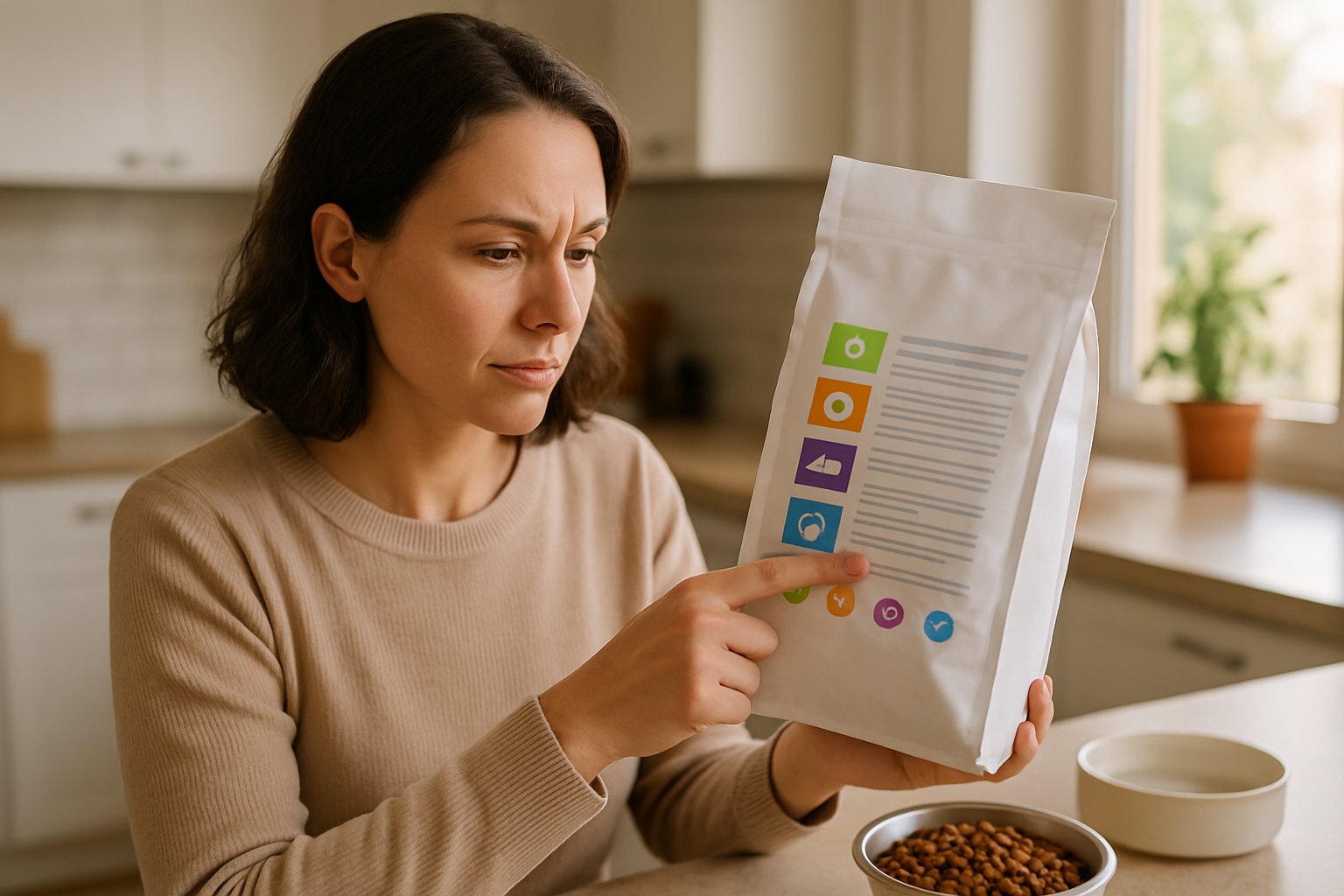
        Ever stared at a dog food bag and felt like you needed a chemistry degree just to understand what you’re feeding your furry friend?

        The main ingredients in dog food include proteins (like chicken, beef, or fish), carbohydrates (such as rice or sweet potatoes), healthy fats, vitamins, and minerals that work together to keep your pup healthy and thriving.

        I get it — those ingredient lists can look overwhelming at first glance.

        Dog Food Ingredients

        But here’s the thing: understanding what goes into your dog’s bowl isn’t just about being a responsible pet parent.

        It’s about making sure your four-legged family member gets the nutrition they need to live their best life.

        Some ingredients are absolute superstars for your dog’s health, while others might leave you scratching your head or even raising red flags.

        You’re about to discover how to decode those confusing labels like a pro and spot the essential nutrients dogs need.

        Let me walk you through everything from reading the fine print to understanding why certain formats work better than others.

        Key Takeaways

        • Dogs need five main ingredient categories: high-quality proteins, carbohydrates for energy, healthy fats, essential vitamins, and minerals for complete nutrition
        • Reading dog food labels becomes easier when you understand that ingredients are listed by weight, with the first ingredient being the most abundant in the food
        • Avoid ingredients like garlic powder, raw components, and anything your specific dog shows sensitivity to, while embracing whole food ingredients and proven protein sources

        Breaking Down Dog Food Ingredients

        Understanding dog food ingredients starts with knowing the four main categories that keep your pup healthy and thriving.

        Each ingredient serves a specific purpose, from building muscle to providing energy and supporting overall health.

        Animal Proteins and Their Sources

        Chicken tops the list as the most common protein in commercial dog foods.

        It’s affordable, easy to digest, and packed with essential amino acids your dog needs for muscle development.

        Beef and lamb offer rich flavors that most dogs love.

        These red meats provide iron and B-vitamins that support energy levels and immune function.

        Fish like salmon brings omega-3 fatty acids to the table.

        These healthy fats promote shiny coats and reduce inflammation throughout your dog’s body.

        Egg protein ranks as one of the most complete proteins available.

        It contains all essential amino acids in perfect ratios for canine nutrition.

        When I examine protein sources on dog food labels, I look for specific named meats rather than generic terms.

        “Chicken” beats “poultry” every time.

        Novel proteins like duck, venison, or rabbit work well for dogs with food sensitivities.

        These alternative options provide variety while avoiding common allergens.

        Carbohydrates and Grains in Dog Food

        Brown rice serves as an excellent digestible carbohydrate source.

        It provides steady energy without causing blood sugar spikes in most dogs.

        Oats offer both energy and fiber benefits.

        They help maintain healthy digestion while keeping your dog feeling satisfied between meals.

        Whole grains like barley and quinoa pack more nutrients than processed alternatives.

        These ingredients provide B-vitamins, minerals, and sustained energy release.

        Soybean meal appears in many budget-friendly formulas.

        While controversial among some pet owners, it’s actually a complete protein source that many dogs digest well.

        Sweet potatoes and peas have gained popularity as grain-free alternatives.

        These ingredients provide complex carbohydrates plus vitamins and minerals.

        Some dogs thrive on grain-free diets, while others do perfectly fine with grains.

        The key is watching how your individual dog responds to different carbohydrate sources.

        The Role of Fats and Oils

        Chicken fat provides concentrated energy and makes food taste amazing to dogs.

        It’s one of the most digestible fat sources available in commercial pet foods.

        Animal fat supplies essential fatty acids that dogs can’t produce on their own.

        These fats support cell function, hormone production, and nutrient absorption.

        Fish oil delivers powerful omega-3 fatty acids that fight inflammation.

        I’ve seen remarkable improvements in dogs’ coat quality when fish oil is added to their diet.

        Omega-6 fatty acids work alongside omega-3s to maintain healthy skin and coat.

        The balance between these two fatty acid types matters more than the individual amounts.

        Flaxseed oil and canola oil provide plant-based fat options.

        While dogs can use these fats, they don’t convert plant-based omega-3s as efficiently as marine sources.

        Fat content typically ranges from 8-18% in quality dog foods.

        Active dogs need more fat for energy, while less active dogs require moderate amounts to prevent weight gain.

        Understanding By-Products and Meals

        Meat meal gets a bad reputation, but it’s actually concentrated protein.

        Chicken meal contains about 65% protein compared to fresh chicken’s 18% protein content.

        Chicken meal removes water from fresh chicken, creating a protein-dense ingredient.

        One pound of chicken meal equals roughly four pounds of fresh chicken.

        By-products include organ meats like liver, kidneys, and heart.

        These nutrient-dense parts often contain more vitamins and minerals than muscle meat alone.

        Meat by-products encompass clean parts of animals other than muscle meat.

        This includes organs, blood, and bones – all nutritious components that wild dogs would naturally consume.

        The confusion around by-products stems from marketing rather than nutrition science.

        Many by-products provide essential nutrients that support optimal health.

        Beet pulp appears in the by-product category as a fiber source.

        It’s the leftover material from sugar beet processing and provides excellent digestive support for most dogs.

        Quality matters more than ingredient type.

        Named meals like “chicken meal” beat generic terms like “meat meal” every time I’m comparing dog food options.

        Essential Nutrients from Ingredients

        Your dog’s food ingredients deliver specific nutrients that keep their body running strong.

        Vitamins support immune function and energy production, minerals build bones and regulate body processes, while amino acids create the building blocks for healthy muscles and growth.

        Vital Vitamins in Canine Diets

        Ever wonder why your dog bounces back from playtime so quickly?

        It’s partly thanks to the vitamins packed into quality ingredients.

        Vitamin A keeps your pup’s vision sharp and skin healthy.

        You’ll find it in ingredients like sweet potatoes, carrots, and liver.

        Think of it as your dog’s natural night-vision booster.

        The B vitamin family works like a power team.

        Thiamine (B1) helps convert food into energy – without it, your dog would feel sluggish after meals.

        Riboflavin (B2) keeps their coat shiny and supports cell growth.

        Niacin (B3) aids digestion and brain function.

        Here’s what I love about B vitamins – they’re water-soluble, meaning your dog’s body uses what it needs and flushes out the rest.

        No worrying about overdose from food sources.

        Vitamin E acts like a bodyguard for your dog’s cells.

        It fights off harmful free radicals that could damage tissues.

        Look for it in high-quality meat and fish ingredients.

        Important Minerals for Dog Health

        Let’s be real – minerals might sound boring, but they’re doing some heavy lifting in your dog’s body.

        Calcium and phosphorus work as a tag team for strong bones and teeth.

        The ratio matters more than the amount.

        Too much calcium without enough phosphorus can actually weaken bones.

        Iron carries oxygen through your dog’s bloodstream.

        Without enough iron, your pup might seem tired or weak during walks.

        Meat-based ingredients naturally provide this essential mineral.

        Magnesium keeps your dog’s heart beating steadily and muscles working properly.

        It’s like the behind-the-scenes coordinator for hundreds of body processes.

        Potassium helps nerves communicate and muscles contract.

        Ever seen your dog’s leg twitch while dreaming?

        That’s potassium at work.

        Zinc supports immune function and wound healing.

        Manganese helps with bone development and metabolism.

        These trace minerals might be needed in small amounts, but they pack a powerful punch for your dog’s health.

        Amino Acids for Muscle and Growth

        Here’s the kicker – your dog needs 22 different amino acids, but their body can only make half of them naturally.

        The other half must come from food ingredients.

        Essential amino acids are non-negotiable.

        Your dog’s body can’t produce them, so quality protein sources become crucial.

        Dogs need these amino acids from their food to build and repair muscle tissue.

        Taurine deserves special attention.

        While dogs can usually make their own taurine, certain breeds and individual dogs benefit from extra amounts in their diet.

        It supports heart function and eye health.

        Muscle protein breaks down constantly during normal activity.

        Those amino acids from chicken, fish, or beef ingredients rebuild stronger muscle fibers.

        It’s like having a construction crew working 24/7 in your dog’s body.

        Growing puppies need even more amino acids to support rapid development.

        Senior dogs require quality protein to maintain muscle mass as they age.

        The amino acid profile in your dog’s food ingredients directly impacts their strength and vitality.

        Label Smarts: Reading and Understanding Dog Food Labels

        I’ve learned that mastering dog food labels transforms you from a confused shopper into a confident pet parent who makes informed decisions.

        The ingredients list reveals what’s actually inside the bag, the guaranteed analysis shows nutrient percentages, and the AAFCO statement confirms whether the food meets your dog’s life stage needs.

        Analyzing the Ingredients List

        Ever stood in the pet food aisle feeling completely lost? I get it — reading dog food ingredients can feel like decoding a foreign language.

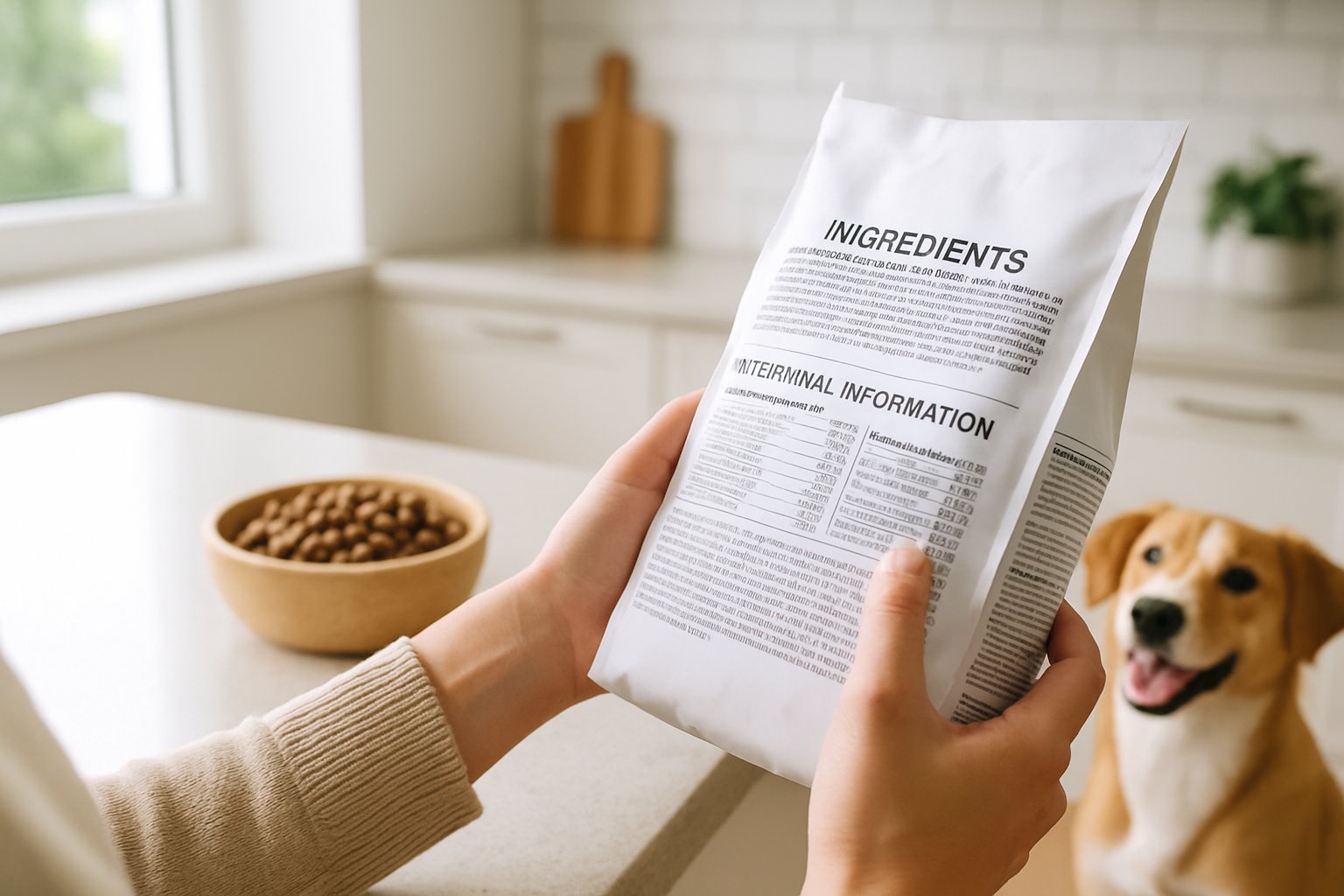
        Ingredients are listed by weight, heaviest first. The first ingredient should be a high-quality protein source like chicken, beef, or salmon.

        Red flags I watch for:

        • Vague terms like “meat meal” or “poultry by-product”
        • Corn or wheat as the first ingredient
        • Multiple forms of the same ingredient (corn, corn meal, corn gluten)

        The first five ingredients make up most of the food. I always check that at least three of these are whole food ingredients, not processed fillers.

        Let’s be real — if you see “chicken” listed first but then spot five different corn products in the top ten, that’s a sneaky way to make corn the main ingredient. Don’t fall for it.

        What good ingredients look like:

        • Named meat sources (chicken, lamb, salmon)
        • Whole grains (brown rice, oats)
        • Recognizable vegetables (sweet potatoes, peas)

        Guaranteed Analysis and What It Means

        The guaranteed analysis section shows minimum and maximum percentages of key nutrients. I think of it as your dog food’s nutrition facts label.

        Key numbers to focus on:

        • Crude protein: Should be at least 18% for adult dogs, 22% for puppies
        • Crude fat: Typically 5-15% depending on your dog’s needs
        • Crude fiber: Usually 2-5% for healthy digestion
        • Moisture: Around 10% for dry food, 75-85% for wet food

        “Crude” just describes the testing method, not the quality. I always compare foods on a dry matter basis.

        Wet foods look lower in protein because of water content, but when you remove the moisture from calculations, they’re often protein powerhouses.

        Pro tip: If your dog needs weight management, look for higher protein and fiber with moderate fat. Active dogs need higher fat for energy.

        Nutritional Adequacy Statement Essentials

        This is where I check if the food actually meets my dog’s needs. The nutritional adequacy statement tells you if the food is complete and balanced according to AAFCO standards.

        Look for phrases like:

        • “Complete and balanced for all life stages”
        • “Complete and balanced for adult maintenance”
        • “Complete and balanced for growth and reproduction”

        AAFCO life stage matching:

        • Puppy/Growth: Higher protein and fat for developing bodies
        • Adult maintenance: Balanced nutrition for everyday health
        • All life stages: Safe for puppies through seniors

        I avoid foods that say “intermittent or supplemental feeding only.” These aren’t complete meals.

        The statement also reveals testing method. “Formulated to meet AAFCO standards” means it’s calculated on paper. “Animal feeding tests” means real dogs ate it in trials.

        Red flag: No AAFCO statement at all? That food might not provide complete nutrition. Your dog deserves better than nutritional guesswork.

        Special Additions and Supplement Ingredients

        Modern dog foods pack in special additions like probiotics for gut health, antioxidants for immune support, and functional ingredients like glucosamine for joint care. These aren’t just marketing buzzwords—they’re targeted nutrients that can make a real difference in your pup’s daily wellbeing.

        Probiotics and Added Health Boosts

        Ever wonder why your dog’s tummy seems off after switching foods? That’s where probiotics come into play as game-changers for digestive health.

        Probiotics are live beneficial bacteria that support your dog’s gut microbiome. I’ve seen dogs with sensitive stomachs transform after switching to foods with added probiotics like Lactobacillus and Bifidobacterium strains.

        These tiny warriors help:

        • Break down food more efficiently
        • Boost immune function (80% of immunity starts in the gut)
        • Reduce digestive upset during food transitions

        DHA and EPA are omega-3 fatty acids that pack serious health punches. DHA supports brain development in puppies and cognitive function in senior dogs.

        EPA fights inflammation throughout the body. You’ll find these in fish oil additions or fish-based ingredients.

        The combo works like a one-two punch for both mental sharpness and physical comfort.

        Antioxidants and Immunity Support

        Let’s be real—your dog faces daily stress from environmental toxins, just like we do. That’s where antioxidants become your pup’s bodyguards.

        Antioxidants neutralize harmful free radicals that can damage cells over time. Think of them as your dog’s internal rust-prevention system.

        Key players include:

        • Vitamin E – protects cell membranes
        • Vitamin C – supports immune response
        • Lutein – promotes eye health and vision
        • Natural sources like blueberries and sweet potatoes

        I love seeing ingredients like blueberry powder or spinach on labels. These natural supplements in fresh dog food provide antioxidant power without artificial additives.

        Beta-carotene converts to vitamin A, supporting everything from coat shine to night vision. It’s why you’ll see carrots and pumpkin in premium formulas.

        Fiber Sources in Dog Food

        Here’s what most pet parents miss: fiber isn’t just filler—it’s functional fuel for digestive health.

        Beet pulp gets a bad rap, but it’s actually a fantastic fiber source. This byproduct from sugar beet processing provides both soluble and insoluble fiber.

        Soluble fiber feeds good gut bacteria. Insoluble fiber keeps things moving smoothly.

        Other powerhouse fiber sources include:

        • Pumpkin – gentle and highly digestible
        • Sweet potato – adds natural sweetness plus nutrients
        • Chicory root – contains prebiotic inulin

        Prebiotics deserve special mention here. Unlike probiotics (the bacteria), prebiotics are the food that feeds beneficial bacteria.

        It’s like providing fertilizer for your dog’s gut garden.

        The right fiber blend helps with:

        • Weight management (creates fullness)
        • Blood sugar stability
        • Healthy bowel movements

        Functional Ingredients: Glucosamine and More

        You know that stiff morning walk when your older dog takes extra time getting going? Functional ingredients target these specific age-related challenges head-on.

        Glucosamine is the superstar for joint health. This natural compound helps maintain cartilage structure and joint fluid.

        I always look for it in senior dog formulas or large breed foods.

        Chondroitin works alongside glucosamine like a dynamic duo. While glucosamine builds cartilage, chondroitin helps it retain water and elasticity.

        Together, they support joint flexibility and comfort.

        These functional additives in dog food serve specific purposes beyond basic nutrition.

        Other game-changing functional ingredients:

        • Taurine – supports heart health (especially important for certain breeds)
        • L-carnitine – aids fat metabolism and energy production
        • Yucca extract – naturally reduces stool odor

        The beauty of these additions? They work preventatively. You’re not waiting for problems to start—you’re supporting your dog’s long-term health every single meal.

        Types of Dog Food: Comparing Formats and What’s Inside

        A table displaying different types of dog food including dry kibble, canned food, and fresh ingredients like chicken and vegetables.

        Let’s be real — standing in that pet food aisle can feel overwhelming when you’re staring at dozens of options. The format you choose affects everything from convenience to nutrition.

        I’ve learned that wet dog food, dry dog food, and raw dog food each have their place depending on your pup’s needs and your lifestyle.

        Wet vs Dry vs Raw Dog Food

        Ever wondered why your dog goes crazy for that canned stuff but picks at kibble? There’s actually science behind their preferences.

        Wet dog food packs serious moisture — we’re talking 75-85% water content. That means better hydration for dogs who don’t drink enough water.

        I’ve noticed picky eaters often prefer the stronger smell and softer texture. The downside? Your wallet feels it.

        Wet food costs more per serving and spoils quickly once opened.

        Dry dog food wins on convenience and cost. Those dog food comparison charts show kibble delivers more calories per dollar.

        The crunchy texture helps scrape plaque off teeth. But here’s the kicker — some dogs struggle with the lower moisture content, especially seniors.

        Raw dog food has become trendy, but it’s controversial. Supporters love the minimal processing and high protein content.

        However, veterinary guides warn about raw ingredients posing Salmonella and E. coli risks to both you and your pup.

        Choosing the Best Dog Food for Your Pup

        You know that overwhelmed feeling when every bag claims to be the “best dog food”? I get it.

        Start with your dog’s life stage. Puppies need different nutrition than seniors.

        Major brands like Purina, Hill’s, and Royal Canin consistently meet AAFCO standards across all life stages.

        Size matters too. Small breeds need smaller kibble and higher calorie density. Large breeds require controlled calcium for proper bone development.

        Here’s what I look for on labels:

        • First ingredient: Named protein source (chicken, beef, salmon)
        • AAFCO statement: Confirms complete nutrition
        • Calorie content: Helps with portion control

        Your vet knows your dog’s specific needs best. They can spot food sensitivities or health conditions that require special diets.

        The pet food world keeps evolving. Some trends actually make sense, while others just add confusion.

        Grain-free diets exploded in popularity. But recent FDA investigations linked some to heart problems.

        If your dog doesn’t have a grain allergy, traditional grains like rice and barley offer decent nutrition. No need to ditch them unless your vet says so.

        Limited ingredient diets help dogs with sensitivities. These formulas stick to basics—usually one protein and one carb source.

        Complementary foods like toppers add variety without replacing complete nutrition. Think freeze-dried meat or a sprinkle of bone broth powder.

        Home-cooked meals give you total control over ingredients. But honestly, balancing nutrients is tricky without a vet’s help.

        Red Flags: Ingredients to Approach with Caution

        Let’s be real—dog food ingredients aren’t all equal. Some artificial preservatives and fillers can actually harm your pup, while others just sound fancy on the label.

        Artificial Preservatives and Additives

        Ever flip over your dog’s food bag and see a list that looks like a chemistry experiment? Those long, unpronounceable names can be pretty alarming.

        Propylene glycol is one preservative that makes me pause. It’s considered “safe” in small amounts, but it’s basically antifreeze’s cousin.

        Then there are artificial colors like Red 40, Blue 2, and Yellow 5 that can trigger allergies or behavioral issues. Dogs don’t care if their kibble is rainbow-colored.

        Common artificial preservatives to watch for:

        • BHA and BHT
        • Ethoxyquin
        • Propylene glycol
        • Artificial food dyes

        Natural preservatives like vitamin E (mixed tocopherols) or vitamin C do the job just fine. Your pup’s body knows how to handle real ingredients, not lab-made ones.

        Controversial Fillers and By-Products

        You know that feeling when you realize you’ve been fooled by marketing? That’s what happens with some “filler” ingredients.

        Here’s where it gets tricky—not all by-products are actually bad. Chicken meal and meat by-products can provide excellent nutrition if they’re from high-quality organ meats and muscle tissue.

        But watch out for these questionable fillers:

        Corn gluten meal—It’s cheap protein that’s tough for dogs to digest.

        Generic “meat meal”—If it doesn’t specify the animal, that’s a red flag.

        Excessive peas and lentils—These exotic ingredients have been linked to heart problems in some dogs.

        The real problem isn’t by-products themselves—it’s when companies use low-quality versions to cut costs while charging premium prices.

        Spotting Problem Ingredients on Labels

        Reading dog food labels feels like decoding secret messages sometimes. But once you know what to look for, it gets easier.

        First things first—check for that AAFCO nutritional adequacy statement. No AAFCO approval? I’d pass.

        Red flag phrases to avoid:

        • “Animal digest” (mystery meat flavoring)
        • “Meat and bone meal” (could be any animal)
        • Generic terms like “poultry fat” instead of “chicken fat”

        Here’s my go-to: if the first five ingredients are mostly fillers, corn, or vague words, I keep shopping. Quality brands list specific proteins first.

        Foods with very few ingredients aren’t always better. Dogs need vitamins and minerals that only come from a balanced ingredient list.

        Pay attention to where ingredients fall on the list. Ingredients appear by weight, so if “chicken” is first but then three kinds of corn follow, you’re probably getting more corn than chicken.

        Frequently Asked Questions

        Dog owners ask tons of questions about what goes into their pup’s bowl. From spotting harmful ingredients to figuring out what makes quality nutrition, these answers help you make smarter choices.

        Ever wondered if there’s stuff in your dog’s chow that shouldn’t be there? What are the red flags on labels?

        I’ve squinted at dog food labels more times than I can count. Some ingredients really can harm your furry friend over time.
        Toxic ingredients like garlic powder, oregano, and lavender might seem natural but can be harmful when consumed long-term. I always scan for these sneaky additions.
        Raw ingredients are another red flag I watch for. They pose serious risks of Salmonella and E. coli—not just for your dog, but for you too when you handle the food.
        Artificial preservatives like BHA, BHT, and ethoxyquin make me pause. They extend shelf life, but I prefer foods with natural preservatives like mixed tocopherols or vitamin C.

        Here’s what makes me put a bag back on the shelf:

        Chocolate or avocado (obvious toxins)
        Excessive amounts of corn or wheat as first ingredients
        Vague terms like “meat by-products” without specifics
        Chemical-sounding names I can’t pronounce

        If you’ve ever questioned whether home-cooked canine meals cut it, what are the must-have ingredients?

        I get why you’d want to cook for your pup—it feels more loving, right? But creating balanced homemade meals means hitting specific nutritional targets.
        Protein sources need to make up the foundation. I use lean meats like chicken, beef, or fish for the essential amino acids.
        Complex carbohydrates like sweet potatoes, brown rice, or quinoa provide steady energy. I avoid simple sugars that spike blood sugar.
        Your homemade recipe needs healthy fats too. Fish oil or chicken fat gives omega-3 and omega-6 fatty acids for coat and joint health.
        Vitamins and minerals are where homemade gets tricky. Dogs need specific amounts of calcium, phosphorus, zinc, and B vitamins—balancing these without supplements is tough.
        I always recommend talking to a veterinary nutritionist before switching to homemade. They can create meal plans that meet AAFCO standards for complete and balanced nutrition.

        That moment when you realize not all dry kibble is created equal. What should you look for?

        Walking down the pet food aisle used to overwhelm me. Not all kibble delivers the same nutrition.
        The first ingredient should always be a named protein—chicken, beef, salmon, or lamb. If you see “meat meal” or generic terms first, I’d keep looking.
        I check the guaranteed analysis for crude protein. Adult dogs need at least 18% protein, but active dogs benefit from 25% or higher.
        Whole food ingredients beat processed ones every time. Look for sweet potatoes instead of potato starch, or whole grains instead of grain fragments.
        The top ingredients to look for are high-quality proteins, natural carbohydrates, and healthy fats. I prioritize foods where these show up in the first five ingredients.
        Avoid kibble with lots of fillers like corn gluten meal or wheat middlings. These give calories but not much nutrition compared to whole ingredients.

        Let’s be real, who can resist those pedigree pooch ads? But what’s actually inside that can?

        Those glossy commercials make canned food look gourmet. But what’s actually in that can varies wildly by brand.
        Moisture content is the biggest difference from dry food. Canned food has 70-80% water, which helps with hydration but means less concentrated nutrition per serving.
        I look for canned foods where real meat is first on the ingredient list. Some brands load up on water and thickeners, pushing actual protein sources down the list.
        Texture enhancers like carrageenan from seaweed improve mouthfeel. They’re not harmful, but they don’t add much nutritional value either.
        The protein quality in canned food can be excellent—or terrible. I’ve seen cans with prime cuts of chicken breast and others with mostly organ meat and by-products.
        Preservatives in canned food are usually minimal since the canning process preserves freshness. That’s actually a plus compared to some dry foods loaded with chemicals.

        Ever heard a fellow pet parent rumble about the big no-nos in dog food? What ingredients should you dodge like a sly squirrel?

        Dog park conversations taught me more about ingredient red flags than any pet store employee ever did. Fellow owners share horror stories about ingredients that made their dogs sick.
        Chemical preservatives top my avoid list. BHA, BHT, and ethoxyquin have links to health issues in long-term studies, so I stick with naturally preserved foods.
        Artificial colors like Red 40 or Blue 2 serve zero nutritional purpose. Dogs don’t care if their food looks pretty—these dyes exist for marketing, not for pups.
        I dodge foods with lots of corn, wheat, or soy as main ingredients. They’re not toxic, but they’re often used as cheap protein fillers instead of real nutrition.
        Generic fat sources like “animal fat” without specifics worry me. I want foods that clearly state “chicken fat” or “salmon oil” so I know what’s in my dog’s bowl.
        Sugar in any form—corn syrup, molasses, or plain sugar—has no place in dog food. It leads to obesity and dental problems without adding anything good.

        Now, what can you do when it comes to deciphering that dog food ingredient checker? How do you sort the good from the gimmicks?

        I used to feel like I needed a chemistry degree just to read dog food labels. Honestly, it was overwhelming.
        Now I stick to a simple system that helps me ignore most of the marketing noise.
        Start with the first five ingredients—they make up most of the food by weight. I want to see a protein source, a carbohydrate, a fat source, and maybe a few vitamins or minerals in there.
        As an Amazon Associate, we may earn a commission from qualifying purchases if you click on the links within this article. Learn more.

        Leave a Reply