# Frontend Runtime Extension Contract (V1) This document defines the stable frontend runtime integration surface for plugins that extend FrontEdit in the browser. ## Purpose This contract answers four questions for external integrations: 1. How another plugin may open and control FrontEdit editing. 2. What schema-resolved runtime data FrontEdit guarantees to expose. 3. Which lifecycle hooks and events are stable for observing editing and the standard FrontEdit save flow. 4. Which globals and implementation details are explicitly private. ## Scope This contract covers the browser runtime only. It does not define: 1. PHP handler registration. 2. Schema authoring rules. 3. Internal editor-state layout. 4. REST endpoint internals or private save helpers. 5. Internal DOM classes or data attributes unless explicitly documented here. ## Stability Model FrontEdit exposes one stable base namespace for browser integrations: ```js window.MWP.SFE.PublicApi ``` When FrontEdit Pro is active, FrontEdit also exposes one optional pro-only namespace: ```js window.MWP.SFE.ProApi ``` Everything else on `window.MWP.SFE` is private unless this document explicitly says otherwise. ### Two-tier contract This document uses two stability tiers: 1. `V1 committed surface` External plugins may rely on these methods, events, and return shapes. 2. `Candidate APIs under evaluation` These are roadmap items only. They are not part of the stable contract and may change or never ship. ### Versioning The runtime extension contract is versioned independently from the schema contract. `window.MWP.SFE.PublicApi` must expose: ```js SFE.PublicApi.getApiInfo(); ``` Expected shape: ```js { apiVersion: 1, namespace: 'window.MWP.SFE.PublicApi', features: { editorControl: true, runtimeInspection: true, editableBlockDiscovery: true, editingRuntimeResolution: true, publicOperationContracts: true, operations: true, operationPreflight: true, listOperationContracts: true, mediaInspection: true, mediaSessionControl: true, explicitStaging: true, events: true, blockRefresh: true } } ``` Version rules: 1. Additive methods, additive event payload fields, and additive snapshot fields are minor-safe. 2. Removing or renaming methods, changing event semantics, or changing documented return-shape meaning requires an `apiVersion` bump. 3. Private internals may change at any time without notice. ## Public Namespace Rules External plugins may: 1. Call documented `SFE.PublicApi.*` methods. 2. Call documented `SFE.ProApi.*` methods only when the pro plugin is active and the method is documented here as pro-only. 3. Subscribe only to documented `SFE.PublicApi` events. 4. Store and compare documented snapshot data returned by the API. External plugins must not: 1. Monkey-patch FrontEdit methods. 2. Directly mutate `window.MWP.SFE` objects unless a documented API explicitly allows it. 3. Depend on underscore-prefixed properties. 4. Rebuild schema runtime resolution, media descriptor resolution, or block-state hydration from private internals when a public API exists. ## V1 Committed Surface ### Discovery #### Server-side AI discovery When the WordPress Abilities API is available, an authorized FrontEdit editor may call the following post-scoped, read-only abilities: 1. `mwpsfe/list-editable-blocks` with `post_id` to retrieve selectable block UUIDs, block types, edit handler IDs, and source-text summaries. 2. `mwpsfe/get-editable-block` with `post_id` and `uuid` to retrieve focused content for one already-authorized editable block. 3. `mwpsfe/get-public-operation-contract` with `post_id` and `uuid` to retrieve the handler-derived public operation contract and its current public input state for one already-authorized editable block. 4. `mwpsfe/get-frontend-runtime-contract` with `post_id` to retrieve this canonical browser contract. These abilities authorize the current user against the exact requested post; they do not discover WordPress posts/pages, execute browser methods, or create an external save path. WordPress core remains responsible for page discovery. Once the browser runtime is present, integrations must still verify availability through `SFE.PublicApi.getApiInfo()` and use `SFE.PublicApi.getEditableBlocks()` to enumerate the live page. #### Server-side `current_operation_state` `mwpsfe/get-public-operation-contract` returns an immutable `contract` and a separate mutable `current_operation_state` array. Each record is: ```json { "componentId": "content", "operationId": "rewrite_text", "state": { "runs": [] } } ``` The record's `state` object contains only the public inputs declared by that operation. FrontEdit derives these values from the owning handler's schema and current parsed block state; it never publishes attributes, bindings, selectors, or executor metadata. Integrations must use this projection when a generated proposal needs to preserve a current text, media, link, or setting value. They must not reconstruct an equivalent map from raw block attributes. `core/list` keeps its documented browser-owned current-state surface through `SFE.PublicApi.getListStructure(...)` and its operation descriptor through `SFE.PublicApi.getListOperationContract(...)`, because its runtime list-item UUIDs are session-scoped rather than server-side generic operation IDs. #### `getEditableBlocks() -> EditableBlock[]` Return the FrontEdit-editable blocks currently known to the live page runtime. ```js const blocks = SFE.PublicApi.getEditableBlocks(); const match = blocks.find(block => block.contentText.includes('Pricing')); ``` Each entry is a `BlockSnapshot` plus `contentText`, which is normalized text from the current rendered block element. Use its `uuid` with `resolveEditingRuntime(...)` before choosing a documented edit operation. This method is the supported browser discovery path; integrations must not scrape private FrontEdit DOM attributes to enumerate UUIDs. #### Human save handoff An integration may inspect a block, open FrontEdit, and apply documented runtime operations or staging. It must then hand control to the authorized human to review and complete FrontEdit's standard save UI. V1 has no external direct-save API. #### `getApiInfo()` ```js const info = SFE.PublicApi.getApiInfo(); ``` Returns the contract version and feature flags for this runtime. ### Editor Control #### `openEditor(options) -> Promise` Open FrontEdit editing for a target block through the supported runtime path. ```js await SFE.PublicApi.openEditor({ uuid, element, handlerId, componentId, mode: 'edit', source: 'external' }); ``` Rules: 1. `uuid` is required. 2. `element` is optional when the block can be resolved from `uuid`. 3. `handlerId` is optional when FrontEdit can resolve the applicable handler for the block. 4. `componentId` is optional. When supplied, FrontEdit targets the documented editable component for the session. 5. `mode` defaults to `'edit'`. 6. `source` is a caller label for diagnostics and event payloads. Returns an `EditorSnapshot` when FrontEdit opened an editor session, otherwise `null`. #### `closeEditor(options = {}) -> boolean` Close the active editor session through the supported runtime path. ```js SFE.PublicApi.closeEditor({ uuid, restoreOriginal: true, reason: 'api', source: 'external' }); ``` Rules: 1. `uuid` is optional. When omitted, FrontEdit closes the active editor if one exists. 2. `restoreOriginal` defaults to `true`. 3. `reason` is an informational reason token. 4. `source` is a caller label for diagnostics and event payloads. Returns `true` when a close was attempted through the active supported editor session, otherwise `false`. #### `isEditorOpen() -> boolean` Returns whether FrontEdit currently has an active editor session. #### `getActiveEditor() -> EditorSnapshot|null` Returns a stable snapshot of the current active editor session. The return value is a snapshot, not a mutable live internal object. ### Runtime Inspection #### `resolveRuntime(options) -> ResolvedRuntime|null` Resolve the schema-aware runtime view FrontEdit would use for editing. ```js const runtime = SFE.PublicApi.resolveRuntime({ uuid, element, handlerId }); ``` Returns a stable runtime snapshot for the target block or `null` when no supported runtime could be resolved. #### `resolveEditingRuntime(options) -> ResolvedEditingRuntime|null` Resolve the richer schema-driven editing runtime FrontEdit would use for active editing or proposal materialization. ```js const runtime = SFE.PublicApi.resolveEditingRuntime({ uuid, element, handlerId, blockState, attributeChanges }); ``` Returns a detailed editing runtime snapshot with resolved component metadata and live component element references. Rules: 1. `uuid`, `element`, and `handlerId` follow the same resolution rules as `resolveRuntime()`. 2. `blockState` is optional. When supplied, FrontEdit resolves the runtime against that staged block state instead of the current session baseline. 3. `attributeChanges` is optional. When supplied, FrontEdit resolves the runtime against those pending block attribute changes. 4. The returned runtime data is read-only snapshot data except for documented DOM element references inside component entries. #### `getEditOperationContract(options) -> EditOperationContract|null` Return FrontEdit's read-only, schema-derived contract for AI or other generated operation proposals. It is a compact projection of the currently resolved handler components and their `editor.operations`; it does not expose a DOM element, route, save control, nonce, or mutable editor state. ```js const contract = SFE.PublicApi.getEditOperationContract({ uuid, element, handlerId }); ``` ```ts type EditOperationContract = { contractVersion: 1; uuid: string; operations: Array<{ id: string; componentId: string; inputs: Record; values?: Array; allowedRunFormats?: string[]; requiredRunFormatAttributes?: Record; }>; }; ``` Rules: 1. Use this contract to discover the exact operations, allowed values, and required inputs for this live block. Do not infer them from a block name or toolbar label. 2. The contract deliberately excludes attribute paths, selectors, executor kinds, serialization behavior, routes, and mutable editor internals. 3. It is not an authorization or mutation API. Generated proposals remain untrusted and must pass FrontEdit preflight before apply. 4. A handler must explicitly mark an operation `publicOperation: true` before it appears here. FrontEdit does not maintain a second public allowlist or synthesize generic operations from a block type. 5. `allowedRunFormats`, when present for a `rich_text_runs` input, contains the handler-declared format tokens permitted in each returned run. `requiredRunFormatAttributes`, when present, maps a format token to the minimum named values that must be present in that run's `formatAttributes[formatToken]` object. It exposes neither rendering tags, optional format data, selectors, nor mutation details. 6. List editing retains its established UUID-oriented list API. Its legal operation kinds and inputs are exposed separately through `getListOperationContract(...)`; they are not part of this generic generated-proposal envelope. #### `getEditableComponents(options) -> EditableComponent[]` Returns the runtime-editable components for the resolved block. #### `getDefaultComponent(options) -> EditableComponent|null` Returns the default editable component for the resolved block, if one exists. ### Public Operation Runtime V1 uses one attribute-free public operation envelope: ```js const operations = [ { id: operation.id, componentId: operation.componentId, inputs: { /* only values declared by getEditOperationContract() */ } } ]; const preflight = SFE.PublicApi.preflightOperations({ uuid, operations }); if (preflight?.valid === true) { SFE.PublicApi.applyOperations({ uuid, operations }); } ``` #### `preflightOperations(options) -> OperationPreflightResult|null` Validate an opaque operation batch against an already open editor without mutating DOM, history, preview state, or saved content. ```ts type OperationPreflightResult = { uuid: string; valid: boolean; validatedOperationIds: string[]; errors: Array<{ code: string; id?: string; componentId?: string }>; }; ``` #### `applyOperations(options) -> OperationResult|null` Stage the same preflighted opaque batch through FrontEdit's shared schema executor. FrontEdit resolves the operation locally from the active handler, performs normal preview and history work, and leaves review, save, and cancel under its normal editor lifecycle. Rules: 1. Call `openEditor(...)` explicitly before preflight or apply. 2. Each operation must exactly match a declaration from `getEditOperationContract(...)`. 3. Callers must not send `kind`, `attribute`, `attributes`, `bindingSource`, DOM selectors, or serialization metadata. 4. Callers processing generated or untrusted content must require `valid === true` before apply. 5. This is a staging API, never a direct-save API. `applyOperations(...)` returns `appliedOperationCount` in addition to its operation ID summary. Integrations that generate a batch must treat the stage as failed unless that count equals the requested operation count. ### V1 Operation Recipes All non-list mutations use the schema-derived operation envelope. Discover the operation on the live block, open that block's editor, preflight the exact batch, then apply the same batch. FrontEdit owns the resulting preview, history, review, cancel, and save lifecycle. #### Operation Envelope ```js const contract = SFE.PublicApi.getEditOperationContract({ uuid, element, handlerId }); if (!contract) { throw new Error('No edit-operation contract is available for this block.'); } const getOperation = predicate => { const operation = contract.operations.find(predicate); if (!operation) { throw new Error('The requested operation is not supported by this block.'); } return operation; }; const stage = async operations => { const preflight = SFE.PublicApi.preflightOperations({ uuid, operations }); if ( preflight?.valid !== true || preflight.validatedOperationIds.length !== operations.length ) { throw new Error('FrontEdit rejected the operation batch.'); } const result = SFE.PublicApi.applyOperations({ uuid, operations }); if (result?.appliedOperationCount !== operations.length) { throw new Error('FrontEdit did not stage every operation.'); } return result; }; ``` Every generic operation has exactly this shape: ```js { id: operation.id, componentId: operation.componentId, inputs: { // Exactly the declared input names and values for this operation. } } ``` Use the operation's `inputs` map as the complete field contract. Include every required input, omit optional inputs you do not need, and do not send `kind`, attribute paths, selectors, binding metadata, or other internal fields. #### Text Replacement Find an operation that declares a `rich_text_runs` input and submit the complete replacement run sequence for that component: ```js const rewrite = getOperation(operation => ( operation.componentId === 'content' && operation.inputs.runs?.type === 'rich_text_runs' )); await SFE.PublicApi.openEditor({ uuid, element, handlerId, componentId: rewrite.componentId }); await stage([{ id: rewrite.id, componentId: rewrite.componentId, inputs: { runs: [ { text: 'Updated copy', formats: [], formatAttributes: {} } ] } }]); ``` Use only `allowedRunFormats` exposed by that operation. When `requiredRunFormatAttributes` declares values for a format, include them in the matching run's `formatAttributes` object. #### Scalar Block Setting Settings such as alignment or heading level are schema operations with a declared scalar input. The concrete ID, component, allowed values, and any additional inputs come from the resolved contract: ```js const alignment = getOperation(operation => ( operation.componentId === 'content' && operation.inputs.value?.type === 'scalar' && Array.isArray(operation.values) && operation.values.includes('center') )); await SFE.PublicApi.openEditor({ uuid, element, handlerId, componentId: alignment.componentId }); await stage([{ id: alignment.id, componentId: alignment.componentId, inputs: { value: 'center' } }]); ``` If the declared operation has additional required inputs, include those exact fields in `inputs`. For example, a column-scoped setting can require a `columns` input in addition to `value`. #### Host Link Update For an anchor-host component, select the operation that declares the URL input and provide its declared optional link settings only when needed: ```js const link = getOperation(operation => ( operation.componentId === 'label' && operation.inputs.href?.type === 'url' )); await SFE.PublicApi.openEditor({ uuid, element, handlerId, componentId: link.componentId }); await stage([{ id: link.id, componentId: link.componentId, inputs: { href: 'https://example.com/pricing', new_tab: true } }]); ``` #### Media URL Replacement When the live operation contract declares a URL input for a media component, stage the URL as a generic operation. The operation ID remains contract-owned: ```js const media = getOperation(operation => ( operation.componentId === 'image' && operation.inputs.url?.type === 'url' )); await SFE.PublicApi.openEditor({ uuid, element, handlerId, componentId: media.componentId }); await stage([{ id: media.id, componentId: media.componentId, inputs: { url: 'https://example.com/uploads/updated-image.jpg', source: 'input' } }]); ``` Include `attachmentId` only when the media source provides one. When the contract declares `source`, use `library` for a WordPress media-library item or `input` for a direct URL. For a selected WordPress media-library or upload item, use the documented [`applyActiveMediaSelection(options)`](#applyactivemediaselectionoptions---editorsnapshotnull) method in [Media Inspection And Session Control](#media-inspection-and-session-control). That method's reference includes its required active-session setup and exact request shape. ### List Runtime V1 retains the public list-tree runtime for `core/list`-style blocks that are edited as one root block while exposing nested item/list structure to external callers. #### `getListStructure(options) -> ListNode|null` Return the current live structural snapshot for one open or discoverable list block. ```js const structure = SFE.PublicApi.getListStructure({ uuid, element }); ``` Rules: 1. `uuid` is required unless `element` can be resolved to a block UUID. 2. The target block must resolve to a live `UL` or `OL` root. 3. The return value is a read-only structural snapshot of the live DOM tree. #### `getListOperationContract(options) -> ListOperationContract|null` Return the FrontEdit-owned, read-only operation descriptor for one live list root. This is the machine-readable source of truth for public list operation kinds and their exact input fields. Integrations must use it rather than maintaining a separate list-operation catalog. ```js const contract = SFE.PublicApi.getListOperationContract({ uuid, element }); ``` ```ts type ListOperationContract = { contractVersion: 1; uuid: string; operations: Array<{ kind: string; inputs: Record; }>; }; ``` Rules: 1. `uuid` is required unless `element` can be resolved to a block UUID. 2. The target must resolve to a live `UL` or `OL` root. 3. Each `inputs` map is exact: callers must not add an input not declared for that operation. 4. `existing_list_item_uuid` accepts an item UUID from the current `getListStructure(...)` result. `new_list_item_uuid` is a fresh caller-owned item UUID for an insertion. `direct_list_item_html` is direct item text HTML and must not contain `li`, `ul`, or `ol` wrappers. 5. This is an inspection API, not mutation authority. Callers still must use `preflightListOperations(...)` successfully before `applyListOperations(...)`. #### `applyListOperations(options) -> ListOperationResult|null` Apply one or more structural list mutations as one runtime batch. #### `preflightListOperations(options) -> ListOperationPreflightResult|null` Validate a UUID-oriented list batch against the open FrontEdit list editor without mutating it. ```js const preflight = SFE.PublicApi.preflightListOperations({ uuid, operations }); if (preflight?.valid === true) { SFE.PublicApi.applyListOperations({ uuid, operations }); } ``` Return shape: ```ts type ListOperationPreflightResult = { uuid: string; valid: boolean; validatedOperationKinds: string[]; errors: Array<{ code: string; index?: number }>; }; ``` `insert_child` validates its supplied insertion command during preflight. Its internal follow-up indent is resolved only during the subsequent FrontEdit apply because the new runtime item does not exist until that point. ```js const result = SFE.PublicApi.applyListOperations({ uuid, operations: [ { kind: 'update_list_item_text', itemUuid: '7db1a4ff-8e25-4f7d-a806-9328d473bb96', contentHtml: 'Alpha' }, { kind: 'toggle_list_type', itemUuid: '7db1a4ff-8e25-4f7d-a806-9328d473bb96', } ] }); ``` Rules: 1. `uuid` is required. 2. The target list editor must already be open. 3. `operations` are applied in order against the live mutated tree. 4. Every operation must supply the correct documented UUID target token family for its kind. 5. FrontEdit resolves each operation's runtime UUIDs against the current post-mutation tree immediately before that operation runs. 6. Public callers must use only operation kinds and exact inputs advertised by `getListOperationContract(...)`. 7. Some public operations may expand into multiple internal primitive mutations. For example, `insert_child` inserts the new item after the parent item, then indents it so the tracker creates the nested child list through the normal editor path. 8. Successful batches return one updated list structure snapshot. #### Current V1 list operation descriptor The contract currently advertises: 1. `update_list_item_text` 2. `insert_before` 3. `insert_after` 4. `insert_child` 5. `remove_list_item` 6. `move_before` 7. `move_after` 8. `indent_list_item` 9. `outdent_list_item` 10. `toggle_list_type` These are the public API kinds only. Internally FrontEdit still executes lower-level primitive list operations such as `insert_list_item`, `move_list_item`, and `toggle_list_type`, but only the descriptor returned by `getListOperationContract(...)` is the machine-readable runtime contract. #### List operation payloads | Kind | Required fields | Optional fields | Description | | --- | --- | --- | --- | | `update_list_item_text` | `kind`, `itemUuid`, `contentHtml` | -- | Replaces the direct text HTML for one existing list item. | | `insert_before` | `kind`, `newItemUuid`, `targetItemUuid`, `contentHtml` | -- | Inserts a new sibling item before the target item. | | `insert_after` | `kind`, `newItemUuid`, `targetItemUuid`, `contentHtml` | -- | Inserts a new sibling item after the target item. | | `insert_child` | `kind`, `newItemUuid`, `targetItemUuid`, `contentHtml` | -- | Creates a new child item under the target item. | | `remove_list_item` | `kind`, `itemUuid` | -- | Removes one existing list item and its nested children. | | `move_before` | `kind`, `itemUuid`, `targetItemUuid` | -- | Moves an existing item before the target item. | | `move_after` | `kind`, `itemUuid`, `targetItemUuid` | -- | Moves an existing item after the target item. | | `indent_list_item` | `kind`, `itemUuid` | -- | Indents one existing item through the normal editor list behavior. | | `outdent_list_item` | `kind`, `itemUuid` | -- | Outdents one existing item through the normal editor list behavior. | | `toggle_list_type` | `kind`, `itemUuid` | -- | Toggles the containing list for the referenced item between ordered and unordered. | `contentHtml` is required for operations that create or replace item content. It represents the direct item text HTML only. It must not include wrapping `
  • `, `
      `, or `
        ` elements. Consumers must derive whether an operation carries content from its `direct_list_item_html` input descriptor, not from a copied operation-kind allowlist. #### Public target-token rules Public list operations must use only the documented runtime UUID token family for their kind. FrontEdit rejects public operations that omit the required token. 1. `update_list_item_text`, `remove_list_item`, `indent_list_item`, and `outdent_list_item` target one existing list item and must provide `itemUuid`. 2. `insert_before` and `insert_after` must provide `newItemUuid` plus `targetItemUuid`. 3. `insert_child` must provide `newItemUuid` plus `targetItemUuid`. If the target item does not already own a child list, FrontEdit creates the required nested list automatically. 4. `move_before` and `move_after` must provide `itemUuid` plus `targetItemUuid`. 5. `toggle_list_type` must provide `itemUuid`. FrontEdit resolves that item to its current containing list immediately before the toggle runs. 6. Public callers must use only the documented camelCase keys above. Any other keys are outside the API contract. 7. Public callers must not rely on cursor or selection state. Cursor-based inference is reserved for internal editor-originated calls only. #### Runtime UUID ownership List-item UUIDs and list-node UUIDs have different ownership rules. 1. Public callers are responsible for generating UUIDs for newly created list items. 2. FrontEdit is responsible for generating and managing UUIDs for list nodes. 3. Public callers must not create, assign, or mutate list-node UUIDs directly. 4. When a structural operation creates a new nested list, FrontEdit assigns the resulting `listUuid`. 5. Public list operations target items, not list nodes, even though returned structure snapshots still expose `listUuid` values. #### Recommended UUID convention FrontEdit does not enforce a specific caller UUID format for public list operations. Recommended convention: 1. Use RFC 4122 version 4 UUID strings for `itemUuid`, `targetItemUuid`, and `newItemUuid`. 2. Generate one fresh UUID for every new list item the caller intends to create. 3. Treat runtime UUIDs as session-scoped cursor tokens only. Do not persist or reuse them after the list editor closes or the page reloads. #### `ListNode` `getListStructure()` and successful list-operation results return recursive list nodes plus item nodes so child lists remain distinct from the list items that own them. A list node contains: 1. `listUuid` (string): session-scoped runtime UUID for this list node 2. `listPath` (string): empty string for the root list, or the parent item path that owns this nested child list 3. `ordered` (boolean): whether this specific list node is `OL` 4. `items` (array): direct child list items for this list node Each item contains: 1. `itemUuid` (string): session-scoped runtime UUID for this item 2. `path` (string): item tree path 3. `pathLabel` (string): human-readable 1-based path label 4. `depth` (number): zero-based nesting depth 5. `contentHtml` (string): direct item text HTML only 6. `childList` (`ListNode|null`): nested list node owned by this item, or `null` Example: ```json { "listUuid": "e183f2b5-2f90-4ca2-8ea8-c3d8c72ab2c1", "listPath": "", "ordered": false, "items": [ { "itemUuid": "7db1a4ff-8e25-4f7d-a806-9328d473bb96", "path": "0", "pathLabel": "1", "depth": 0, "contentHtml": "a", "childList": { "listUuid": "fd818143-75d8-4ae9-8f3f-798d54150472", "listPath": "0", "ordered": false, "items": [ { "itemUuid": "c71fad00-2d1f-4f70-b0fc-84681f5ef8a0", "path": "0_0", "pathLabel": "1.1", "depth": 1, "contentHtml": "b", "childList": { "listUuid": "2cd9f476-1d91-45e5-bd0b-ae981b78a111", "listPath": "0_0", "ordered": false, "items": [ { "itemUuid": "b2f4ffad-edbc-48e9-950d-2716b5bf6942", "path": "0_0_0", "pathLabel": "1.1.1", "depth": 2, "contentHtml": "c", "childList": null } ] } } ] } } ] } ``` #### `ListOperationResult` Successful list runtime mutations return: 1. `uuid` (string): target block UUID 2. `operationsApplied` (array of strings): normalized operation kinds applied in order 3. `structure` (`ListNode`): updated live list structure snapshot ### Media Inspection And Session Control #### `getMediaContext(options) -> MediaContext|null` Resolve the media-editable context for a block or specific component. ```js const mediaContext = SFE.PublicApi.getMediaContext({ uuid, element, handlerId, componentId }); ``` Returns `null` when the target block is not media-editable through the documented runtime surface. #### `getMediaDescriptor(options) -> MediaDescriptor|null` Returns the stable media descriptor for the selected file component, if one exists. #### `isMediaEditable(options) -> boolean` Returns whether the resolved block exposes a file-editable component through the public runtime contract. #### `applyActiveMediaSelection(options) -> EditorSnapshot|null` Apply one selected media item to the current active schema-media editor session through FrontEdit's supported runtime path. ```js const editor = SFE.PublicApi.applyActiveMediaSelection({ uuid, url, attachmentId, source: 'library' }); ``` Rules: 1. `uuid` is required and must match the current active editor session. 2. `url` is required. 3. `attachmentId` is optional. 4. `source` may be `'library'` or `'input'` and defaults to the input-style save transition when omitted. 5. Returns an updated `EditorSnapshot` when the active media session accepted the selection, otherwise `null`. ### Explicit Staging V1 supports explicit block-state staging only. Staging is editor preparation, not external save execution. External plugins may stage block state and open or guide the FrontEdit editor, but the user must complete saving through FrontEdit's standard save UI and normal FrontEdit save workflow. #### `stageBlockState(stage) -> void` Stage a temporary block-state payload for one block so that subsequent editor open and hydration flows may consume it through FrontEdit's supported staging path. ```js SFE.PublicApi.stageBlockState({ uuid, handlerId, blockState, source: 'external' }); ``` Rules: 1. `uuid` is required. 2. `handlerId` is optional metadata for the caller and diagnostics. 3. `blockState` must match the shape FrontEdit's canonical block hydration path expects. 4. Staged block state is temporary and applies only through the documented FrontEdit runtime path. 5. Staged changes do not create a supported external save path in V1. #### `clearStagedBlockState(uuid) -> void` Clear any currently staged block state for the given block UUID. ### Session Utilities #### `on(eventName, handler) -> unsubscribeFn` Subscribe to one documented runtime event. ```js const unsubscribe = SFE.PublicApi.on('save:after', payload => { // observe successful save completion }); ``` Returns an unsubscribe function equivalent to calling `off(eventName, handler)`. #### `off(eventName, handler) -> void` Remove a previously registered event handler. #### `refreshBlock(uuid, options?) -> Promise` Request that FrontEdit refresh the live DOM for one block through its supported refresh path and return the resulting `BlockSnapshot`. ### Dirty State, Page Context, and Lookup Utilities #### `getDirtyBlocks() -> DirtyBlock[]` Returns a stable summary of the blocks that currently have unsaved changes in the active runtime session. #### `hasDirtyBlocks() -> boolean` Returns whether any block currently has unsaved changes. #### `isBatchSessionActive() -> boolean` Returns whether FrontEdit currently has an active batch-edit session. #### `resetDirtyBlocks(uuids, options?) -> boolean` Reset the tracked dirty batch state for the supplied block UUIDs back to the current batch-session baseline. ### Pro-only Session Utilities These methods exist only when FrontEdit Pro is active on the page. #### `ensureBatchSession() -> Promise` Ensure the shared batch-edit session exists before downstream runtime checks or mutations depend on it. ```js const ready = await SFE.ProApi.ensureBatchSession(); ``` Rules: 1. This method is available only on `window.MWP.SFE.ProApi`. 2. It returns `false` when batch editing is unavailable or disabled for the current page. 3. It may be called repeatedly; repeated calls are safe and reuse any in-flight session bootstrap work. #### `getPageContext() -> PageContext` Returns a stable page-level runtime snapshot. #### `getRestContext() -> RestContext` Returns the REST context FrontEdit guarantees to expose for supported runtime integrations. #### `setRestNonce(nonce) -> RestContext` Update the REST nonce FrontEdit should use for subsequent supported runtime requests on the current page. ```js const restContext = SFE.PublicApi.setRestNonce(refreshedNonce); ``` Rules: 1. `nonce` must be a non-empty string. 2. This updates only the current page runtime state. It does not fetch or mint a new nonce on its own. 3. Callers should use this after their own authenticated nonce-refresh flow succeeds. 4. The return value is the updated `RestContext`. #### `getElementByUuid(uuid) -> Element|null` Returns the current live DOM element for a block UUID, if present. #### `getUuidForElement(element) -> string` Returns the FrontEdit block UUID for the supplied element, or an empty string when none is available. #### `getBlockSnapshot(uuid) -> BlockSnapshot|null` Returns a stable summary snapshot for one block UUID. #### `getEditableBlocks() -> EditableBlock[]` Returns the stable live-page discovery snapshots described above. ## Stable Snapshot Shapes Snapshots are plain data contracts. They are not live editor-state objects and must not be mutated to control FrontEdit. ### `EditorSnapshot` ```json { "uuid": "8d63...", "handlerId": "core_image", "mode": "edit", "blockName": "core/image", "componentType": "file", "componentId": "image", "saveStrategy": "single", "hasMediaSession": true, "isDirty": false, "isDraftSession": false, "isBatchSession": false } ``` Required fields: 1. `uuid` 2. `handlerId` 3. `mode` 4. `blockName` 5. `componentType` 6. `componentId` 7. `saveStrategy` 8. `hasMediaSession` 9. `isDirty` 10. `isDraftSession` 11. `isBatchSession` Field notes: 1. `hasMediaSession` is `true` when the active editor host currently exposes the supported media-selection control surface used by `SFE.PublicApi.applyActiveMediaSelection(...)`. ### `ResolvedRuntime` ```json { "uuid": "8d63...", "handlerId": "core_cover", "blockName": "core/cover", "schemaVersion": 1, "mode": "mixed", "defaultComponentId": "image", "components": [] } ``` Required fields: 1. `uuid` 2. `handlerId` 3. `blockName` 4. `schemaVersion` 5. `mode` 6. `defaultComponentId` 7. `components` ### `EditableComponent` ```json { "id": "image", "label": "Image", "type": "file", "selector": "figure", "default": true, "target": { "selector": "img", "attribute": "src", "mediaType": "image" }, "mediaDescriptor": { "componentId": "image", "scopeSelector": "figure", "targetSelector": "img", "attribute": "src", "mediaType": "image" } } ``` Required fields: 1. `id` 2. `label` 3. `type` 4. `selector` 5. `default` Optional fields: 1. `required` 2. `placeholder` 3. `target` 4. `mediaDescriptor` 5. `editor` ### `MediaDescriptor` ```json { "componentId": "image", "scopeSelector": "figure", "targetSelector": "img", "attribute": "src", "mediaType": "image" } ``` Required fields: 1. `componentId` 2. `scopeSelector` 3. `targetSelector` 4. `attribute` 5. `mediaType` ### `MediaContext` ```json { "supported": true, "componentId": "image", "mediaType": "image", "accept": "image/*", "label": "image block", "descriptor": { "componentId": "image", "scopeSelector": "figure", "targetSelector": "img", "attribute": "src", "mediaType": "image" } } ``` Required fields: 1. `supported` 2. `componentId` 3. `mediaType` 4. `accept` 5. `label` 6. `descriptor` ### `DirtyBlock` ```json { "uuid": "8d63...", "handlerId": "core_paragraph", "blockName": "core/paragraph", "beforeRaw": "

        Old

        ", "afterRaw": "

        New

        " } ``` Required fields: 1. `uuid` 2. `handlerId` 3. `blockName` 4. `beforeRaw` 5. `afterRaw` ### `PageContext` ```json { "postId": 123, "permissions": { "can_publish": true, "can_draft": false, "can_comment": true, "can_batch": true }, "hasDraftPreview": false, "isEditorOpen": false, "activeMode": "" } ``` Required fields: 1. `postId` 2. `permissions` 3. `hasDraftPreview` 4. `isEditorOpen` 5. `activeMode` ### `RestContext` ```json { "baseUrl": "https://example.com/wp-json/", "namespaceUrl": "https://example.com/wp-json/mwpsfe/v1/", "nonce": "..." } ``` Required fields: 1. `baseUrl` 2. `namespaceUrl` 3. `nonce` ### `BlockSnapshot` ```json { "uuid": "8d63...", "blockName": "core/image", "handlerIds": ["core_image", "core_image_comment"], "isPending": false, "pendingInfo": null, "elementPresent": true } ``` Required fields: 1. `uuid` 2. `blockName` 3. `handlerIds` 4. `isPending` 5. `pendingInfo` 6. `elementPresent` ### `EditableBlock` An `EditableBlock` contains every `BlockSnapshot` field plus: ```json { "contentText": "Visible normalized text from this block" } ``` `contentText` is the current rendered text used for live-page matching. It is not serialized Gutenberg block markup and must not be used as a write payload. ## Stable Events V1 events are observable only. They provide visibility into FrontEdit runtime lifecycle. They are not interception points and do not allow cancellation, mutation, or alternate control flow through event payload side effects. ### Subscription rules 1. Consumers may subscribe only through `SFE.PublicApi.on()`. 2. Consumers must treat event payloads as snapshots. 3. Event payload objects must not be mutated. ### `editor:opened` Fires after FrontEdit has opened an editor session through a supported path. Payload: ```json { "source": "external", "editor": {} } ``` Required fields: 1. `source` 2. `editor` as `EditorSnapshot` ### `editor:beforeClose` Fires before FrontEdit closes an editor session through a supported path. Payload: ```json { "source": "api", "reason": "api", "editor": {} } ``` Required fields: 1. `source` 2. `reason` 3. `editor` as `EditorSnapshot` ### `editor:closed` Fires after FrontEdit closes an editor session through a supported path. Payload: ```json { "source": "api", "reason": "api", "editor": {} } ``` Required fields: 1. `source` 2. `reason` 3. `editor` as `EditorSnapshot` ### `editor:componentChanged` Fires when FrontEdit changes the active editable component within one editor session. Payload: ```json { "source": "sfe", "editor": {} } ``` Required fields: 1. `source` 2. `editor` as `EditorSnapshot` ### `save:before` Fires when FrontEdit is about to begin a supported save path. Payload: ```json { "source": "sfe", "editor": {}, "saveStrategy": "single" } ``` Required fields: 1. `source` 2. `editor` as `EditorSnapshot` 3. `saveStrategy` ### `save:after` Fires after FrontEdit completes a supported save path successfully. Payload: ```json { "source": "sfe", "editor": {}, "saveStrategy": "single", "success": true } ``` Required fields: 1. `source` 2. `editor` as `EditorSnapshot` 3. `saveStrategy` 4. `success` ### `save:error` Fires when FrontEdit's supported save path fails. Payload: ```json { "source": "sfe", "editor": {}, "saveStrategy": "single", "message": "REVISION_CONFLICT" } ``` Required fields: 1. `source` 2. `editor` as `EditorSnapshot` 3. `saveStrategy` 4. `message` ### `block:staged` Fires after `stageBlockState()` records a staged block-state payload. Payload: ```json { "source": "external", "uuid": "8d63...", "handlerId": "core_image" } ``` Required fields: 1. `source` 2. `uuid` 3. `handlerId` ### `block:stageCleared` Fires after `clearStagedBlockState()` clears a staged block-state payload. Payload: ```json { "source": "external", "uuid": "8d63..." } ``` Required fields: 1. `source` 2. `uuid` ### `block:refreshed` Fires after FrontEdit refreshes a block's live DOM through the supported refresh path. Payload: ```json { "source": "sfe", "block": {} } ``` Required fields: 1. `source` 2. `block` as `BlockSnapshot` ## Candidate APIs Under Evaluation The following APIs are not part of V1 and are intentionally non-contractual in this document: 1. `consumeMediaSelection()` 2. `getActiveMediaSession()` 3. `registerBlockStateProvider()` 4. `unregisterBlockStateProvider()` These remain candidate APIs under evaluation so FrontEdit can improve its internal runtime boundaries before committing to stable provider or live media-session semantics. ## Private Runtime Boundary The following names and object families are explicitly private and unsupported for external integrations: 1. `SFE.Context` 2. `SFE.ManagerData` 3. `SFE.SchemaRuntime` 4. `SFE.MediaHelper` 5. `SFE.Api` 6. `SFE.SaveHelpers` 7. `SFE.SaveHooks` 8. `SFE.BlockSerializer` 9. `SFE.BatchEditManager` 10. `SFE.ResolveBlockState` 11. `SFE.ResolveEditorStrategy` 12. Raw `handler.client_config` 13. Raw editor-state objects 14. Underscore-prefixed properties such as `_mwpSchemaRuntime` and `_mwpSchemaMediaSession` 15. Undocumented DOM classes and data attributes Private APIs may change without a public contract version notice. ## Extension Rules External runtime integrations must follow these rules: 1. Use `window.MWP.SFE.PublicApi` as the only supported JS entry point. 2. Use FrontEdit runtime inspection APIs instead of re-resolving schema handlers or media descriptors from private state. 3. Use explicit staging APIs instead of overriding global block-state resolvers. 4. Use documented lifecycle events instead of patching editor open or close methods. 5. Use stable snapshots only for observation and coordination, never for direct mutation of live FrontEdit state. 6. Preserve FrontEdit's canonical save pipeline and do not bypass block serialization rules. 7. Do not treat V1 as a supported direct-save API; saving remains user-driven through standard FrontEdit controls. 8. When an integration refreshes the shared REST nonce during a long-lived session, it should synchronize FrontEdit through `SFE.PublicApi.setRestNonce(...)` instead of mutating `SFE.ManagerData` directly. Pet Food Myths: Shocking Truths Every Dog Parent Needs 2026 | PetEatWell

        Pet Food Myths: Shocking Truths Every Dog Parent Needs

        When I scroll through social media, I see pet owners constantly worried about whether they’re feeding their furry friends the right food.

        The truth is, most common pet food beliefs circulating online are myths that can actually harm your pet’s health and your wallet.

        From claims that all kibble is toxic to fears about commercial pet food safety, these misconceptions spread faster than cat videos.

        Pet Food Myths: Shocking Truths Every Dog Parent Needs

        I’ve spent years watching pet parents make feeding decisions based on outdated information or flat-out lies.

        You know that guilty feeling when you read another post claiming your dog’s kibble is basically poison? I get it – but here’s what you need to know instead.

        You’re about to learn the real facts behind seven major pet food myths that might be influencing your choices right now.

        I’ll break down why raw diets aren’t always superior, whether grains actually harm your pet, and how to spot trustworthy nutrition advice in a sea of social media claims.

        Key Takeaways

        • Most popular pet food myths lack scientific evidence and can lead to poor nutrition choices for your pet
        • Commercial pet foods are heavily regulated and often more nutritionally balanced than homemade alternatives
        • Social media pet nutrition advice should always be verified with veterinary professionals before implementation

        Myth #1: All Kibble and Dry Pet Food Are Bad for Pets

        Let’s be real — the internet loves to demonize kibble, but not all dry pet food is created equal.

        While some legitimate concerns exist around storage and processing, quality kibble can absolutely be part of a healthy diet when you know what to look for.

        Kibble vs. Wet Food: What’s Really in the Bag?

        Ever wonder what’s actually inside that bag of kibble? I get it — the ingredient lists look like chemistry homework sometimes.

        The truth is, kibble quality varies wildly.

        Some brands use human-grade ingredients, while others rely on feed-grade materials that didn’t pass human food inspection.

        That’s a huge difference in what your pet’s actually eating.

        Here’s what separates good kibble from the questionable stuff:

        Quality Indicators:

        • Human-grade meats listed first
        • Minimal processing at lower temperatures
        • No mystery meals or unnamed byproducts
        • Clear sourcing information on company websites

        The problem isn’t that all commercial pet food is bad.

        It’s that many kibble companies use ingredients rejected by the human food industry, including questionable meat sources and excessive fillers.

        But here’s the kicker — premium dry pet food brands exist that prioritize quality ingredients and gentler processing methods.

        The key is doing your homework before you buy.

        Dry Food and Dehydration: Separating Fact from Fear

        You know that panicked feeling when someone tells you kibble will dehydrate your pet? I’ve been there too.

        The moisture concern is real, but it’s not a death sentence.

        Dry food contains about 10% moisture compared to wet food’s 75-80%.

        That’s a significant difference, especially for cats.

        Here’s what actually matters:

        • Your pet’s total daily water intake from all sources
        • Access to fresh, clean water at all times
        • Monitoring for signs of dehydration like sticky gums

        Dogs typically adapt well to dry food by drinking more water.

        Cats are trickier — they evolved from desert animals and don’t have a strong thirst drive.

        Simple solution? If you feed kibble, consider adding water or wet food to boost moisture intake.

        Mix a little warm water into dry kibble, or alternate between wet and dry meals.

        The fear-mongering around kibble and dehydration often ignores that millions of pets thrive on quality dry food with proper hydration management.

        Dental Health and Kibble: Do Crunchy Foods Clean Teeth?

        If you’ve been feeding kibble thinking it cleans your dog’s teeth, I have some news for you.

        This myth just won’t die, but it’s completely backwards.

        Kibble doesn’t clean teeth any better than crunchy human snacks clean yours.

        Dogs crush and swallow kibble quickly — there’s minimal actual chewing happening.

        What actually works for dental health:

        • Raw bones (supervised) — studies show they reduce tartar by 87% in 20 days
        • Regular tooth brushing with pet-safe toothpaste
        • Dental chews designed specifically for plaque removal

        The bigger issue? Kibble often leaves sugary residue on teeth because of its high carbohydrate content.

        That’s the opposite of what you want for dental health.

        Here’s what I recommend: Don’t rely on kibble for dental care.

        If you feed dry food, pair it with proper dental hygiene practices. Your pet’s teeth (and breath) will thank you.

        Think of kibble like breakfast cereal — some varieties are nutritious, others are pure junk.

        The key is choosing wisely and not expecting it to do things it simply can’t do.

        Myth #2: Commercial Pet Food Is Unsafe or Unregulated

        Let’s be real — the idea that commercial pet food is some wild west of unregulated chaos is just plain wrong.

        The pet food industry actually operates under strict federal and state oversight, with organizations like AAFCO setting nutritional standards that ensure your furry friend gets proper nutrition.

        Understanding Pet Food Industry Standards

        Ever wonder what happens behind the scenes when your dog’s kibble gets made?

        I’ve dug into this, and the pet food industry follows some seriously strict rules.

        Commercial pet food is among the most highly regulated food categories in the United States.

        That’s right — more regulated than many human foods.

        Here’s what pet food companies must do:

        • Follow FDA safety standards
        • Meet USDA requirements
        • Pass state-level inspections
        • Test ingredients throughout production

        Most major pet food makers invest millions in safety testing.

        They check ingredients before, during, and after manufacturing.

        Think about it this way — these companies know they’re providing the main source of nutrition for millions of pets.

        One safety issue could destroy their reputation overnight.

        The testing process includes checking for harmful bacteria, toxic substances, and nutritional content.

        If something seems off, products get pulled from shelves immediately.

        Who Regulates Pet Food? (Hint: It’s Not a Free-for-All)

        If you’ve ever worried that nobody’s watching over pet food safety, I get it.

        But here’s what’s actually happening behind the scenes.

        Three main groups regulate pet food:

        • FDA — Sets safety standards and investigates problems
        • USDA — Oversees ingredient sourcing and facility inspections
        • State regulators — Monitor local production and retail sales

        The FDA treats pet food just like human food when it comes to safety.

        They can shut down facilities, recall products, and fine companies that break rules.

        State regulators also play a huge role.

        They inspect manufacturing plants and can pull products from store shelves if needed.

        Pet food makers must meet strict standards set by all these agencies.

        It’s not optional — it’s the law.

        When recalls happen, they’re actually proof the system works.

        Companies and regulators catch problems quickly and remove products before pets get hurt.

        AAFCO and Pet Food Quality: What It Means for Your Pet

        You know that “complete and balanced” label on your pet’s food?

        That’s where AAFCO comes in, and it’s a game-changer for pet nutrition.

        AAFCO (Association of American Feed Control Officials) sets the nutritional standards that pet foods must meet.

        They determine what nutrients your dog or cat needs at different life stages.

        AAFCO standards cover:

        • Minimum protein requirements
        • Essential vitamins and minerals
        • Safe ingredient lists
        • Life stage nutrition (puppy, adult, senior)

        For an ingredient to be used in commercial pet food, it must either get FDA approval or be recognized by AAFCO.

        No exceptions.

        When you see “AAFCO approved” on a label, it means that food provides complete nutrition for your pet’s life stage.

        Your dog won’t need supplements or additional foods.

        This system ensures consistency across brands.

        Whether you buy premium or budget food, both must meet the same basic nutritional standards.

        AAFCO also maintains lists of approved and prohibited ingredients.

        If something’s not on their approved list, it can’t go in your pet’s food.

        Myth #3: Grain, Corn, and Carbs Are Always Bad

        I’ve seen countless pet parents frantically scanning dog food labels, convinced that grains and corn are the enemy lurking in their pup’s kibble.

        The truth is, carbohydrates can actually provide valuable nutrition for most pets, and many “filler” fears are based on marketing myths rather than science.

        Carbs in Pet Nutrition: The Good, the Bad, and the Fluffy

        Let’s be real — I used to think carbs were just cheap padding in pet food too.

        Then I learned that dogs can digest carbohydrates from grains with over 90% efficiency.

        The good news about carbs:

        • Provide sustained energy through complex carbohydrates
        • Supply essential B vitamins and minerals
        • Offer digestive fiber for gut health
        • Support brain function (yes, your dog’s brain needs glucose too!)

        Here’s what changed my perspective: domestication actually gave dogs the AMY2B enzyme specifically for starch digestion.

        Wild wolves don’t have this — but your Golden Retriever does.

        When carbs become problematic:

        • Poor quality, highly processed sources
        • Excessive amounts leading to weight gain
        • Individual pets with specific sensitivities

        The key isn’t avoiding carbs entirely.

        It’s choosing quality sources and appropriate amounts for your pet’s needs.

        I’ll admit it—grain-free marketing sucked me in, too. But here’s the kicker: grain-free doesn’t mean carb-free.

        Most grain-free foods just swap wheat and corn for peas, sweet potatoes, or cassava. You’re still getting carbs, just from different sources.

        The grain allergy myth:

        Food allergies in dogs are actually rare. When they do pop up, the top culprits are:

        • Beef (most common)
        • Dairy products
        • Chicken
        • Wheat (only about 13% of food allergies)

        Your dog is more likely to be allergic to chicken than to corn. It surprised me, too.

        The concerning trend:

        Recent studies link some grain-free diets to heart problems in dogs. Many of those cases involved foods packed with peas and lentils.

        Unless your vet calls out a specific grain allergy, I wouldn’t stress about grains. There’s really no solid health reason to avoid them entirely.

        Common Misconceptions About Fillers and By-Products

        You know that face people make when someone mentions “by-products” in pet food? I used to make that face, honestly.

        By-products aren’t the villains we’ve been told they are. They’re just parts humans usually skip—like liver, kidneys, and heart.

        Why by-products can be nutritional gold:

        • Liver has 5-10 times more vitamin B12 than muscle meat
        • Organs bring higher omega-3 levels
        • Great protein and amino acid sources
        • Loaded with minerals missing from muscle meat alone

        Think about it—wild dogs eat the whole prey, organs first. Your dog’s nutritional needs haven’t changed that much.

        The “filler” fear:

        True fillers have no nutritional value. Corn and wheat don’t fit that definition. They give you:

        • 75-85% digestible carbohydrates
        • Essential fatty acids
        • Vegetable proteins
        • B vitamins and minerals

        That doesn’t sound like junk to me. The real problem is when low-quality ingredients take over and crowd out the good stuff your pet actually needs.

        Myth #4: Raw and Homemade Diets Are Always Superior

        Myth #4: Raw and Homemade Diets Are Always Superior

        Lots of pet owners figure that cooking for their pets or serving raw meals equals better nutrition. But raw diets can carry contamination risks, and homemade meals often miss key nutrients, even with the best intentions.

        Raw Food Risks and Benefits: Real Talk

        Let me be straight with you—I’ve seen way too many pet owners jump on the raw food trend without knowing the risks.

        Raw diets haven’t shown specific benefits over conventional pet food. That’s right—no proven edge, despite the buzz.

        The contamination reality hits hard:

        Would you eat raw chicken every day? Your dog’s stomach isn’t magic—it can get salmonella, too.

        Raw diets also mess with nutrient balance. Too much of one thing, not enough of another. Pets need precise nutrition, not guesswork.

        Homemade Meals: Balanced or Risky?

        Here’s a surprise: no scientific evidence says homemade diets are better for pets.

        I get it. You want to show love through food. But good intentions don’t always hit the nutrition mark.

        Common homemade diet problems:

        • Missing essential vitamins and minerals
        • Wrong calcium-to-phosphorus ratios
        • Not enough protein variety
        • Dangerous ingredient combos

        Homemade diets require careful prep and real nutrition know-how. Most pet owners just don’t have that training.

        Commercial pet foods go through feeding trials and meet strict standards. Your home kitchen can’t compete with that level of quality control.

        If your dog is picky or has sensitivities, work with a board-certified veterinary nutritionist. Don’t just copy recipes off the internet and hope for the best.

        The Safety Factor: Bacteria, Bones, and Beyond

        Safety concerns go way beyond bacteria, though that’s scary enough.

        Raw bones bring real risks:

        • Tooth fractures from hard bones
        • Intestinal blockages
        • Choking hazards
        • Splinters that can damage organs

        I’ve seen emergency vet visits that could’ve been avoided. It’s just not worth it.

        The bacteria issue hits your whole household. Kids, older family members, and anyone with a weak immune system face higher risks with raw pet food in the house.

        Cross-contamination happens fast:

        • Food prep surfaces
        • Pet bowls and toys
        • Your pet’s mouth after eating

        Pathogen contamination puts everyone at risk—not just your pet.

        Commercial pet food gets heat-treated to kill bacteria. That step isn’t just red tape—it’s real protection for your family.

        Myth #5: Commercial Pet Foods Cause Allergies and Other Health Issues

        A healthy dog and cat sitting together in a bright kitchen with bowls and bags of pet food on the counter behind them.

        Lots of pet parents blame commercial dog food when their dog starts scratching or acting uncomfortable. But less than 10% of pets are actually diagnosed with food allergies. Knowing the difference between allergies and sensitivities can save you a lot of worry.

        Food Allergies vs. Sensitivities: Spotting the Difference

        Let’s be honest—I’ve watched plenty of pet owners panic over a dog’s upset stomach. But true food allergies are way less common than you think.

        A real food allergy triggers the immune system. Think hives, swelling, or nasty digestive issues every single time they eat a certain protein.

        Food sensitivities? They’re the drama queens of pet health. Your pup might get diarrhea from chicken one day and be fine the next.

        Real allergies show these signs:

        • Chronic itching that never quits
        • Ear infections that keep coming back
        • Vomiting or diarrhea within hours of eating
        • Red, inflamed skin

        Here’s the twist—environmental factors cause way more reactions than food. That “food allergy” could actually be your dog reacting to pollen, dust mites, or even your new laundry detergent.

        What Veterinarians Say About Allergens in Pet Food

        Here’s what veterinarians actually see: most suspected food allergies turn out to be something else.

        Vets suggest this approach:

        1. Rule out environmental causes first—fleas, seasonal allergies, cleaning products
        2. Try an elimination diet with your vet’s help
        3. Consider prescription foods made for sensitive pets

        Commercial pet foods go through strict testing. The Pet Food Institute says that pet food is among the most highly regulated food categories in the U.S.

        Some pets do have real sensitivities. Luckily, there are tons of commercial options designed for those cases.

        Pro tip: Before you switch foods, snap a photo of your pet’s symptoms and jot down when they show up. Your vet will thank you for the detective work.

        Myth #6: The Pet Food Industry Cares Only About Profits
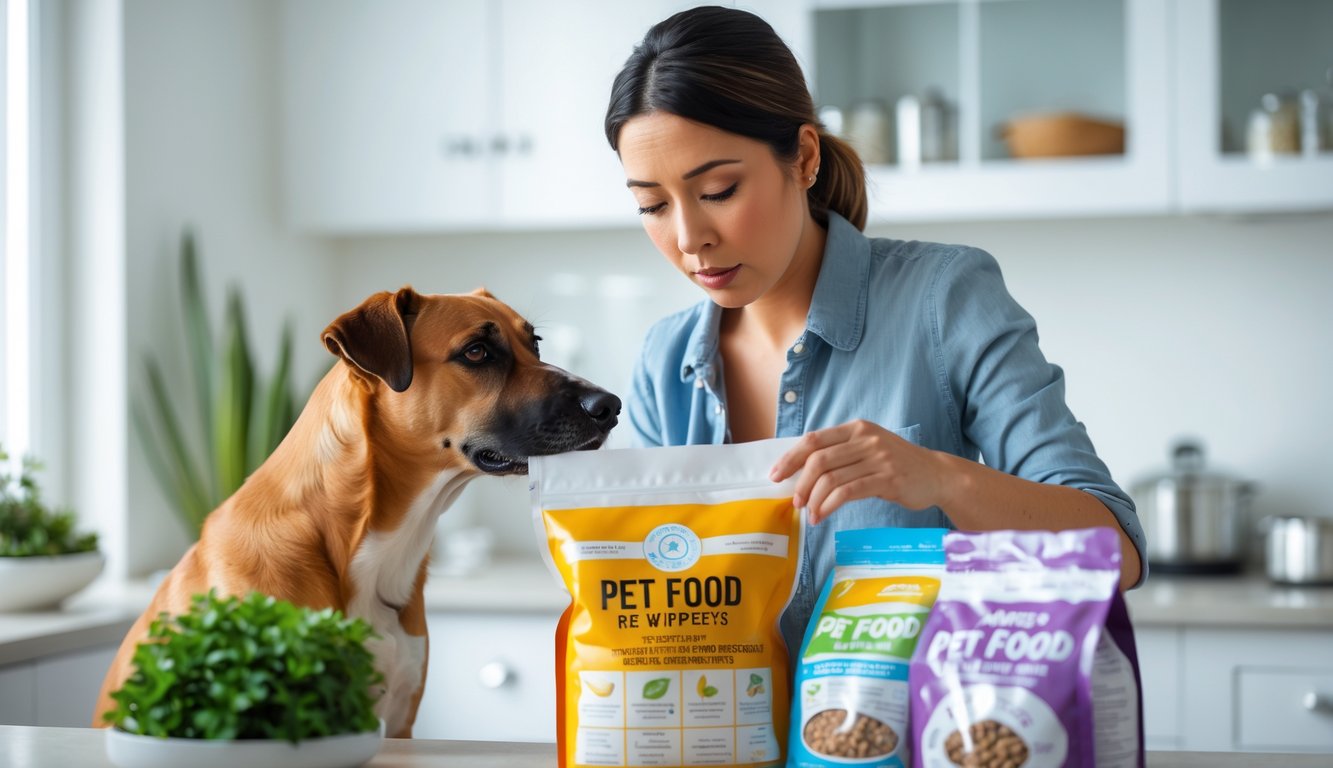
        A pet owner looking thoughtfully at a bag of pet food in a kitchen while a dog sits nearby.

        Here’s what I’ve learned: major pet food companies invest millions in safety research and nutritional science. Honest communication helps pet parents make smarter choices about what goes in their pets’ bowls.

        Myth-Busting: Industry Efforts for Safe Nutrition

        I’ll be real—I used to think pet food companies just tossed in whatever was cheap and called it dinner.

        Then I looked closer. The Pet Food Institute says their members make 98% of all U.S. pet food and put big money into safety protocols.

        What actually happens behind the scenes:

        Multi-million dollar testing facilities for batch screening
        Nutritionist teams working for years on recipes
        Quality control checkpoints at every step
        Veterinary partnerships for ongoing research

        I was honestly shocked to learn that pet food is one of the most tightly regulated food categories in the U.S. Companies have to meet strict FDA and state standards.

        The 2007 melamine recalls? That disaster led to tougher safety measures. Now companies test for stuff they never even checked before.

        If a company ruins its reputation with one bad product, it’s done. That’s huge motivation to get things right.

        Transparency and Education: How Brands Communicate with Pet Parents

        Ever notice how pet food packaging has gotten more detailed over the years? That’s not an accident.

        I’ve watched the transparency revolution unfold in real time.

        Companies now share:

        Ingredient sourcing locations
        Manufacturing facility information

        Feeding guidelines based on life stages
        Complete nutritional breakdowns

        Many brands publish ingredient glossaries so you know exactly what “chicken meal” means. (It’s actually protein-concentrated chicken, by the way.)

        The smart companies realize something crucial: educated pet parents become loyal customers.

        When I understand why my dog needs certain nutrients, I’m more likely to stick with that brand.

        Social media changed everything, too. Companies can’t hide behind vague marketing anymore.

        Pet parents ask tough questions and expect real answers.

        I’ve seen brands host live Q&A sessions with their veterinary nutritionists.

        They’re literally inviting scrutiny because they’re confident in their products.

        That said, always do your homework. Look for companies that publish research, partner with veterinary schools, and aren’t afraid to explain their processes in plain English.

        Myth #7: Pet Food Myths on Social Media — Who Can You Trust?

        Let’s be real — when I scroll through social media, I see pet nutrition “advice” everywhere. The problem is that most of it comes from people with zero qualifications, and misinformation in the pet food market abounds.

        You know that feeling when your favorite pet influencer swears by some trendy new diet? I get it — they seem trustworthy with their adorable dogs and thousands of followers.

        Here’s the kicker: most pet influencers aren’t trained in animal nutrition. They’re just regular pet owners like you and me, but with better cameras.

        Common red flags I see on social media:

        • Claims that one ingredient will “cure” everything
        • Before-and-after photos without context
        • Dramatic statements like “vets don’t want you to know this”
        • Pushing expensive supplements without evidence

        Think of viral pet food trends like diet fads for humans. Remember when everyone said carbs were evil?

        Now we know that’s not true for our pets either — carbohydrates are beneficial to dogs and cats.

        I’m not saying all pet content creators are wrong. Some do their research and work with professionals.

        But you need to dig deeper than a cute video.

        Finding Reliable Advice: Trusting Veterinarians and Nutritionists

        If you’ve ever felt overwhelmed by conflicting pet nutrition advice online, you’re not alone.

        Even clinicians are faced with an ever-growing range of diets and conflicting information.

        Your veterinarian spent years studying animal health and nutrition. They understand your specific pet’s needs, health conditions, and life stage requirements.

        When I need real answers, I look for:

        • Board-certified veterinary nutritionists
        • Licensed veterinarians with nutrition training
        • Peer-reviewed research studies
        • Professional veterinary organizations

        Here’s what makes veterinarians different from social media experts: they can actually examine your pet.

        They know if your senior dog needs different nutrition than a puppy, or if your cat’s kidney issues require special dietary changes.

        I always tell pet owners to screenshot those viral nutrition claims and bring them to their next vet visit. Ask questions like “Is this actually helpful for my pet?”

        Most vets appreciate when you fact-check information instead of just following trends blindly.

        The truth is, veterinary nutrition is an incredibly complex subject.

        What works for one pet might not work for another, even if they’re the same breed and age.

        Frequently Asked Questions

        Pet owners ask tons of questions about what’s really safe and healthy for their furry friends.

        I’ve noticed the same concerns pop up again and again about grain-free diets, sharing human food, protein sources, and whether commercial pet food companies are being honest with us.

        Why do some believe that grain-free diets can harm dogs, and what’s the real scoop on that?

        Ever heard someone say grain-free diets are dangerous for dogs? Let me break down what actually happened here.
        The scare started when some dogs eating grain-free foods developed a heart condition called dilated cardiomyopathy (DCM).
        Pet parents understandably freaked out. I get it – I would too.
        But here’s what the research actually shows. The FDA investigated and found that most dogs eating grain-free diets were perfectly fine.
        Only a tiny percentage developed heart issues.
        The problem wasn’t necessarily the lack of grains. Some grain-free foods were heavy on legumes like peas and lentils as protein sources.
        These might interfere with how dogs process certain amino acids needed for heart health.
        The real issue was poor formulation, not grains being evil or magical.
        Many grain-free foods just weren’t balanced properly. Quality matters way more than whether grains are present or not.
        If your dog thrives on grain-free food and it’s well-formulated, don’t panic.
        But if you’re worried, chat with your vet about switching to a food that meets nutritional standards for complete and balanced diets.

        Thinking of sharing your dinner with your kitty? Ever wonder whether what’s in your plate could be bad for your feline friend?

        I totally understand the urge to share that delicious salmon with your cat. Those pleading eyes are hard to resist, right?
        But here’s the thing – human food can actually mess with your cat’s nutrition in ways you might not expect.
        Cats need very specific nutrients that human meals just don’t provide.
        Take taurine, for example. Cats literally can’t make this amino acid themselves and need it from their food.
        Without enough taurine, they develop serious heart and eye problems.
        Your dinner might also contain stuff that’s toxic to cats.
        Onions, garlic, grapes, and chocolate can make them seriously sick. Even small amounts add up over time.
        Plus, cats are way smaller than us. That tiny piece of cheese might seem harmless, but it could be like you eating a whole pizza slice in terms of calories.
        If you want to treat your kitty, stick to cat-safe options. A small piece of plain cooked chicken or fish works great.
        Your cat will still feel special, and you won’t worry about accidentally harming them.

        Have you heard folks argue about whether lentils belong in dog food? Let’s chew on that topic.

        The lentil debate gets pretty heated in dog owner circles. Some people act like lentils are poison, while others swear they’re perfect protein sources.
        Let me give you the real story. Lentils aren’t inherently bad for dogs.
        They’re actually packed with protein, fiber, and nutrients that can benefit your pup.
        The concern comes from that grain-free diet research I mentioned earlier.
        Some dogs eating foods heavy in legumes like lentils developed heart issues. But correlation doesn’t equal causation.
        The problem was likely the overall formula, not lentils specifically.
        When pet food companies remove grains, they often replace them with tons of peas, lentils, and potatoes.
        This can throw off the amino acid balance dogs need.
        Think of it like this – lentils are fine as part of a balanced diet. But if someone ate nothing but lentils for every meal, they’d probably have health issues too.
        Quality dog foods use lentils alongside other protein sources and ingredients.
        It’s all about balance, not demonizing individual ingredients.

        Can different proteins like lamb or chicken in dog food really make a difference, or is it all just bark and no bite?

        You know how some people do better with fish than red meat? Dogs can be the same way with different protein sources.
        The protein source absolutely matters, especially for dogs with allergies or sensitivities.
        I’ve seen dogs with constant itching and stomach issues completely transform when switched from chicken to lamb or fish.
        Chicken is the most common protein in dog food, which also makes it the most common allergen.
        Not because chicken is bad, but because dogs get exposed to it so much that some develop reactions over time.
        Novel proteins like venison, duck, or fish can be game-changers for dogs with food sensitivities.
        These proteins are less likely to trigger reactions simply because most dogs haven’t eaten them as much.
        Different proteins also have different amino acid profiles. Fish provides omega fatty acids that are amazing for coat health.
        Lamb tends to be easier on sensitive stomachs.
        But here’s the kicker – a healthy dog with no allergies will probably do fine on any quality protein source.
        The processing and overall nutrition matter more than whether it’s chicken versus beef.
        If your dog is thriving on their current food, don’t fix what isn’t broken.
        But if you notice skin issues, stomach problems, or other symptoms, trying a different protein might help.

        Ever stumbled upon debates about commercial pet food potentially being misleading? Let’s dig into the truth behind those labels.

        I get why pet food labels feel confusing and sometimes sketchy. The marketing can be pretty misleading, even when the actual food is decent.
        Pet food is actually heavily regulated—more than you’d probably guess.
        The Pet Food Institute points out that commercial pet food is among the most regulated food categories in the United States.
        The FDA, USDA, and state regulators all have their hands in pet food oversight. Every ingredient needs approval or recognition by AAFCO before it can go in commercial pet food.
        But the marketing language? That’s where things get tricky. Words like “natural,” “premium,” and “gourmet” don’t have strict legal definitions.
        Companies can slap these terms on pretty much anything. It’s honestly kind of wild.
        Here’s what actually matters on the label: Look for “complete and balanced” nutrition statements.
        Check that it meets AAFCO standards for your dog’s life stage. The ingredient list tells you way more than the fancy marketing copy on the front.
        Don’t get fooled by ingredient splitting either. Companies sometimes list corn as “corn,” “corn gluten meal,” and “ground corn” separately to make meat.


        As an Amazon Associate, we may earn a commission from qualifying purchases if you click on the links within this article. Learn more.

        Leave a Reply