# Frontend Runtime Extension Contract (V1) This document defines the stable frontend runtime integration surface for plugins that extend FrontEdit in the browser. ## Purpose This contract answers four questions for external integrations: 1. How another plugin may open and control FrontEdit editing. 2. What schema-resolved runtime data FrontEdit guarantees to expose. 3. Which lifecycle hooks and events are stable for observing editing and the standard FrontEdit save flow. 4. Which globals and implementation details are explicitly private. ## Scope This contract covers the browser runtime only. It does not define: 1. PHP handler registration. 2. Schema authoring rules. 3. Internal editor-state layout. 4. REST endpoint internals or private save helpers. 5. Internal DOM classes or data attributes unless explicitly documented here. ## Stability Model FrontEdit exposes one stable base namespace for browser integrations: ```js window.MWP.SFE.PublicApi ``` When FrontEdit Pro is active, FrontEdit also exposes one optional pro-only namespace: ```js window.MWP.SFE.ProApi ``` Everything else on `window.MWP.SFE` is private unless this document explicitly says otherwise. ### Two-tier contract This document uses two stability tiers: 1. `V1 committed surface` External plugins may rely on these methods, events, and return shapes. 2. `Candidate APIs under evaluation` These are roadmap items only. They are not part of the stable contract and may change or never ship. ### Versioning The runtime extension contract is versioned independently from the schema contract. `window.MWP.SFE.PublicApi` must expose: ```js SFE.PublicApi.getApiInfo(); ``` Expected shape: ```js { apiVersion: 1, namespace: 'window.MWP.SFE.PublicApi', features: { editorControl: true, runtimeInspection: true, editableBlockDiscovery: true, editingRuntimeResolution: true, publicOperationContracts: true, operations: true, operationPreflight: true, listOperationContracts: true, mediaInspection: true, mediaSessionControl: true, explicitStaging: true, events: true, blockRefresh: true } } ``` Version rules: 1. Additive methods, additive event payload fields, and additive snapshot fields are minor-safe. 2. Removing or renaming methods, changing event semantics, or changing documented return-shape meaning requires an `apiVersion` bump. 3. Private internals may change at any time without notice. ## Public Namespace Rules External plugins may: 1. Call documented `SFE.PublicApi.*` methods. 2. Call documented `SFE.ProApi.*` methods only when the pro plugin is active and the method is documented here as pro-only. 3. Subscribe only to documented `SFE.PublicApi` events. 4. Store and compare documented snapshot data returned by the API. External plugins must not: 1. Monkey-patch FrontEdit methods. 2. Directly mutate `window.MWP.SFE` objects unless a documented API explicitly allows it. 3. Depend on underscore-prefixed properties. 4. Rebuild schema runtime resolution, media descriptor resolution, or block-state hydration from private internals when a public API exists. ## V1 Committed Surface ### Discovery #### Server-side AI discovery When the WordPress Abilities API is available, an authorized FrontEdit editor may call the following post-scoped, read-only abilities: 1. `mwpsfe/list-editable-blocks` with `post_id` to retrieve selectable block UUIDs, block types, edit handler IDs, and source-text summaries. 2. `mwpsfe/get-editable-block` with `post_id` and `uuid` to retrieve focused content for one already-authorized editable block. 3. `mwpsfe/get-public-operation-contract` with `post_id` and `uuid` to retrieve the handler-derived public operation contract and its current public input state for one already-authorized editable block. 4. `mwpsfe/get-frontend-runtime-contract` with `post_id` to retrieve this canonical browser contract. These abilities authorize the current user against the exact requested post; they do not discover WordPress posts/pages, execute browser methods, or create an external save path. WordPress core remains responsible for page discovery. Once the browser runtime is present, integrations must still verify availability through `SFE.PublicApi.getApiInfo()` and use `SFE.PublicApi.getEditableBlocks()` to enumerate the live page. #### Server-side `current_operation_state` `mwpsfe/get-public-operation-contract` returns an immutable `contract` and a separate mutable `current_operation_state` array. Each record is: ```json { "componentId": "content", "operationId": "rewrite_text", "state": { "runs": [] } } ``` The record's `state` object contains only the public inputs declared by that operation. FrontEdit derives these values from the owning handler's schema and current parsed block state; it never publishes attributes, bindings, selectors, or executor metadata. Integrations must use this projection when a generated proposal needs to preserve a current text, media, link, or setting value. They must not reconstruct an equivalent map from raw block attributes. `core/list` keeps its documented browser-owned current-state surface through `SFE.PublicApi.getListStructure(...)` and its operation descriptor through `SFE.PublicApi.getListOperationContract(...)`, because its runtime list-item UUIDs are session-scoped rather than server-side generic operation IDs. #### `getEditableBlocks() -> EditableBlock[]` Return the FrontEdit-editable blocks currently known to the live page runtime. ```js const blocks = SFE.PublicApi.getEditableBlocks(); const match = blocks.find(block => block.contentText.includes('Pricing')); ``` Each entry is a `BlockSnapshot` plus `contentText`, which is normalized text from the current rendered block element. Use its `uuid` with `resolveEditingRuntime(...)` before choosing a documented edit operation. This method is the supported browser discovery path; integrations must not scrape private FrontEdit DOM attributes to enumerate UUIDs. #### Human save handoff An integration may inspect a block, open FrontEdit, and apply documented runtime operations or staging. It must then hand control to the authorized human to review and complete FrontEdit's standard save UI. V1 has no external direct-save API. #### `getApiInfo()` ```js const info = SFE.PublicApi.getApiInfo(); ``` Returns the contract version and feature flags for this runtime. ### Editor Control #### `openEditor(options) -> Promise` Open FrontEdit editing for a target block through the supported runtime path. ```js await SFE.PublicApi.openEditor({ uuid, element, handlerId, componentId, mode: 'edit', source: 'external' }); ``` Rules: 1. `uuid` is required. 2. `element` is optional when the block can be resolved from `uuid`. 3. `handlerId` is optional when FrontEdit can resolve the applicable handler for the block. 4. `componentId` is optional. When supplied, FrontEdit targets the documented editable component for the session. 5. `mode` defaults to `'edit'`. 6. `source` is a caller label for diagnostics and event payloads. Returns an `EditorSnapshot` when FrontEdit opened an editor session, otherwise `null`. #### `closeEditor(options = {}) -> boolean` Close the active editor session through the supported runtime path. ```js SFE.PublicApi.closeEditor({ uuid, restoreOriginal: true, reason: 'api', source: 'external' }); ``` Rules: 1. `uuid` is optional. When omitted, FrontEdit closes the active editor if one exists. 2. `restoreOriginal` defaults to `true`. 3. `reason` is an informational reason token. 4. `source` is a caller label for diagnostics and event payloads. Returns `true` when a close was attempted through the active supported editor session, otherwise `false`. #### `isEditorOpen() -> boolean` Returns whether FrontEdit currently has an active editor session. #### `getActiveEditor() -> EditorSnapshot|null` Returns a stable snapshot of the current active editor session. The return value is a snapshot, not a mutable live internal object. ### Runtime Inspection #### `resolveRuntime(options) -> ResolvedRuntime|null` Resolve the schema-aware runtime view FrontEdit would use for editing. ```js const runtime = SFE.PublicApi.resolveRuntime({ uuid, element, handlerId }); ``` Returns a stable runtime snapshot for the target block or `null` when no supported runtime could be resolved. #### `resolveEditingRuntime(options) -> ResolvedEditingRuntime|null` Resolve the richer schema-driven editing runtime FrontEdit would use for active editing or proposal materialization. ```js const runtime = SFE.PublicApi.resolveEditingRuntime({ uuid, element, handlerId, blockState, attributeChanges }); ``` Returns a detailed editing runtime snapshot with resolved component metadata and live component element references. Rules: 1. `uuid`, `element`, and `handlerId` follow the same resolution rules as `resolveRuntime()`. 2. `blockState` is optional. When supplied, FrontEdit resolves the runtime against that staged block state instead of the current session baseline. 3. `attributeChanges` is optional. When supplied, FrontEdit resolves the runtime against those pending block attribute changes. 4. The returned runtime data is read-only snapshot data except for documented DOM element references inside component entries. #### `getEditOperationContract(options) -> EditOperationContract|null` Return FrontEdit's read-only, schema-derived contract for AI or other generated operation proposals. It is a compact projection of the currently resolved handler components and their `editor.operations`; it does not expose a DOM element, route, save control, nonce, or mutable editor state. ```js const contract = SFE.PublicApi.getEditOperationContract({ uuid, element, handlerId }); ``` ```ts type EditOperationContract = { contractVersion: 1; uuid: string; operations: Array<{ id: string; componentId: string; inputs: Record; values?: Array; allowedRunFormats?: string[]; requiredRunFormatAttributes?: Record; }>; }; ``` Rules: 1. Use this contract to discover the exact operations, allowed values, and required inputs for this live block. Do not infer them from a block name or toolbar label. 2. The contract deliberately excludes attribute paths, selectors, executor kinds, serialization behavior, routes, and mutable editor internals. 3. It is not an authorization or mutation API. Generated proposals remain untrusted and must pass FrontEdit preflight before apply. 4. A handler must explicitly mark an operation `publicOperation: true` before it appears here. FrontEdit does not maintain a second public allowlist or synthesize generic operations from a block type. 5. `allowedRunFormats`, when present for a `rich_text_runs` input, contains the handler-declared format tokens permitted in each returned run. `requiredRunFormatAttributes`, when present, maps a format token to the minimum named values that must be present in that run's `formatAttributes[formatToken]` object. It exposes neither rendering tags, optional format data, selectors, nor mutation details. 6. List editing retains its established UUID-oriented list API. Its legal operation kinds and inputs are exposed separately through `getListOperationContract(...)`; they are not part of this generic generated-proposal envelope. #### `getEditableComponents(options) -> EditableComponent[]` Returns the runtime-editable components for the resolved block. #### `getDefaultComponent(options) -> EditableComponent|null` Returns the default editable component for the resolved block, if one exists. ### Public Operation Runtime V1 uses one attribute-free public operation envelope: ```js const operations = [ { id: operation.id, componentId: operation.componentId, inputs: { /* only values declared by getEditOperationContract() */ } } ]; const preflight = SFE.PublicApi.preflightOperations({ uuid, operations }); if (preflight?.valid === true) { SFE.PublicApi.applyOperations({ uuid, operations }); } ``` #### `preflightOperations(options) -> OperationPreflightResult|null` Validate an opaque operation batch against an already open editor without mutating DOM, history, preview state, or saved content. ```ts type OperationPreflightResult = { uuid: string; valid: boolean; validatedOperationIds: string[]; errors: Array<{ code: string; id?: string; componentId?: string }>; }; ``` #### `applyOperations(options) -> OperationResult|null` Stage the same preflighted opaque batch through FrontEdit's shared schema executor. FrontEdit resolves the operation locally from the active handler, performs normal preview and history work, and leaves review, save, and cancel under its normal editor lifecycle. Rules: 1. Call `openEditor(...)` explicitly before preflight or apply. 2. Each operation must exactly match a declaration from `getEditOperationContract(...)`. 3. Callers must not send `kind`, `attribute`, `attributes`, `bindingSource`, DOM selectors, or serialization metadata. 4. Callers processing generated or untrusted content must require `valid === true` before apply. 5. This is a staging API, never a direct-save API. `applyOperations(...)` returns `appliedOperationCount` in addition to its operation ID summary. Integrations that generate a batch must treat the stage as failed unless that count equals the requested operation count. ### V1 Operation Recipes All non-list mutations use the schema-derived operation envelope. Discover the operation on the live block, open that block's editor, preflight the exact batch, then apply the same batch. FrontEdit owns the resulting preview, history, review, cancel, and save lifecycle. #### Operation Envelope ```js const contract = SFE.PublicApi.getEditOperationContract({ uuid, element, handlerId }); if (!contract) { throw new Error('No edit-operation contract is available for this block.'); } const getOperation = predicate => { const operation = contract.operations.find(predicate); if (!operation) { throw new Error('The requested operation is not supported by this block.'); } return operation; }; const stage = async operations => { const preflight = SFE.PublicApi.preflightOperations({ uuid, operations }); if ( preflight?.valid !== true || preflight.validatedOperationIds.length !== operations.length ) { throw new Error('FrontEdit rejected the operation batch.'); } const result = SFE.PublicApi.applyOperations({ uuid, operations }); if (result?.appliedOperationCount !== operations.length) { throw new Error('FrontEdit did not stage every operation.'); } return result; }; ``` Every generic operation has exactly this shape: ```js { id: operation.id, componentId: operation.componentId, inputs: { // Exactly the declared input names and values for this operation. } } ``` Use the operation's `inputs` map as the complete field contract. Include every required input, omit optional inputs you do not need, and do not send `kind`, attribute paths, selectors, binding metadata, or other internal fields. #### Text Replacement Find an operation that declares a `rich_text_runs` input and submit the complete replacement run sequence for that component: ```js const rewrite = getOperation(operation => ( operation.componentId === 'content' && operation.inputs.runs?.type === 'rich_text_runs' )); await SFE.PublicApi.openEditor({ uuid, element, handlerId, componentId: rewrite.componentId }); await stage([{ id: rewrite.id, componentId: rewrite.componentId, inputs: { runs: [ { text: 'Updated copy', formats: [], formatAttributes: {} } ] } }]); ``` Use only `allowedRunFormats` exposed by that operation. When `requiredRunFormatAttributes` declares values for a format, include them in the matching run's `formatAttributes` object. #### Scalar Block Setting Settings such as alignment or heading level are schema operations with a declared scalar input. The concrete ID, component, allowed values, and any additional inputs come from the resolved contract: ```js const alignment = getOperation(operation => ( operation.componentId === 'content' && operation.inputs.value?.type === 'scalar' && Array.isArray(operation.values) && operation.values.includes('center') )); await SFE.PublicApi.openEditor({ uuid, element, handlerId, componentId: alignment.componentId }); await stage([{ id: alignment.id, componentId: alignment.componentId, inputs: { value: 'center' } }]); ``` If the declared operation has additional required inputs, include those exact fields in `inputs`. For example, a column-scoped setting can require a `columns` input in addition to `value`. #### Host Link Update For an anchor-host component, select the operation that declares the URL input and provide its declared optional link settings only when needed: ```js const link = getOperation(operation => ( operation.componentId === 'label' && operation.inputs.href?.type === 'url' )); await SFE.PublicApi.openEditor({ uuid, element, handlerId, componentId: link.componentId }); await stage([{ id: link.id, componentId: link.componentId, inputs: { href: 'https://example.com/pricing', new_tab: true } }]); ``` #### Media URL Replacement When the live operation contract declares a URL input for a media component, stage the URL as a generic operation. The operation ID remains contract-owned: ```js const media = getOperation(operation => ( operation.componentId === 'image' && operation.inputs.url?.type === 'url' )); await SFE.PublicApi.openEditor({ uuid, element, handlerId, componentId: media.componentId }); await stage([{ id: media.id, componentId: media.componentId, inputs: { url: 'https://example.com/uploads/updated-image.jpg', source: 'input' } }]); ``` Include `attachmentId` only when the media source provides one. When the contract declares `source`, use `library` for a WordPress media-library item or `input` for a direct URL. For a selected WordPress media-library or upload item, use the documented [`applyActiveMediaSelection(options)`](#applyactivemediaselectionoptions---editorsnapshotnull) method in [Media Inspection And Session Control](#media-inspection-and-session-control). That method's reference includes its required active-session setup and exact request shape. ### List Runtime V1 retains the public list-tree runtime for `core/list`-style blocks that are edited as one root block while exposing nested item/list structure to external callers. #### `getListStructure(options) -> ListNode|null` Return the current live structural snapshot for one open or discoverable list block. ```js const structure = SFE.PublicApi.getListStructure({ uuid, element }); ``` Rules: 1. `uuid` is required unless `element` can be resolved to a block UUID. 2. The target block must resolve to a live `UL` or `OL` root. 3. The return value is a read-only structural snapshot of the live DOM tree. #### `getListOperationContract(options) -> ListOperationContract|null` Return the FrontEdit-owned, read-only operation descriptor for one live list root. This is the machine-readable source of truth for public list operation kinds and their exact input fields. Integrations must use it rather than maintaining a separate list-operation catalog. ```js const contract = SFE.PublicApi.getListOperationContract({ uuid, element }); ``` ```ts type ListOperationContract = { contractVersion: 1; uuid: string; operations: Array<{ kind: string; inputs: Record; }>; }; ``` Rules: 1. `uuid` is required unless `element` can be resolved to a block UUID. 2. The target must resolve to a live `UL` or `OL` root. 3. Each `inputs` map is exact: callers must not add an input not declared for that operation. 4. `existing_list_item_uuid` accepts an item UUID from the current `getListStructure(...)` result. `new_list_item_uuid` is a fresh caller-owned item UUID for an insertion. `direct_list_item_html` is direct item text HTML and must not contain `li`, `ul`, or `ol` wrappers. 5. This is an inspection API, not mutation authority. Callers still must use `preflightListOperations(...)` successfully before `applyListOperations(...)`. #### `applyListOperations(options) -> ListOperationResult|null` Apply one or more structural list mutations as one runtime batch. #### `preflightListOperations(options) -> ListOperationPreflightResult|null` Validate a UUID-oriented list batch against the open FrontEdit list editor without mutating it. ```js const preflight = SFE.PublicApi.preflightListOperations({ uuid, operations }); if (preflight?.valid === true) { SFE.PublicApi.applyListOperations({ uuid, operations }); } ``` Return shape: ```ts type ListOperationPreflightResult = { uuid: string; valid: boolean; validatedOperationKinds: string[]; errors: Array<{ code: string; index?: number }>; }; ``` `insert_child` validates its supplied insertion command during preflight. Its internal follow-up indent is resolved only during the subsequent FrontEdit apply because the new runtime item does not exist until that point. ```js const result = SFE.PublicApi.applyListOperations({ uuid, operations: [ { kind: 'update_list_item_text', itemUuid: '7db1a4ff-8e25-4f7d-a806-9328d473bb96', contentHtml: 'Alpha' }, { kind: 'toggle_list_type', itemUuid: '7db1a4ff-8e25-4f7d-a806-9328d473bb96', } ] }); ``` Rules: 1. `uuid` is required. 2. The target list editor must already be open. 3. `operations` are applied in order against the live mutated tree. 4. Every operation must supply the correct documented UUID target token family for its kind. 5. FrontEdit resolves each operation's runtime UUIDs against the current post-mutation tree immediately before that operation runs. 6. Public callers must use only operation kinds and exact inputs advertised by `getListOperationContract(...)`. 7. Some public operations may expand into multiple internal primitive mutations. For example, `insert_child` inserts the new item after the parent item, then indents it so the tracker creates the nested child list through the normal editor path. 8. Successful batches return one updated list structure snapshot. #### Current V1 list operation descriptor The contract currently advertises: 1. `update_list_item_text` 2. `insert_before` 3. `insert_after` 4. `insert_child` 5. `remove_list_item` 6. `move_before` 7. `move_after` 8. `indent_list_item` 9. `outdent_list_item` 10. `toggle_list_type` These are the public API kinds only. Internally FrontEdit still executes lower-level primitive list operations such as `insert_list_item`, `move_list_item`, and `toggle_list_type`, but only the descriptor returned by `getListOperationContract(...)` is the machine-readable runtime contract. #### List operation payloads | Kind | Required fields | Optional fields | Description | | --- | --- | --- | --- | | `update_list_item_text` | `kind`, `itemUuid`, `contentHtml` | -- | Replaces the direct text HTML for one existing list item. | | `insert_before` | `kind`, `newItemUuid`, `targetItemUuid`, `contentHtml` | -- | Inserts a new sibling item before the target item. | | `insert_after` | `kind`, `newItemUuid`, `targetItemUuid`, `contentHtml` | -- | Inserts a new sibling item after the target item. | | `insert_child` | `kind`, `newItemUuid`, `targetItemUuid`, `contentHtml` | -- | Creates a new child item under the target item. | | `remove_list_item` | `kind`, `itemUuid` | -- | Removes one existing list item and its nested children. | | `move_before` | `kind`, `itemUuid`, `targetItemUuid` | -- | Moves an existing item before the target item. | | `move_after` | `kind`, `itemUuid`, `targetItemUuid` | -- | Moves an existing item after the target item. | | `indent_list_item` | `kind`, `itemUuid` | -- | Indents one existing item through the normal editor list behavior. | | `outdent_list_item` | `kind`, `itemUuid` | -- | Outdents one existing item through the normal editor list behavior. | | `toggle_list_type` | `kind`, `itemUuid` | -- | Toggles the containing list for the referenced item between ordered and unordered. | `contentHtml` is required for operations that create or replace item content. It represents the direct item text HTML only. It must not include wrapping `
  • `, `
      `, or `
        ` elements. Consumers must derive whether an operation carries content from its `direct_list_item_html` input descriptor, not from a copied operation-kind allowlist. #### Public target-token rules Public list operations must use only the documented runtime UUID token family for their kind. FrontEdit rejects public operations that omit the required token. 1. `update_list_item_text`, `remove_list_item`, `indent_list_item`, and `outdent_list_item` target one existing list item and must provide `itemUuid`. 2. `insert_before` and `insert_after` must provide `newItemUuid` plus `targetItemUuid`. 3. `insert_child` must provide `newItemUuid` plus `targetItemUuid`. If the target item does not already own a child list, FrontEdit creates the required nested list automatically. 4. `move_before` and `move_after` must provide `itemUuid` plus `targetItemUuid`. 5. `toggle_list_type` must provide `itemUuid`. FrontEdit resolves that item to its current containing list immediately before the toggle runs. 6. Public callers must use only the documented camelCase keys above. Any other keys are outside the API contract. 7. Public callers must not rely on cursor or selection state. Cursor-based inference is reserved for internal editor-originated calls only. #### Runtime UUID ownership List-item UUIDs and list-node UUIDs have different ownership rules. 1. Public callers are responsible for generating UUIDs for newly created list items. 2. FrontEdit is responsible for generating and managing UUIDs for list nodes. 3. Public callers must not create, assign, or mutate list-node UUIDs directly. 4. When a structural operation creates a new nested list, FrontEdit assigns the resulting `listUuid`. 5. Public list operations target items, not list nodes, even though returned structure snapshots still expose `listUuid` values. #### Recommended UUID convention FrontEdit does not enforce a specific caller UUID format for public list operations. Recommended convention: 1. Use RFC 4122 version 4 UUID strings for `itemUuid`, `targetItemUuid`, and `newItemUuid`. 2. Generate one fresh UUID for every new list item the caller intends to create. 3. Treat runtime UUIDs as session-scoped cursor tokens only. Do not persist or reuse them after the list editor closes or the page reloads. #### `ListNode` `getListStructure()` and successful list-operation results return recursive list nodes plus item nodes so child lists remain distinct from the list items that own them. A list node contains: 1. `listUuid` (string): session-scoped runtime UUID for this list node 2. `listPath` (string): empty string for the root list, or the parent item path that owns this nested child list 3. `ordered` (boolean): whether this specific list node is `OL` 4. `items` (array): direct child list items for this list node Each item contains: 1. `itemUuid` (string): session-scoped runtime UUID for this item 2. `path` (string): item tree path 3. `pathLabel` (string): human-readable 1-based path label 4. `depth` (number): zero-based nesting depth 5. `contentHtml` (string): direct item text HTML only 6. `childList` (`ListNode|null`): nested list node owned by this item, or `null` Example: ```json { "listUuid": "e183f2b5-2f90-4ca2-8ea8-c3d8c72ab2c1", "listPath": "", "ordered": false, "items": [ { "itemUuid": "7db1a4ff-8e25-4f7d-a806-9328d473bb96", "path": "0", "pathLabel": "1", "depth": 0, "contentHtml": "a", "childList": { "listUuid": "fd818143-75d8-4ae9-8f3f-798d54150472", "listPath": "0", "ordered": false, "items": [ { "itemUuid": "c71fad00-2d1f-4f70-b0fc-84681f5ef8a0", "path": "0_0", "pathLabel": "1.1", "depth": 1, "contentHtml": "b", "childList": { "listUuid": "2cd9f476-1d91-45e5-bd0b-ae981b78a111", "listPath": "0_0", "ordered": false, "items": [ { "itemUuid": "b2f4ffad-edbc-48e9-950d-2716b5bf6942", "path": "0_0_0", "pathLabel": "1.1.1", "depth": 2, "contentHtml": "c", "childList": null } ] } } ] } } ] } ``` #### `ListOperationResult` Successful list runtime mutations return: 1. `uuid` (string): target block UUID 2. `operationsApplied` (array of strings): normalized operation kinds applied in order 3. `structure` (`ListNode`): updated live list structure snapshot ### Media Inspection And Session Control #### `getMediaContext(options) -> MediaContext|null` Resolve the media-editable context for a block or specific component. ```js const mediaContext = SFE.PublicApi.getMediaContext({ uuid, element, handlerId, componentId }); ``` Returns `null` when the target block is not media-editable through the documented runtime surface. #### `getMediaDescriptor(options) -> MediaDescriptor|null` Returns the stable media descriptor for the selected file component, if one exists. #### `isMediaEditable(options) -> boolean` Returns whether the resolved block exposes a file-editable component through the public runtime contract. #### `applyActiveMediaSelection(options) -> EditorSnapshot|null` Apply one selected media item to the current active schema-media editor session through FrontEdit's supported runtime path. ```js const editor = SFE.PublicApi.applyActiveMediaSelection({ uuid, url, attachmentId, source: 'library' }); ``` Rules: 1. `uuid` is required and must match the current active editor session. 2. `url` is required. 3. `attachmentId` is optional. 4. `source` may be `'library'` or `'input'` and defaults to the input-style save transition when omitted. 5. Returns an updated `EditorSnapshot` when the active media session accepted the selection, otherwise `null`. ### Explicit Staging V1 supports explicit block-state staging only. Staging is editor preparation, not external save execution. External plugins may stage block state and open or guide the FrontEdit editor, but the user must complete saving through FrontEdit's standard save UI and normal FrontEdit save workflow. #### `stageBlockState(stage) -> void` Stage a temporary block-state payload for one block so that subsequent editor open and hydration flows may consume it through FrontEdit's supported staging path. ```js SFE.PublicApi.stageBlockState({ uuid, handlerId, blockState, source: 'external' }); ``` Rules: 1. `uuid` is required. 2. `handlerId` is optional metadata for the caller and diagnostics. 3. `blockState` must match the shape FrontEdit's canonical block hydration path expects. 4. Staged block state is temporary and applies only through the documented FrontEdit runtime path. 5. Staged changes do not create a supported external save path in V1. #### `clearStagedBlockState(uuid) -> void` Clear any currently staged block state for the given block UUID. ### Session Utilities #### `on(eventName, handler) -> unsubscribeFn` Subscribe to one documented runtime event. ```js const unsubscribe = SFE.PublicApi.on('save:after', payload => { // observe successful save completion }); ``` Returns an unsubscribe function equivalent to calling `off(eventName, handler)`. #### `off(eventName, handler) -> void` Remove a previously registered event handler. #### `refreshBlock(uuid, options?) -> Promise` Request that FrontEdit refresh the live DOM for one block through its supported refresh path and return the resulting `BlockSnapshot`. ### Dirty State, Page Context, and Lookup Utilities #### `getDirtyBlocks() -> DirtyBlock[]` Returns a stable summary of the blocks that currently have unsaved changes in the active runtime session. #### `hasDirtyBlocks() -> boolean` Returns whether any block currently has unsaved changes. #### `isBatchSessionActive() -> boolean` Returns whether FrontEdit currently has an active batch-edit session. #### `resetDirtyBlocks(uuids, options?) -> boolean` Reset the tracked dirty batch state for the supplied block UUIDs back to the current batch-session baseline. ### Pro-only Session Utilities These methods exist only when FrontEdit Pro is active on the page. #### `ensureBatchSession() -> Promise` Ensure the shared batch-edit session exists before downstream runtime checks or mutations depend on it. ```js const ready = await SFE.ProApi.ensureBatchSession(); ``` Rules: 1. This method is available only on `window.MWP.SFE.ProApi`. 2. It returns `false` when batch editing is unavailable or disabled for the current page. 3. It may be called repeatedly; repeated calls are safe and reuse any in-flight session bootstrap work. #### `getPageContext() -> PageContext` Returns a stable page-level runtime snapshot. #### `getRestContext() -> RestContext` Returns the REST context FrontEdit guarantees to expose for supported runtime integrations. #### `setRestNonce(nonce) -> RestContext` Update the REST nonce FrontEdit should use for subsequent supported runtime requests on the current page. ```js const restContext = SFE.PublicApi.setRestNonce(refreshedNonce); ``` Rules: 1. `nonce` must be a non-empty string. 2. This updates only the current page runtime state. It does not fetch or mint a new nonce on its own. 3. Callers should use this after their own authenticated nonce-refresh flow succeeds. 4. The return value is the updated `RestContext`. #### `getElementByUuid(uuid) -> Element|null` Returns the current live DOM element for a block UUID, if present. #### `getUuidForElement(element) -> string` Returns the FrontEdit block UUID for the supplied element, or an empty string when none is available. #### `getBlockSnapshot(uuid) -> BlockSnapshot|null` Returns a stable summary snapshot for one block UUID. #### `getEditableBlocks() -> EditableBlock[]` Returns the stable live-page discovery snapshots described above. ## Stable Snapshot Shapes Snapshots are plain data contracts. They are not live editor-state objects and must not be mutated to control FrontEdit. ### `EditorSnapshot` ```json { "uuid": "8d63...", "handlerId": "core_image", "mode": "edit", "blockName": "core/image", "componentType": "file", "componentId": "image", "saveStrategy": "single", "hasMediaSession": true, "isDirty": false, "isDraftSession": false, "isBatchSession": false } ``` Required fields: 1. `uuid` 2. `handlerId` 3. `mode` 4. `blockName` 5. `componentType` 6. `componentId` 7. `saveStrategy` 8. `hasMediaSession` 9. `isDirty` 10. `isDraftSession` 11. `isBatchSession` Field notes: 1. `hasMediaSession` is `true` when the active editor host currently exposes the supported media-selection control surface used by `SFE.PublicApi.applyActiveMediaSelection(...)`. ### `ResolvedRuntime` ```json { "uuid": "8d63...", "handlerId": "core_cover", "blockName": "core/cover", "schemaVersion": 1, "mode": "mixed", "defaultComponentId": "image", "components": [] } ``` Required fields: 1. `uuid` 2. `handlerId` 3. `blockName` 4. `schemaVersion` 5. `mode` 6. `defaultComponentId` 7. `components` ### `EditableComponent` ```json { "id": "image", "label": "Image", "type": "file", "selector": "figure", "default": true, "target": { "selector": "img", "attribute": "src", "mediaType": "image" }, "mediaDescriptor": { "componentId": "image", "scopeSelector": "figure", "targetSelector": "img", "attribute": "src", "mediaType": "image" } } ``` Required fields: 1. `id` 2. `label` 3. `type` 4. `selector` 5. `default` Optional fields: 1. `required` 2. `placeholder` 3. `target` 4. `mediaDescriptor` 5. `editor` ### `MediaDescriptor` ```json { "componentId": "image", "scopeSelector": "figure", "targetSelector": "img", "attribute": "src", "mediaType": "image" } ``` Required fields: 1. `componentId` 2. `scopeSelector` 3. `targetSelector` 4. `attribute` 5. `mediaType` ### `MediaContext` ```json { "supported": true, "componentId": "image", "mediaType": "image", "accept": "image/*", "label": "image block", "descriptor": { "componentId": "image", "scopeSelector": "figure", "targetSelector": "img", "attribute": "src", "mediaType": "image" } } ``` Required fields: 1. `supported` 2. `componentId` 3. `mediaType` 4. `accept` 5. `label` 6. `descriptor` ### `DirtyBlock` ```json { "uuid": "8d63...", "handlerId": "core_paragraph", "blockName": "core/paragraph", "beforeRaw": "

        Old

        ", "afterRaw": "

        New

        " } ``` Required fields: 1. `uuid` 2. `handlerId` 3. `blockName` 4. `beforeRaw` 5. `afterRaw` ### `PageContext` ```json { "postId": 123, "permissions": { "can_publish": true, "can_draft": false, "can_comment": true, "can_batch": true }, "hasDraftPreview": false, "isEditorOpen": false, "activeMode": "" } ``` Required fields: 1. `postId` 2. `permissions` 3. `hasDraftPreview` 4. `isEditorOpen` 5. `activeMode` ### `RestContext` ```json { "baseUrl": "https://example.com/wp-json/", "namespaceUrl": "https://example.com/wp-json/mwpsfe/v1/", "nonce": "..." } ``` Required fields: 1. `baseUrl` 2. `namespaceUrl` 3. `nonce` ### `BlockSnapshot` ```json { "uuid": "8d63...", "blockName": "core/image", "handlerIds": ["core_image", "core_image_comment"], "isPending": false, "pendingInfo": null, "elementPresent": true } ``` Required fields: 1. `uuid` 2. `blockName` 3. `handlerIds` 4. `isPending` 5. `pendingInfo` 6. `elementPresent` ### `EditableBlock` An `EditableBlock` contains every `BlockSnapshot` field plus: ```json { "contentText": "Visible normalized text from this block" } ``` `contentText` is the current rendered text used for live-page matching. It is not serialized Gutenberg block markup and must not be used as a write payload. ## Stable Events V1 events are observable only. They provide visibility into FrontEdit runtime lifecycle. They are not interception points and do not allow cancellation, mutation, or alternate control flow through event payload side effects. ### Subscription rules 1. Consumers may subscribe only through `SFE.PublicApi.on()`. 2. Consumers must treat event payloads as snapshots. 3. Event payload objects must not be mutated. ### `editor:opened` Fires after FrontEdit has opened an editor session through a supported path. Payload: ```json { "source": "external", "editor": {} } ``` Required fields: 1. `source` 2. `editor` as `EditorSnapshot` ### `editor:beforeClose` Fires before FrontEdit closes an editor session through a supported path. Payload: ```json { "source": "api", "reason": "api", "editor": {} } ``` Required fields: 1. `source` 2. `reason` 3. `editor` as `EditorSnapshot` ### `editor:closed` Fires after FrontEdit closes an editor session through a supported path. Payload: ```json { "source": "api", "reason": "api", "editor": {} } ``` Required fields: 1. `source` 2. `reason` 3. `editor` as `EditorSnapshot` ### `editor:componentChanged` Fires when FrontEdit changes the active editable component within one editor session. Payload: ```json { "source": "sfe", "editor": {} } ``` Required fields: 1. `source` 2. `editor` as `EditorSnapshot` ### `save:before` Fires when FrontEdit is about to begin a supported save path. Payload: ```json { "source": "sfe", "editor": {}, "saveStrategy": "single" } ``` Required fields: 1. `source` 2. `editor` as `EditorSnapshot` 3. `saveStrategy` ### `save:after` Fires after FrontEdit completes a supported save path successfully. Payload: ```json { "source": "sfe", "editor": {}, "saveStrategy": "single", "success": true } ``` Required fields: 1. `source` 2. `editor` as `EditorSnapshot` 3. `saveStrategy` 4. `success` ### `save:error` Fires when FrontEdit's supported save path fails. Payload: ```json { "source": "sfe", "editor": {}, "saveStrategy": "single", "message": "REVISION_CONFLICT" } ``` Required fields: 1. `source` 2. `editor` as `EditorSnapshot` 3. `saveStrategy` 4. `message` ### `block:staged` Fires after `stageBlockState()` records a staged block-state payload. Payload: ```json { "source": "external", "uuid": "8d63...", "handlerId": "core_image" } ``` Required fields: 1. `source` 2. `uuid` 3. `handlerId` ### `block:stageCleared` Fires after `clearStagedBlockState()` clears a staged block-state payload. Payload: ```json { "source": "external", "uuid": "8d63..." } ``` Required fields: 1. `source` 2. `uuid` ### `block:refreshed` Fires after FrontEdit refreshes a block's live DOM through the supported refresh path. Payload: ```json { "source": "sfe", "block": {} } ``` Required fields: 1. `source` 2. `block` as `BlockSnapshot` ## Candidate APIs Under Evaluation The following APIs are not part of V1 and are intentionally non-contractual in this document: 1. `consumeMediaSelection()` 2. `getActiveMediaSession()` 3. `registerBlockStateProvider()` 4. `unregisterBlockStateProvider()` These remain candidate APIs under evaluation so FrontEdit can improve its internal runtime boundaries before committing to stable provider or live media-session semantics. ## Private Runtime Boundary The following names and object families are explicitly private and unsupported for external integrations: 1. `SFE.Context` 2. `SFE.ManagerData` 3. `SFE.SchemaRuntime` 4. `SFE.MediaHelper` 5. `SFE.Api` 6. `SFE.SaveHelpers` 7. `SFE.SaveHooks` 8. `SFE.BlockSerializer` 9. `SFE.BatchEditManager` 10. `SFE.ResolveBlockState` 11. `SFE.ResolveEditorStrategy` 12. Raw `handler.client_config` 13. Raw editor-state objects 14. Underscore-prefixed properties such as `_mwpSchemaRuntime` and `_mwpSchemaMediaSession` 15. Undocumented DOM classes and data attributes Private APIs may change without a public contract version notice. ## Extension Rules External runtime integrations must follow these rules: 1. Use `window.MWP.SFE.PublicApi` as the only supported JS entry point. 2. Use FrontEdit runtime inspection APIs instead of re-resolving schema handlers or media descriptors from private state. 3. Use explicit staging APIs instead of overriding global block-state resolvers. 4. Use documented lifecycle events instead of patching editor open or close methods. 5. Use stable snapshots only for observation and coordination, never for direct mutation of live FrontEdit state. 6. Preserve FrontEdit's canonical save pipeline and do not bypass block serialization rules. 7. Do not treat V1 as a supported direct-save API; saving remains user-driven through standard FrontEdit controls. 8. When an integration refreshes the shared REST nonce during a long-lived session, it should synchronize FrontEdit through `SFE.PublicApi.setRestNonce(...)` instead of mutating `SFE.ManagerData` directly. Portion Control for Pets: Stop Overfeeding, Start Thriving 2026 | PetEatWell

        Portion Control for Pets: Stop Overfeeding, Start Thriving

        Lots of pet owners aren’t sure how much food their furry pals really need each day. Proper portion control for pets is honestly the biggest factor in keeping your pet’s weight healthy and avoiding obesity-related health issues.

        But research keeps showing there’s a huge difference between what owners think they’re feeding and what pets actually require. It’s surprisingly easy to get this wrong.
        Portion Control for Pets: Stop Overfeeding, Start Thriving

        I’ve watched so many pets battle weight problems that could’ve been avoided with simple portion tweaks. Your dog’s puppy eyes or your cat’s constant meowing? That doesn’t always mean they need more food.

        Pet obesity is on the rise, and millions of pets face this struggle. It’s a real problem.

        Let’s get into the nitty-gritty of figuring out ideal portions and the tools that make measuring way easier. I’ll cover everything from reading those confusing food labels to using tech like smart feeders for precision. Ready to build a feeding routine that helps your pet thrive?

        Portion Control for Pets: Key Takeaways

        • Accurate portion control helps prevent pet obesity and can even extend your pet’s healthy years
        • Smart feeders and measuring gadgets take the guesswork out of feeding
        • Keeping an eye on your pet’s weight lets you tweak portions before problems start

        Why Portion Control Matters for Pets

        Too many pets end up with weight-related health issues that could’ve been sidestepped with better portion control. The food you scoop out every day shapes your pet’s weight, energy, and honestly, their whole quality of life.

        Risks of Overfeeding and Underfeeding

        Let’s be honest—feeding the wrong amount hurts pets more than most people think.

        When I meet pets who get too much food, the problems pile up. Extra pounds strain their joints, so even walking can get tough. Their hearts have to work harder, too.

        There’s even research showing that dogs will eat more if you offer bigger portions, just like we do. If there’s food, they’ll probably keep eating.

        Common overfeeding problems include:

        • Joint pain and arthritis
        • Breathing struggles
        • Increased diabetes risk
        • Less energy for play

        But giving too little food is a different kind of trouble. Pets that don’t get enough calories lose muscle and get weak. Their immune systems take a hit.

        Undernourished pets might show:

        • Dull, brittle fur
        • Low energy
        • Slow healing
        • More illness

        The tricky part? Pet obesity can come back even faster after weight loss if you don’t stay on top of portions.

        Impact on Pet Health and Lifespan

        Here’s what really gets me—portion control can literally add years to your pet’s life.

        Studies keep finding that pets who stay at a healthy weight thanks to portion control live longer than their overweight buddies. We’re talking about two or three extra years together.

        I’ve seen pets bounce back when owners finally nail the right portions. Their energy comes back. They play more. Even older pets move better without those extra pounds.

        Weight affects these health areas:

        • Heart health – Less stress on their cardiovascular system
        • Joints – Fewer mobility issues
        • Metabolism – Smoother blood sugar
        • Immunity – Stronger defense against illness

        It’s not just about weight. The right portions mean your pet gets the nutrients they need—without all those extra calories that just bog them down.

        Every meal is a chance to help your pet stay healthy, or… not. Measuring food isn’t strict—it’s just another way to show you care.

        Role of the Veterinarian in Nutrition Decisions

        Your vet should be your top resource for portion advice, but honestly, a lot of pet owners forget this.

        Vets need to feel confident talking about feeding, and the best ones bring up nutrition at every checkup.

        Bring up portions every time you visit. Your vet can:

        Calculate calorie needs for your pet’s age, weight, activity, and health. Those bag charts are just a rough start—they don’t fit every pet.

        Adjust portions if your pet has health problems like diabetes or joint issues. Health conditions change what and how much your pet should eat.

        Check body condition score—This hands-on check shows if your pet’s portions are working. Most vets use a 1-9 scale, with 5 as the sweet spot.

        You should feel your pet’s ribs without pushing hard, but not see them poking out. That’s a good sign you’re close to the right amount.

        Track weight over time to spot issues early. Sometimes small changes in weight sneak up on you.

        If you’re ever unsure about portions, don’t wait for the yearly checkup. A quick call or visit could save you a lot of stress later.

        Your vet might even suggest specific measuring cups or a new feeding schedule that fits your pet better than what you’re doing now.

        How to Determine the Right Amount: Key Factors

        A dog, cat, and rabbit near separate food bowls with measured portions, alongside a measuring cup, scale, and icons representing pet age, activity, and breed size.

        Getting portions right isn’t guesswork—it’s about knowing your pet’s body condition score, figuring out daily calorie needs, and tweaking for their lifestyle.

        Body Condition Score (BCS) Explained

        Ever wonder if your pet’s just fluffy or actually overweight? I’ve stood there, staring at my dog, asking myself the same thing.

        Body condition score is your answer. It’s a hands-on scale from 1-9, with 5 being the goal.

        Here’s how I check:

        Feel their ribs: Run your hands along the side. You should feel ribs easily, but not see them.

        Look from above: There should be a waist behind the ribs—not just a straight line.

        Side view: Their belly should tuck up from chest to back legs.

        If your pet’s BCS is 6-7, it’s time to cut back. If it’s 3-4, they probably need more food. This system helps me make smarter decisions about food.

        Daily Caloric Needs by Pet Type

        Let’s get into numbers. Daily calorie needs are all over the place depending on the pet, and getting it wrong is how chubby pets happen.

        For Dogs:

        • Small (under 20 lbs): 200-400 calories
        • Medium (20-50 lbs): 400-900 calories
        • Large (50-90 lbs): 900-1,500 calories
        • Giant (over 90 lbs): 1,500+ calories

        For Cats:

        • Indoor: 200-250 calories
        • Active outdoor: 300-400 calories
        • Kittens: 250-300 calories

        I always remind myself that every animal is different. These numbers are just a place to start.

        Pro tip: Check the food bag’s chart, but know they usually overestimate.

        Considering Activity Level, Age, and Breed

        This is where portion control gets personal. My lazy cat eats way less than my dog who hikes with me.

        Activity Level:

        • High activity (runs, agility): Add 20-40% more calories
        • Moderate activity (walks, play): Stick to the standard
        • Low activity (indoor, little exercise): Drop by 10-20%

        Age:

        Puppies and kittens need double the calories per pound compared to adults. They’re growing nonstop.

        Senior pets usually need 10-20% less. Their metabolism slows, and underweight senior cats face real risks.

        Breed:

        Some breeds burn through calories—Border Collies, Jack Russells, Bengal cats. Others, like Bulldogs or Persians, are just not built for action and need less food.

        I always adjust portions by looking at all three: activity, age, and breed. There’s no one-size-fits-all here.

        Practical Portion Control: Tools and Tips

        Getting portion control right means understanding feeding guides, using the right measuring tools, and managing treats smartly.

        These three elements work together to keep your pet at their ideal weight without the guesswork.

        Feeding Guide Labels and What They Really Mean

        I’ve stared at countless pet food labels, and let me tell you—those feeding guides aren’t gospel.

        They’re just starting points, not set-in-stone answers.

        Most feeding guides show ranges based on your pet’s current weight.

        But here’s the kicker: if your dog weighs 50 pounds and should weigh 40, you need to feed for the target weight, not the current one.

        Here’s what I look for on labels:

        • Age-specific recommendations (puppy, adult, senior)
        • Activity level adjustments
        • Weight ranges with corresponding cup amounts

        The fine print usually says “adjust as needed to maintain ideal body condition.” That’s honestly the most important part.

        Veterinary nutrition guidelines stress that feeding recommendations should be individualized based on your pet’s body condition.

        I always start with the lower end of the recommended range.

        You can always add more, but it’s way harder to help an overweight pet lose those extra pounds.

        Using Measuring Cups, Kitchen Scales, and Calculators

        Forget the old coffee mug or random scoop you’ve been using.

        Accurate measuring tools are game-changers for portion control.

        Kitchen scales beat measuring cups every time.

        Kibble shapes vary so much—a “cup” of small pellets weighs more than a cup of big chunks.

        I weigh everything in grams—it’s just more precise.

        My go-to tools:

        • Digital kitchen scale (measures to the gram)
        • Actual measuring cups with clear markings
        • Pet food calculator apps for daily calorie needs

        Portion control tools really help you stay aware of how much you’re feeding and keep routines consistent.

        For wet food, I use measuring spoons instead of just guessing.

        That “small can” might be 5.5 ounces when the feeding guide assumes 3 ounces—easy to mess up.

        Pro tip: Pre-portion your pet’s daily food into containers each morning.

        This stops you from accidentally overfeeding and keeps meal times steady.

        Portioning Treats Without Guilt

        Treats shouldn’t be the enemy, but they need boundaries.

        I follow the 10% rule religiously—treats should never be more than 10% of your pet’s daily calories.

        For a 50-pound dog eating 1,200 calories daily, that’s just 120 treat calories.

        Three medium dog biscuits can hit that limit fast.

        Smart treat strategies I use:

        • Break larger treats into smaller pieces
        • Use part of their regular kibble as training rewards
        • Choose low-calorie options like carrot sticks or green beans
        • Count everything—even that piece of chicken from dinner

        Weight management approaches recommend calculating treat portions based on optimal weight, not current weight.

        I keep a small container with pre-portioned daily treats.

        When it’s empty, that’s it for the day—no more “just one more” moments.

        The guilt-free approach: Swap some treats for attention, play, or a quick walk.

        Your pet probably craves your interaction more than extra calories anyway.

        Building Healthy Feeding Routines

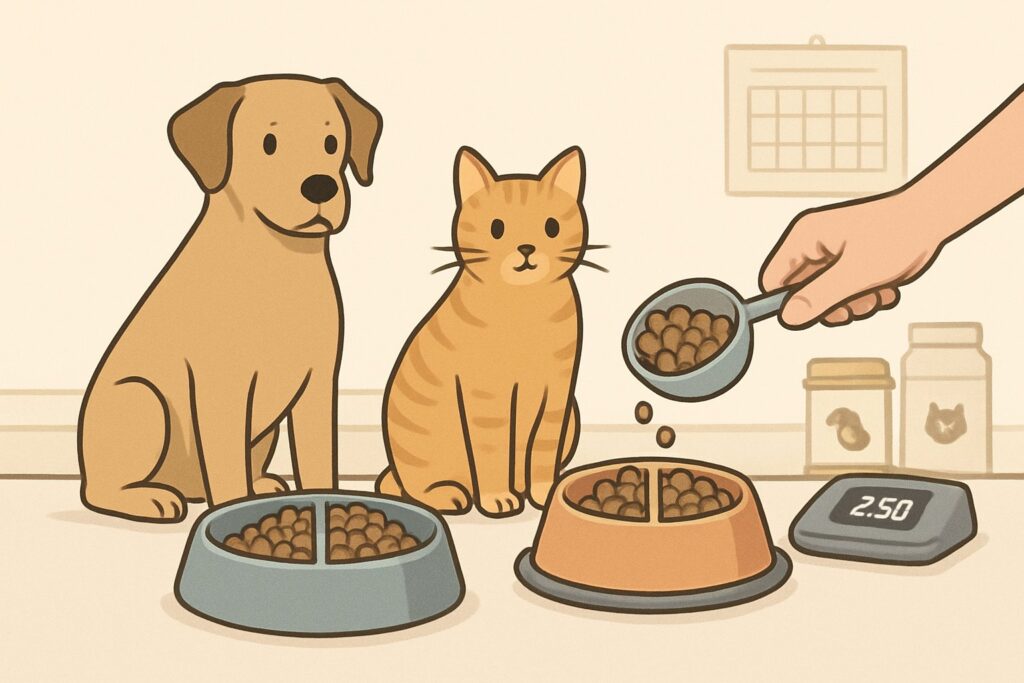
        A person feeding a dog and a cat measured portions of food in bowls on a kitchen floor.

        Consistent feeding schedules give pets structure and help prevent overeating and begging.

        The key? Set regular meal times, pick a frequency that fits your routine, and make sure everyone at home knows the plan.

        Setting Consistent Feeding Frequency

        Let’s be real—your pet’s age and size decide how often they should eat, not your schedule.

        Puppies under 6 months need three to four meals a day.

        Their tiny stomachs can’t handle big portions, and they’re growing fast.

        Adult dogs do best with two meals a day.

        I’ve seen too many folks feed once daily, which often leads to gulping and stomach issues.

        Cats like smaller, frequent meals throughout the day.

        Wild cats hunt several small prey, so copying that works well.

        Here’s what matters most:

        • Morning meals should be the biggest
        • Evening portions can be a little smaller
        • Stick to the same times every day—even weekends

        Your pet’s internal clock will sync to these times.

        Within a week, they’ll start anticipating meals instead of begging all day.

        Establishing a Feeding Schedule That Works

        Ever notice your dog pacing around dinner time?

        That’s their internal schedule doing its thing.

        I recommend feeding adult dogs at 7 AM and 6 PM.

        This 11-hour gap keeps overnight hunger at bay and gives enough time for digestion before bed.

        For busy schedules, try these timing ideas:

        • Early risers: 6 AM and 4 PM works well
        • Night shift workers: 10 AM and 8 PM keeps things steady
        • Weekend warriors: Stick to weekday times—don’t shift by more than 30 minutes

        Veterinary weight management guidelines say it’s important to spot household factors that might mess with feeding schedules.

        Meal prep makes everything easier.

        I portion out weekly servings every Sunday—pre-measured containers mean no guesswork or rushed morning mistakes.

        Your pet will adapt in a few days.

        Once they trust the routine, they’ll stop hovering around the food bowl between meals.

        Involving the Whole Family in Pet Feeding

        One person feeds, everyone else ignores the begging—if only every family followed this rule.

        Designate one family member as the main feeder.

        This stops double-feeding accidents and sets clear boundaries with your pet.

        Create a feeding chart everyone can see:

        DayMorning FeederEvening FeederTreats Given
        MondayMomDad2 training treats
        TuesdayKidsMom1 dental chew

        Kids love being involved, but they need structure.

        Let them help measure food, but keep an eye out—it’s a good way to teach responsibility and avoid overfeeding.

        The biggest challenge? Getting everyone to ignore those puppy dog eyes between meals.

        Pet feeding management studies show inconsistent family responses just make begging worse.

        Set these non-negotiable family rules:

        • Only the designated person feeds meals
        • Treats come from one daily allowance
        • No table scraps during family dinners
        • Everyone uses the same “no begging” response

        When everyone stays consistent, your pet learns the routine faster and feels more secure knowing what to expect.

        Special Dietary Needs and Adjustments

        Not all pets need the same portions throughout their lives.

        Growing puppies need different amounts than senior cats, and medical conditions can totally change how much food your furry friend should eat.

        Catering to Life Stages: Puppies, Kittens, and Seniors

        Ever wonder why your puppy seems like a bottomless pit?

        Growing babies burn through energy fast and need way more calories per pound than adults.

        Puppies and kittens often eat what seems impossible for their size.

        They need about twice the calories per pound compared to adults.

        Here’s what I recommend for young pets:

        • Feed 3-4 small meals daily until 6 months old
        • Use puppy or kitten-specific food (higher protein and fat)
        • Adjust portions every few weeks as they grow
        • Watch their body condition—you should feel ribs easily but not see them

        Senior pets have the opposite issue.

        Their metabolism slows down, just like ours does with age.

        Signs your senior needs portion adjustments for optimal growth:

        • Less active during walks
        • Gaining weight on their normal portions
        • Sleeping more throughout the day

        Cut portions by 10-20% and switch to senior formulas with easier-to-digest ingredients.

        Adapting Portions for Medical Conditions

        Medical issues can flip your pet’s nutritional needs upside down.

        What worked yesterday might not work today—or could even be harmful.

        Diabetes completely changes the portion control game.

        Diabetic pets need portion-controlled meals at exact times to match insulin doses.

        I always tell diabetic pet parents: consistency is everything.

        Same amount, same time, every single day.

        Kidney disease means lower protein portions.

        Too much protein makes damaged kidneys work harder than they can handle.

        Heart conditions often call for sodium restrictions and smaller, more frequent meals.

        Large meals can stress an already struggling heart.

        Common conditions needing special portions:

        Never guess with medical conditions.

        What seems logical might actually make things worse—always check with your vet.

        When to Get a Veterinarian’s Input on Diet

        Some situations just shout, “call the vet.” I’ve learned the hard way that pet health gets complicated fast when you’re guessing.

        Call immediately if your pet:

        • Loses or gains weight rapidly (more than 10% in a month)
        • Stops eating for more than 24 hours
        • Shows signs of illness while on a new diet
        • Has ongoing digestive upset

        Schedule a nutrition consultation for:

        • Switching life stage foods (puppy to adult, adult to senior)
        • Managing any chronic health condition
        • Planning homemade diets
        • Dealing with food allergies or sensitivities

        Veterinary nutritional assessments should include body condition scoring at every visit.

        This means more than just weighing your pet. Vets look at muscle mass, fat, and overall condition.

        Your veterinarian can spot problems you might miss. They’re trained to catch early warning signs and understand how medical conditions affect nutrition.

        Frequently Asked Questions

        Pet portion control confuses plenty of owners who want to keep their furry friends healthy. These common questions might clear up some mysteries around measuring meals and managing your pet’s weight.

        Ever noticed your furry friend’s feeding bowl emptying faster than a treat bag at the dog park? Wondering how much is too much at mealtime?

        I get it—an empty bowl makes you think your pet is still starving. But here’s the thing: pets eat fast, and an empty bowl doesn’t mean they need more food.
        Most dogs and cats finish their meals in under five minutes. That’s just normal eating, not hunger.
        The real question isn’t how fast they eat, but whether you’re giving the right amount. Check your pet food label for feeding guidelines based on your pet’s weight.
        Start with the recommended amount and adjust based on your pet’s body condition.
        If you can’t feel their ribs easily or see a waist from above, it’s time to cut back.
        Try using a measuring cup instead of just guessing. Honestly, most pet owners pour about 25% more food than they realize.

        Just like how your jeans feel a tad snug after a big meal, ever consider if your pet’s collar is telling a story about portion sizes?

        Your pet’s collar is actually a clever early warning system. If you have to loosen it more often, those portions might be a bit too generous.
        I always tell pet owners to check collar fit monthly. You should be able to slide two fingers under a properly fitted collar.
        A tight collar means weight gain is happening faster than you might notice.
        Unlike us stepping on a scale, pets don’t give daily weight updates.
        Veterinary nutritional assessments include body condition scoring at every visit.
        Your daily collar check catches changes between appointments. Weight creeps up slowly—usually a pound or two over months.
        By the time you notice a rounder belly, the collar has already been telling the story.

        Faced with the battle of the bulging pet bed? Curious if those extra treats are sweet gestures or diet downfalls?

        Those sweet treat moments can sabotage even perfect meal portions. Treats should make up no more than 10% of your pet’s daily calories.
        If your dog needs 500 calories per day, only 50 should come from treats. That’s about two small training treats or half a dental chew.
        The problem isn’t giving treats—it’s not counting them as part of total daily food intake.
        I’ve seen owners give perfect meal portions, then add 200 calories worth of treats on top.
        Pet feeding practices show that many owners don’t realize treats add up fast. Every biscuit, dental chew, and training reward counts.
        Try breaking treats into smaller pieces. Your pet gets the same joy, but with fewer calories each session.

        As pups and kitties don’t rock the latest fitness trackers, how can you gauge the right amount of chow for their daily hustle?

        Without step counters, you need to play detective about your pet’s activity level. Indoor cats need way fewer calories than outdoor explorers.
        Watch your pet’s daily routine for one week.
        Are they napping 16 hours a day or chasing squirrels nonstop? This tells you their real calorie needs.
        A couch potato dog might need 20% fewer calories than the feeding guide suggests. An active hiking buddy might need 20% more.
        Age matters too. Senior pets usually need fewer calories because they move less, even if they act hungry.
        I suggest starting with the feeding guide amounts, then adjusting every two weeks based on weight changes. If your pet gains weight, reduce portions by 10%.

        You know that look your pet gives you, the one that could almost make you hand over the whole dinner plate? How do you resist it to keep their diet on track?

        That pleading stare is pure manipulation—it works because we love them. But giving in creates begging and weight problems.
        The trick is redirecting that dinner-time energy into something positive.
        I give my pets a puzzle toy or frozen Kong while I eat. It helps keep them busy and happy.
        Remember, pets don’t understand “just this once.” Every time you cave to those puppy dog eyes, you’re training them to beg harder.
        Try the “ignore and redirect” method. Don’t make eye contact during your meals, and give them something else to do instead.
        Research on pet feeding behaviors shows that consistent boundaries work better than occasional treats. Your pet will adjust to the new routine within two weeks.

        Thinking of meal prep for your four-legged buddy? Wondering what’s actually the best way to measure out their munchies for a week’s worth of tail wags and purrs?

        Weekly meal prep makes portion control a breeze. I like to measure out seven days of food into individual containers every Sunday—it keeps things simple.
        Grab a kitchen scale for accuracy. Measuring cups can be off by as much as 25%.
        Dry kibble settles differently every time you scoop, but the weight stays the same. That little difference can really add up.
        Take your pet’s daily food amount and divide it by the number of meals. Most adult dogs do well with two meals a day.
        Cats? They usually prefer three smaller portions. It’s a bit more work, but hey, they’re worth it.
        Store those pre-measured portions in airtight containers or portion bags. Slap on some labels with feeding times so everyone in your house knows what’s up.
        No more “Did you already feed Max?” confusion floating around. That way, you avoid accidental double dinners.

        As an Amazon Associate, we may earn a commission from qualifying purchases if you click on the links within this article. Learn more.

        Leave a Reply