
# Frontend Runtime Extension Contract (V1) This document defines the stable frontend runtime integration surface for plugins that extend FrontEdit in the browser. ## Purpose This contract answers four questions for external integrations: 1. How another plugin may open and control FrontEdit editing. 2. What schema-resolved runtime data FrontEdit guarantees to expose. 3. Which lifecycle hooks and events are stable for observing editing and the standard FrontEdit save flow. 4. Which globals and implementation details are explicitly private. ## Scope This contract covers the browser runtime only. It does not define: 1. PHP handler registration. 2. Schema authoring rules. 3. Internal editor-state layout. 4. REST endpoint internals or private save helpers. 5. Internal DOM classes or data attributes unless explicitly documented here. ## Stability Model FrontEdit exposes one stable base namespace for browser integrations: ```js window.MWP.SFE.PublicApi ``` When FrontEdit Pro is active, FrontEdit also exposes one optional pro-only namespace: ```js window.MWP.SFE.ProApi ``` Everything else on `window.MWP.SFE` is private unless this document explicitly says otherwise. ### Two-tier contract This document uses two stability tiers: 1. `V1 committed surface` External plugins may rely on these methods, events, and return shapes. 2. `Candidate APIs under evaluation` These are roadmap items only. They are not part of the stable contract and may change or never ship. ### Versioning The runtime extension contract is versioned independently from the schema contract. `window.MWP.SFE.PublicApi` must expose: ```js SFE.PublicApi.getApiInfo(); ``` Expected shape: ```js { apiVersion: 1, namespace: 'window.MWP.SFE.PublicApi', features: { editorControl: true, runtimeInspection: true, editableBlockDiscovery: true, editingRuntimeResolution: true, publicOperationContracts: true, operations: true, operationPreflight: true, listOperationContracts: true, mediaInspection: true, mediaSessionControl: true, explicitStaging: true, events: true, blockRefresh: true } } ``` Version rules: 1. Additive methods, additive event payload fields, and additive snapshot fields are minor-safe. 2. Removing or renaming methods, changing event semantics, or changing documented return-shape meaning requires an `apiVersion` bump. 3. Private internals may change at any time without notice. ## Public Namespace Rules External plugins may: 1. Call documented `SFE.PublicApi.*` methods. 2. Call documented `SFE.ProApi.*` methods only when the pro plugin is active and the method is documented here as pro-only. 3. Subscribe only to documented `SFE.PublicApi` events. 4. Store and compare documented snapshot data returned by the API. External plugins must not: 1. Monkey-patch FrontEdit methods. 2. Directly mutate `window.MWP.SFE` objects unless a documented API explicitly allows it. 3. Depend on underscore-prefixed properties. 4. Rebuild schema runtime resolution, media descriptor resolution, or block-state hydration from private internals when a public API exists. ## V1 Committed Surface ### Discovery #### Server-side AI discovery When the WordPress Abilities API is available, an authorized FrontEdit editor may call the following post-scoped, read-only abilities: 1. `mwpsfe/list-editable-blocks` with `post_id` to retrieve selectable block UUIDs, block types, edit handler IDs, and source-text summaries. 2. `mwpsfe/get-editable-block` with `post_id` and `uuid` to retrieve focused content for one already-authorized editable block. 3. `mwpsfe/get-public-operation-contract` with `post_id` and `uuid` to retrieve the handler-derived public operation contract and its current public input state for one already-authorized editable block. 4. `mwpsfe/get-frontend-runtime-contract` with `post_id` to retrieve this canonical browser contract. These abilities authorize the current user against the exact requested post; they do not discover WordPress posts/pages, execute browser methods, or create an external save path. WordPress core remains responsible for page discovery. Once the browser runtime is present, integrations must still verify availability through `SFE.PublicApi.getApiInfo()` and use `SFE.PublicApi.getEditableBlocks()` to enumerate the live page. #### Server-side `current_operation_state` `mwpsfe/get-public-operation-contract` returns an immutable `contract` and a separate mutable `current_operation_state` array. Each record is: ```json { "componentId": "content", "operationId": "rewrite_text", "state": { "runs": [] } } ``` The record's `state` object contains only the public inputs declared by that operation. FrontEdit derives these values from the owning handler's schema and current parsed block state; it never publishes attributes, bindings, selectors, or executor metadata. Integrations must use this projection when a generated proposal needs to preserve a current text, media, link, or setting value. They must not reconstruct an equivalent map from raw block attributes. `core/list` keeps its documented browser-owned current-state surface through `SFE.PublicApi.getListStructure(...)` and its operation descriptor through `SFE.PublicApi.getListOperationContract(...)`, because its runtime list-item UUIDs are session-scoped rather than server-side generic operation IDs. #### `getEditableBlocks() -> EditableBlock[]` Return the FrontEdit-editable blocks currently known to the live page runtime. ```js const blocks = SFE.PublicApi.getEditableBlocks(); const match = blocks.find(block => block.contentText.includes('Pricing')); ``` Each entry is a `BlockSnapshot` plus `contentText`, which is normalized text from the current rendered block element. Use its `uuid` with `resolveEditingRuntime(...)` before choosing a documented edit operation. This method is the supported browser discovery path; integrations must not scrape private FrontEdit DOM attributes to enumerate UUIDs. #### Human save handoff An integration may inspect a block, open FrontEdit, and apply documented runtime operations or staging. It must then hand control to the authorized human to review and complete FrontEdit's standard save UI. V1 has no external direct-save API. #### `getApiInfo()` ```js const info = SFE.PublicApi.getApiInfo(); ``` Returns the contract version and feature flags for this runtime. ### Editor Control #### `openEditor(options) -> Promise` Open FrontEdit editing for a target block through the supported runtime path. ```js await SFE.PublicApi.openEditor({ uuid, element, handlerId, componentId, mode: 'edit', source: 'external' }); ``` Rules: 1. `uuid` is required. 2. `element` is optional when the block can be resolved from `uuid`. 3. `handlerId` is optional when FrontEdit can resolve the applicable handler for the block. 4. `componentId` is optional. When supplied, FrontEdit targets the documented editable component for the session. 5. `mode` defaults to `'edit'`. 6. `source` is a caller label for diagnostics and event payloads. Returns an `EditorSnapshot` when FrontEdit opened an editor session, otherwise `null`. #### `closeEditor(options = {}) -> boolean` Close the active editor session through the supported runtime path. ```js SFE.PublicApi.closeEditor({ uuid, restoreOriginal: true, reason: 'api', source: 'external' }); ``` Rules: 1. `uuid` is optional. When omitted, FrontEdit closes the active editor if one exists. 2. `restoreOriginal` defaults to `true`. 3. `reason` is an informational reason token. 4. `source` is a caller label for diagnostics and event payloads. Returns `true` when a close was attempted through the active supported editor session, otherwise `false`. #### `isEditorOpen() -> boolean` Returns whether FrontEdit currently has an active editor session. #### `getActiveEditor() -> EditorSnapshot|null` Returns a stable snapshot of the current active editor session. The return value is a snapshot, not a mutable live internal object. ### Runtime Inspection #### `resolveRuntime(options) -> ResolvedRuntime|null` Resolve the schema-aware runtime view FrontEdit would use for editing. ```js const runtime = SFE.PublicApi.resolveRuntime({ uuid, element, handlerId }); ``` Returns a stable runtime snapshot for the target block or `null` when no supported runtime could be resolved. #### `resolveEditingRuntime(options) -> ResolvedEditingRuntime|null` Resolve the richer schema-driven editing runtime FrontEdit would use for active editing or proposal materialization. ```js const runtime = SFE.PublicApi.resolveEditingRuntime({ uuid, element, handlerId, blockState, attributeChanges }); ``` Returns a detailed editing runtime snapshot with resolved component metadata and live component element references. Rules: 1. `uuid`, `element`, and `handlerId` follow the same resolution rules as `resolveRuntime()`. 2. `blockState` is optional. When supplied, FrontEdit resolves the runtime against that staged block state instead of the current session baseline. 3. `attributeChanges` is optional. When supplied, FrontEdit resolves the runtime against those pending block attribute changes. 4. The returned runtime data is read-only snapshot data except for documented DOM element references inside component entries. #### `getEditOperationContract(options) -> EditOperationContract|null` Return FrontEdit's read-only, schema-derived contract for AI or other generated operation proposals. It is a compact projection of the currently resolved handler components and their `editor.operations`; it does not expose a DOM element, route, save control, nonce, or mutable editor state. ```js const contract = SFE.PublicApi.getEditOperationContract({ uuid, element, handlerId }); ``` ```ts type EditOperationContract = { contractVersion: 1; uuid: string; operations: Array<{ id: string; componentId: string; inputs: Record; values?: Array; allowedRunFormats?: string[]; requiredRunFormatAttributes?: Record; }>; }; ``` Rules: 1. Use this contract to discover the exact operations, allowed values, and required inputs for this live block. Do not infer them from a block name or toolbar label. 2. The contract deliberately excludes attribute paths, selectors, executor kinds, serialization behavior, routes, and mutable editor internals. 3. It is not an authorization or mutation API. Generated proposals remain untrusted and must pass FrontEdit preflight before apply. 4. A handler must explicitly mark an operation `publicOperation: true` before it appears here. FrontEdit does not maintain a second public allowlist or synthesize generic operations from a block type. 5. `allowedRunFormats`, when present for a `rich_text_runs` input, contains the handler-declared format tokens permitted in each returned run. `requiredRunFormatAttributes`, when present, maps a format token to the minimum named values that must be present in that run's `formatAttributes[formatToken]` object. It exposes neither rendering tags, optional format data, selectors, nor mutation details. 6. List editing retains its established UUID-oriented list API. Its legal operation kinds and inputs are exposed separately through `getListOperationContract(...)`; they are not part of this generic generated-proposal envelope. #### `getEditableComponents(options) -> EditableComponent[]` Returns the runtime-editable components for the resolved block. #### `getDefaultComponent(options) -> EditableComponent|null` Returns the default editable component for the resolved block, if one exists. ### Public Operation Runtime V1 uses one attribute-free public operation envelope: ```js const operations = [ { id: operation.id, componentId: operation.componentId, inputs: { /* only values declared by getEditOperationContract() */ } } ]; const preflight = SFE.PublicApi.preflightOperations({ uuid, operations }); if (preflight?.valid === true) { SFE.PublicApi.applyOperations({ uuid, operations }); } ``` #### `preflightOperations(options) -> OperationPreflightResult|null` Validate an opaque operation batch against an already open editor without mutating DOM, history, preview state, or saved content. ```ts type OperationPreflightResult = { uuid: string; valid: boolean; validatedOperationIds: string[]; errors: Array<{ code: string; id?: string; componentId?: string }>; }; ``` #### `applyOperations(options) -> OperationResult|null` Stage the same preflighted opaque batch through FrontEdit's shared schema executor. FrontEdit resolves the operation locally from the active handler, performs normal preview and history work, and leaves review, save, and cancel under its normal editor lifecycle. Rules: 1. Call `openEditor(...)` explicitly before preflight or apply. 2. Each operation must exactly match a declaration from `getEditOperationContract(...)`. 3. Callers must not send `kind`, `attribute`, `attributes`, `bindingSource`, DOM selectors, or serialization metadata. 4. Callers processing generated or untrusted content must require `valid === true` before apply. 5. This is a staging API, never a direct-save API. `applyOperations(...)` returns `appliedOperationCount` in addition to its operation ID summary. Integrations that generate a batch must treat the stage as failed unless that count equals the requested operation count. ### V1 Operation Recipes All non-list mutations use the schema-derived operation envelope. Discover the operation on the live block, open that block's editor, preflight the exact batch, then apply the same batch. FrontEdit owns the resulting preview, history, review, cancel, and save lifecycle. #### Operation Envelope ```js const contract = SFE.PublicApi.getEditOperationContract({ uuid, element, handlerId }); if (!contract) { throw new Error('No edit-operation contract is available for this block.'); } const getOperation = predicate => { const operation = contract.operations.find(predicate); if (!operation) { throw new Error('The requested operation is not supported by this block.'); } return operation; }; const stage = async operations => { const preflight = SFE.PublicApi.preflightOperations({ uuid, operations }); if ( preflight?.valid !== true || preflight.validatedOperationIds.length !== operations.length ) { throw new Error('FrontEdit rejected the operation batch.'); } const result = SFE.PublicApi.applyOperations({ uuid, operations }); if (result?.appliedOperationCount !== operations.length) { throw new Error('FrontEdit did not stage every operation.'); } return result; }; ``` Every generic operation has exactly this shape: ```js { id: operation.id, componentId: operation.componentId, inputs: { // Exactly the declared input names and values for this operation. } } ``` Use the operation's `inputs` map as the complete field contract. Include every required input, omit optional inputs you do not need, and do not send `kind`, attribute paths, selectors, binding metadata, or other internal fields. #### Text Replacement Find an operation that declares a `rich_text_runs` input and submit the complete replacement run sequence for that component: ```js const rewrite = getOperation(operation => ( operation.componentId === 'content' && operation.inputs.runs?.type === 'rich_text_runs' )); await SFE.PublicApi.openEditor({ uuid, element, handlerId, componentId: rewrite.componentId }); await stage([{ id: rewrite.id, componentId: rewrite.componentId, inputs: { runs: [ { text: 'Updated copy', formats: [], formatAttributes: {} } ] } }]); ``` Use only `allowedRunFormats` exposed by that operation. When `requiredRunFormatAttributes` declares values for a format, include them in the matching run's `formatAttributes` object. #### Scalar Block Setting Settings such as alignment or heading level are schema operations with a declared scalar input. The concrete ID, component, allowed values, and any additional inputs come from the resolved contract: ```js const alignment = getOperation(operation => ( operation.componentId === 'content' && operation.inputs.value?.type === 'scalar' && Array.isArray(operation.values) && operation.values.includes('center') )); await SFE.PublicApi.openEditor({ uuid, element, handlerId, componentId: alignment.componentId }); await stage([{ id: alignment.id, componentId: alignment.componentId, inputs: { value: 'center' } }]); ``` If the declared operation has additional required inputs, include those exact fields in `inputs`. For example, a column-scoped setting can require a `columns` input in addition to `value`. #### Host Link Update For an anchor-host component, select the operation that declares the URL input and provide its declared optional link settings only when needed: ```js const link = getOperation(operation => ( operation.componentId === 'label' && operation.inputs.href?.type === 'url' )); await SFE.PublicApi.openEditor({ uuid, element, handlerId, componentId: link.componentId }); await stage([{ id: link.id, componentId: link.componentId, inputs: { href: 'https://example.com/pricing', new_tab: true } }]); ``` #### Media URL Replacement When the live operation contract declares a URL input for a media component, stage the URL as a generic operation. The operation ID remains contract-owned: ```js const media = getOperation(operation => ( operation.componentId === 'image' && operation.inputs.url?.type === 'url' )); await SFE.PublicApi.openEditor({ uuid, element, handlerId, componentId: media.componentId }); await stage([{ id: media.id, componentId: media.componentId, inputs: { url: 'https://example.com/uploads/updated-image.jpg', source: 'input' } }]); ``` Include `attachmentId` only when the media source provides one. When the contract declares `source`, use `library` for a WordPress media-library item or `input` for a direct URL. For a selected WordPress media-library or upload item, use the documented [`applyActiveMediaSelection(options)`](#applyactivemediaselectionoptions---editorsnapshotnull) method in [Media Inspection And Session Control](#media-inspection-and-session-control). That method's reference includes its required active-session setup and exact request shape. ### List Runtime V1 retains the public list-tree runtime for `core/list`-style blocks that are edited as one root block while exposing nested item/list structure to external callers. #### `getListStructure(options) -> ListNode|null` Return the current live structural snapshot for one open or discoverable list block. ```js const structure = SFE.PublicApi.getListStructure({ uuid, element }); ``` Rules: 1. `uuid` is required unless `element` can be resolved to a block UUID. 2. The target block must resolve to a live `UL` or `OL` root. 3. The return value is a read-only structural snapshot of the live DOM tree. #### `getListOperationContract(options) -> ListOperationContract|null` Return the FrontEdit-owned, read-only operation descriptor for one live list root. This is the machine-readable source of truth for public list operation kinds and their exact input fields. Integrations must use it rather than maintaining a separate list-operation catalog. ```js const contract = SFE.PublicApi.getListOperationContract({ uuid, element }); ``` ```ts type ListOperationContract = { contractVersion: 1; uuid: string; operations: Array<{ kind: string; inputs: Record; }>; }; ``` Rules: 1. `uuid` is required unless `element` can be resolved to a block UUID. 2. The target must resolve to a live `UL` or `OL` root. 3. Each `inputs` map is exact: callers must not add an input not declared for that operation. 4. `existing_list_item_uuid` accepts an item UUID from the current `getListStructure(...)` result. `new_list_item_uuid` is a fresh caller-owned item UUID for an insertion. `direct_list_item_html` is direct item text HTML and must not contain `li`, `ul`, or `ol` wrappers. 5. This is an inspection API, not mutation authority. Callers still must use `preflightListOperations(...)` successfully before `applyListOperations(...)`. #### `applyListOperations(options) -> ListOperationResult|null` Apply one or more structural list mutations as one runtime batch. #### `preflightListOperations(options) -> ListOperationPreflightResult|null` Validate a UUID-oriented list batch against the open FrontEdit list editor without mutating it. ```js const preflight = SFE.PublicApi.preflightListOperations({ uuid, operations }); if (preflight?.valid === true) { SFE.PublicApi.applyListOperations({ uuid, operations }); } ``` Return shape: ```ts type ListOperationPreflightResult = { uuid: string; valid: boolean; validatedOperationKinds: string[]; errors: Array<{ code: string; index?: number }>; }; ``` `insert_child` validates its supplied insertion command during preflight. Its internal follow-up indent is resolved only during the subsequent FrontEdit apply because the new runtime item does not exist until that point. ```js const result = SFE.PublicApi.applyListOperations({ uuid, operations: [ { kind: 'update_list_item_text', itemUuid: '7db1a4ff-8e25-4f7d-a806-9328d473bb96', contentHtml: 'Alpha' }, { kind: 'toggle_list_type', itemUuid: '7db1a4ff-8e25-4f7d-a806-9328d473bb96', } ] }); ``` Rules: 1. `uuid` is required. 2. The target list editor must already be open. 3. `operations` are applied in order against the live mutated tree. 4. Every operation must supply the correct documented UUID target token family for its kind. 5. FrontEdit resolves each operation's runtime UUIDs against the current post-mutation tree immediately before that operation runs. 6. Public callers must use only operation kinds and exact inputs advertised by `getListOperationContract(...)`. 7. Some public operations may expand into multiple internal primitive mutations. For example, `insert_child` inserts the new item after the parent item, then indents it so the tracker creates the nested child list through the normal editor path. 8. Successful batches return one updated list structure snapshot. #### Current V1 list operation descriptor The contract currently advertises: 1. `update_list_item_text` 2. `insert_before` 3. `insert_after` 4. `insert_child` 5. `remove_list_item` 6. `move_before` 7. `move_after` 8. `indent_list_item` 9. `outdent_list_item` 10. `toggle_list_type` These are the public API kinds only. Internally FrontEdit still executes lower-level primitive list operations such as `insert_list_item`, `move_list_item`, and `toggle_list_type`, but only the descriptor returned by `getListOperationContract(...)` is the machine-readable runtime contract. #### List operation payloads | Kind | Required fields | Optional fields | Description | | --- | --- | --- | --- | | `update_list_item_text` | `kind`, `itemUuid`, `contentHtml` | -- | Replaces the direct text HTML for one existing list item. | | `insert_before` | `kind`, `newItemUuid`, `targetItemUuid`, `contentHtml` | -- | Inserts a new sibling item before the target item. | | `insert_after` | `kind`, `newItemUuid`, `targetItemUuid`, `contentHtml` | -- | Inserts a new sibling item after the target item. | | `insert_child` | `kind`, `newItemUuid`, `targetItemUuid`, `contentHtml` | -- | Creates a new child item under the target item. | | `remove_list_item` | `kind`, `itemUuid` | -- | Removes one existing list item and its nested children. | | `move_before` | `kind`, `itemUuid`, `targetItemUuid` | -- | Moves an existing item before the target item. | | `move_after` | `kind`, `itemUuid`, `targetItemUuid` | -- | Moves an existing item after the target item. | | `indent_list_item` | `kind`, `itemUuid` | -- | Indents one existing item through the normal editor list behavior. | | `outdent_list_item` | `kind`, `itemUuid` | -- | Outdents one existing item through the normal editor list behavior. | | `toggle_list_type` | `kind`, `itemUuid` | -- | Toggles the containing list for the referenced item between ordered and unordered. | `contentHtml` is required for operations that create or replace item content. It represents the direct item text HTML only. It must not include wrapping `
  • `, `
      `, or `
        ` elements. Consumers must derive whether an operation carries content from its `direct_list_item_html` input descriptor, not from a copied operation-kind allowlist. #### Public target-token rules Public list operations must use only the documented runtime UUID token family for their kind. FrontEdit rejects public operations that omit the required token. 1. `update_list_item_text`, `remove_list_item`, `indent_list_item`, and `outdent_list_item` target one existing list item and must provide `itemUuid`. 2. `insert_before` and `insert_after` must provide `newItemUuid` plus `targetItemUuid`. 3. `insert_child` must provide `newItemUuid` plus `targetItemUuid`. If the target item does not already own a child list, FrontEdit creates the required nested list automatically. 4. `move_before` and `move_after` must provide `itemUuid` plus `targetItemUuid`. 5. `toggle_list_type` must provide `itemUuid`. FrontEdit resolves that item to its current containing list immediately before the toggle runs. 6. Public callers must use only the documented camelCase keys above. Any other keys are outside the API contract. 7. Public callers must not rely on cursor or selection state. Cursor-based inference is reserved for internal editor-originated calls only. #### Runtime UUID ownership List-item UUIDs and list-node UUIDs have different ownership rules. 1. Public callers are responsible for generating UUIDs for newly created list items. 2. FrontEdit is responsible for generating and managing UUIDs for list nodes. 3. Public callers must not create, assign, or mutate list-node UUIDs directly. 4. When a structural operation creates a new nested list, FrontEdit assigns the resulting `listUuid`. 5. Public list operations target items, not list nodes, even though returned structure snapshots still expose `listUuid` values. #### Recommended UUID convention FrontEdit does not enforce a specific caller UUID format for public list operations. Recommended convention: 1. Use RFC 4122 version 4 UUID strings for `itemUuid`, `targetItemUuid`, and `newItemUuid`. 2. Generate one fresh UUID for every new list item the caller intends to create. 3. Treat runtime UUIDs as session-scoped cursor tokens only. Do not persist or reuse them after the list editor closes or the page reloads. #### `ListNode` `getListStructure()` and successful list-operation results return recursive list nodes plus item nodes so child lists remain distinct from the list items that own them. A list node contains: 1. `listUuid` (string): session-scoped runtime UUID for this list node 2. `listPath` (string): empty string for the root list, or the parent item path that owns this nested child list 3. `ordered` (boolean): whether this specific list node is `OL` 4. `items` (array): direct child list items for this list node Each item contains: 1. `itemUuid` (string): session-scoped runtime UUID for this item 2. `path` (string): item tree path 3. `pathLabel` (string): human-readable 1-based path label 4. `depth` (number): zero-based nesting depth 5. `contentHtml` (string): direct item text HTML only 6. `childList` (`ListNode|null`): nested list node owned by this item, or `null` Example: ```json { "listUuid": "e183f2b5-2f90-4ca2-8ea8-c3d8c72ab2c1", "listPath": "", "ordered": false, "items": [ { "itemUuid": "7db1a4ff-8e25-4f7d-a806-9328d473bb96", "path": "0", "pathLabel": "1", "depth": 0, "contentHtml": "a", "childList": { "listUuid": "fd818143-75d8-4ae9-8f3f-798d54150472", "listPath": "0", "ordered": false, "items": [ { "itemUuid": "c71fad00-2d1f-4f70-b0fc-84681f5ef8a0", "path": "0_0", "pathLabel": "1.1", "depth": 1, "contentHtml": "b", "childList": { "listUuid": "2cd9f476-1d91-45e5-bd0b-ae981b78a111", "listPath": "0_0", "ordered": false, "items": [ { "itemUuid": "b2f4ffad-edbc-48e9-950d-2716b5bf6942", "path": "0_0_0", "pathLabel": "1.1.1", "depth": 2, "contentHtml": "c", "childList": null } ] } } ] } } ] } ``` #### `ListOperationResult` Successful list runtime mutations return: 1. `uuid` (string): target block UUID 2. `operationsApplied` (array of strings): normalized operation kinds applied in order 3. `structure` (`ListNode`): updated live list structure snapshot ### Media Inspection And Session Control #### `getMediaContext(options) -> MediaContext|null` Resolve the media-editable context for a block or specific component. ```js const mediaContext = SFE.PublicApi.getMediaContext({ uuid, element, handlerId, componentId }); ``` Returns `null` when the target block is not media-editable through the documented runtime surface. #### `getMediaDescriptor(options) -> MediaDescriptor|null` Returns the stable media descriptor for the selected file component, if one exists. #### `isMediaEditable(options) -> boolean` Returns whether the resolved block exposes a file-editable component through the public runtime contract. #### `applyActiveMediaSelection(options) -> EditorSnapshot|null` Apply one selected media item to the current active schema-media editor session through FrontEdit's supported runtime path. ```js const editor = SFE.PublicApi.applyActiveMediaSelection({ uuid, url, attachmentId, source: 'library' }); ``` Rules: 1. `uuid` is required and must match the current active editor session. 2. `url` is required. 3. `attachmentId` is optional. 4. `source` may be `'library'` or `'input'` and defaults to the input-style save transition when omitted. 5. Returns an updated `EditorSnapshot` when the active media session accepted the selection, otherwise `null`. ### Explicit Staging V1 supports explicit block-state staging only. Staging is editor preparation, not external save execution. External plugins may stage block state and open or guide the FrontEdit editor, but the user must complete saving through FrontEdit's standard save UI and normal FrontEdit save workflow. #### `stageBlockState(stage) -> void` Stage a temporary block-state payload for one block so that subsequent editor open and hydration flows may consume it through FrontEdit's supported staging path. ```js SFE.PublicApi.stageBlockState({ uuid, handlerId, blockState, source: 'external' }); ``` Rules: 1. `uuid` is required. 2. `handlerId` is optional metadata for the caller and diagnostics. 3. `blockState` must match the shape FrontEdit's canonical block hydration path expects. 4. Staged block state is temporary and applies only through the documented FrontEdit runtime path. 5. Staged changes do not create a supported external save path in V1. #### `clearStagedBlockState(uuid) -> void` Clear any currently staged block state for the given block UUID. ### Session Utilities #### `on(eventName, handler) -> unsubscribeFn` Subscribe to one documented runtime event. ```js const unsubscribe = SFE.PublicApi.on('save:after', payload => { // observe successful save completion }); ``` Returns an unsubscribe function equivalent to calling `off(eventName, handler)`. #### `off(eventName, handler) -> void` Remove a previously registered event handler. #### `refreshBlock(uuid, options?) -> Promise` Request that FrontEdit refresh the live DOM for one block through its supported refresh path and return the resulting `BlockSnapshot`. ### Dirty State, Page Context, and Lookup Utilities #### `getDirtyBlocks() -> DirtyBlock[]` Returns a stable summary of the blocks that currently have unsaved changes in the active runtime session. #### `hasDirtyBlocks() -> boolean` Returns whether any block currently has unsaved changes. #### `isBatchSessionActive() -> boolean` Returns whether FrontEdit currently has an active batch-edit session. #### `resetDirtyBlocks(uuids, options?) -> boolean` Reset the tracked dirty batch state for the supplied block UUIDs back to the current batch-session baseline. ### Pro-only Session Utilities These methods exist only when FrontEdit Pro is active on the page. #### `ensureBatchSession() -> Promise` Ensure the shared batch-edit session exists before downstream runtime checks or mutations depend on it. ```js const ready = await SFE.ProApi.ensureBatchSession(); ``` Rules: 1. This method is available only on `window.MWP.SFE.ProApi`. 2. It returns `false` when batch editing is unavailable or disabled for the current page. 3. It may be called repeatedly; repeated calls are safe and reuse any in-flight session bootstrap work. #### `getPageContext() -> PageContext` Returns a stable page-level runtime snapshot. #### `getRestContext() -> RestContext` Returns the REST context FrontEdit guarantees to expose for supported runtime integrations. #### `setRestNonce(nonce) -> RestContext` Update the REST nonce FrontEdit should use for subsequent supported runtime requests on the current page. ```js const restContext = SFE.PublicApi.setRestNonce(refreshedNonce); ``` Rules: 1. `nonce` must be a non-empty string. 2. This updates only the current page runtime state. It does not fetch or mint a new nonce on its own. 3. Callers should use this after their own authenticated nonce-refresh flow succeeds. 4. The return value is the updated `RestContext`. #### `getElementByUuid(uuid) -> Element|null` Returns the current live DOM element for a block UUID, if present. #### `getUuidForElement(element) -> string` Returns the FrontEdit block UUID for the supplied element, or an empty string when none is available. #### `getBlockSnapshot(uuid) -> BlockSnapshot|null` Returns a stable summary snapshot for one block UUID. #### `getEditableBlocks() -> EditableBlock[]` Returns the stable live-page discovery snapshots described above. ## Stable Snapshot Shapes Snapshots are plain data contracts. They are not live editor-state objects and must not be mutated to control FrontEdit. ### `EditorSnapshot` ```json { "uuid": "8d63...", "handlerId": "core_image", "mode": "edit", "blockName": "core/image", "componentType": "file", "componentId": "image", "saveStrategy": "single", "hasMediaSession": true, "isDirty": false, "isDraftSession": false, "isBatchSession": false } ``` Required fields: 1. `uuid` 2. `handlerId` 3. `mode` 4. `blockName` 5. `componentType` 6. `componentId` 7. `saveStrategy` 8. `hasMediaSession` 9. `isDirty` 10. `isDraftSession` 11. `isBatchSession` Field notes: 1. `hasMediaSession` is `true` when the active editor host currently exposes the supported media-selection control surface used by `SFE.PublicApi.applyActiveMediaSelection(...)`. ### `ResolvedRuntime` ```json { "uuid": "8d63...", "handlerId": "core_cover", "blockName": "core/cover", "schemaVersion": 1, "mode": "mixed", "defaultComponentId": "image", "components": [] } ``` Required fields: 1. `uuid` 2. `handlerId` 3. `blockName` 4. `schemaVersion` 5. `mode` 6. `defaultComponentId` 7. `components` ### `EditableComponent` ```json { "id": "image", "label": "Image", "type": "file", "selector": "figure", "default": true, "target": { "selector": "img", "attribute": "src", "mediaType": "image" }, "mediaDescriptor": { "componentId": "image", "scopeSelector": "figure", "targetSelector": "img", "attribute": "src", "mediaType": "image" } } ``` Required fields: 1. `id` 2. `label` 3. `type` 4. `selector` 5. `default` Optional fields: 1. `required` 2. `placeholder` 3. `target` 4. `mediaDescriptor` 5. `editor` ### `MediaDescriptor` ```json { "componentId": "image", "scopeSelector": "figure", "targetSelector": "img", "attribute": "src", "mediaType": "image" } ``` Required fields: 1. `componentId` 2. `scopeSelector` 3. `targetSelector` 4. `attribute` 5. `mediaType` ### `MediaContext` ```json { "supported": true, "componentId": "image", "mediaType": "image", "accept": "image/*", "label": "image block", "descriptor": { "componentId": "image", "scopeSelector": "figure", "targetSelector": "img", "attribute": "src", "mediaType": "image" } } ``` Required fields: 1. `supported` 2. `componentId` 3. `mediaType` 4. `accept` 5. `label` 6. `descriptor` ### `DirtyBlock` ```json { "uuid": "8d63...", "handlerId": "core_paragraph", "blockName": "core/paragraph", "beforeRaw": "

        Old

        ", "afterRaw": "

        New

        " } ``` Required fields: 1. `uuid` 2. `handlerId` 3. `blockName` 4. `beforeRaw` 5. `afterRaw` ### `PageContext` ```json { "postId": 123, "permissions": { "can_publish": true, "can_draft": false, "can_comment": true, "can_batch": true }, "hasDraftPreview": false, "isEditorOpen": false, "activeMode": "" } ``` Required fields: 1. `postId` 2. `permissions` 3. `hasDraftPreview` 4. `isEditorOpen` 5. `activeMode` ### `RestContext` ```json { "baseUrl": "https://example.com/wp-json/", "namespaceUrl": "https://example.com/wp-json/mwpsfe/v1/", "nonce": "..." } ``` Required fields: 1. `baseUrl` 2. `namespaceUrl` 3. `nonce` ### `BlockSnapshot` ```json { "uuid": "8d63...", "blockName": "core/image", "handlerIds": ["core_image", "core_image_comment"], "isPending": false, "pendingInfo": null, "elementPresent": true } ``` Required fields: 1. `uuid` 2. `blockName` 3. `handlerIds` 4. `isPending` 5. `pendingInfo` 6. `elementPresent` ### `EditableBlock` An `EditableBlock` contains every `BlockSnapshot` field plus: ```json { "contentText": "Visible normalized text from this block" } ``` `contentText` is the current rendered text used for live-page matching. It is not serialized Gutenberg block markup and must not be used as a write payload. ## Stable Events V1 events are observable only. They provide visibility into FrontEdit runtime lifecycle. They are not interception points and do not allow cancellation, mutation, or alternate control flow through event payload side effects. ### Subscription rules 1. Consumers may subscribe only through `SFE.PublicApi.on()`. 2. Consumers must treat event payloads as snapshots. 3. Event payload objects must not be mutated. ### `editor:opened` Fires after FrontEdit has opened an editor session through a supported path. Payload: ```json { "source": "external", "editor": {} } ``` Required fields: 1. `source` 2. `editor` as `EditorSnapshot` ### `editor:beforeClose` Fires before FrontEdit closes an editor session through a supported path. Payload: ```json { "source": "api", "reason": "api", "editor": {} } ``` Required fields: 1. `source` 2. `reason` 3. `editor` as `EditorSnapshot` ### `editor:closed` Fires after FrontEdit closes an editor session through a supported path. Payload: ```json { "source": "api", "reason": "api", "editor": {} } ``` Required fields: 1. `source` 2. `reason` 3. `editor` as `EditorSnapshot` ### `editor:componentChanged` Fires when FrontEdit changes the active editable component within one editor session. Payload: ```json { "source": "sfe", "editor": {} } ``` Required fields: 1. `source` 2. `editor` as `EditorSnapshot` ### `save:before` Fires when FrontEdit is about to begin a supported save path. Payload: ```json { "source": "sfe", "editor": {}, "saveStrategy": "single" } ``` Required fields: 1. `source` 2. `editor` as `EditorSnapshot` 3. `saveStrategy` ### `save:after` Fires after FrontEdit completes a supported save path successfully. Payload: ```json { "source": "sfe", "editor": {}, "saveStrategy": "single", "success": true } ``` Required fields: 1. `source` 2. `editor` as `EditorSnapshot` 3. `saveStrategy` 4. `success` ### `save:error` Fires when FrontEdit's supported save path fails. Payload: ```json { "source": "sfe", "editor": {}, "saveStrategy": "single", "message": "REVISION_CONFLICT" } ``` Required fields: 1. `source` 2. `editor` as `EditorSnapshot` 3. `saveStrategy` 4. `message` ### `block:staged` Fires after `stageBlockState()` records a staged block-state payload. Payload: ```json { "source": "external", "uuid": "8d63...", "handlerId": "core_image" } ``` Required fields: 1. `source` 2. `uuid` 3. `handlerId` ### `block:stageCleared` Fires after `clearStagedBlockState()` clears a staged block-state payload. Payload: ```json { "source": "external", "uuid": "8d63..." } ``` Required fields: 1. `source` 2. `uuid` ### `block:refreshed` Fires after FrontEdit refreshes a block's live DOM through the supported refresh path. Payload: ```json { "source": "sfe", "block": {} } ``` Required fields: 1. `source` 2. `block` as `BlockSnapshot` ## Candidate APIs Under Evaluation The following APIs are not part of V1 and are intentionally non-contractual in this document: 1. `consumeMediaSelection()` 2. `getActiveMediaSession()` 3. `registerBlockStateProvider()` 4. `unregisterBlockStateProvider()` These remain candidate APIs under evaluation so FrontEdit can improve its internal runtime boundaries before committing to stable provider or live media-session semantics. ## Private Runtime Boundary The following names and object families are explicitly private and unsupported for external integrations: 1. `SFE.Context` 2. `SFE.ManagerData` 3. `SFE.SchemaRuntime` 4. `SFE.MediaHelper` 5. `SFE.Api` 6. `SFE.SaveHelpers` 7. `SFE.SaveHooks` 8. `SFE.BlockSerializer` 9. `SFE.BatchEditManager` 10. `SFE.ResolveBlockState` 11. `SFE.ResolveEditorStrategy` 12. Raw `handler.client_config` 13. Raw editor-state objects 14. Underscore-prefixed properties such as `_mwpSchemaRuntime` and `_mwpSchemaMediaSession` 15. Undocumented DOM classes and data attributes Private APIs may change without a public contract version notice. ## Extension Rules External runtime integrations must follow these rules: 1. Use `window.MWP.SFE.PublicApi` as the only supported JS entry point. 2. Use FrontEdit runtime inspection APIs instead of re-resolving schema handlers or media descriptors from private state. 3. Use explicit staging APIs instead of overriding global block-state resolvers. 4. Use documented lifecycle events instead of patching editor open or close methods. 5. Use stable snapshots only for observation and coordination, never for direct mutation of live FrontEdit state. 6. Preserve FrontEdit's canonical save pipeline and do not bypass block serialization rules. 7. Do not treat V1 as a supported direct-save API; saving remains user-driven through standard FrontEdit controls. 8. When an integration refreshes the shared REST nonce during a long-lived session, it should synchronize FrontEdit through `SFE.PublicApi.setRestNonce(...)` instead of mutating `SFE.ManagerData` directly. Irresistible Homemade Cat Food Recipes You’ll Love 2026 | PetEatWell

        Irresistible Homemade Cat Food Recipes You’ll Love

        Making homemade cat food might sound overwhelming at first. But honestly, I’ve found it’s one of the most rewarding ways to make sure your feline friend gets exactly what they need.

        Homemade cat food recipes give you full control over every ingredient. You get to provide fresh, species-appropriate nutrition that most commercial foods just can’t match.

        After years of watching cats thrive on carefully prepared meals, I can say the difference is pretty remarkable. There’s just something about seeing your cat happy and healthy thanks to your own effort.
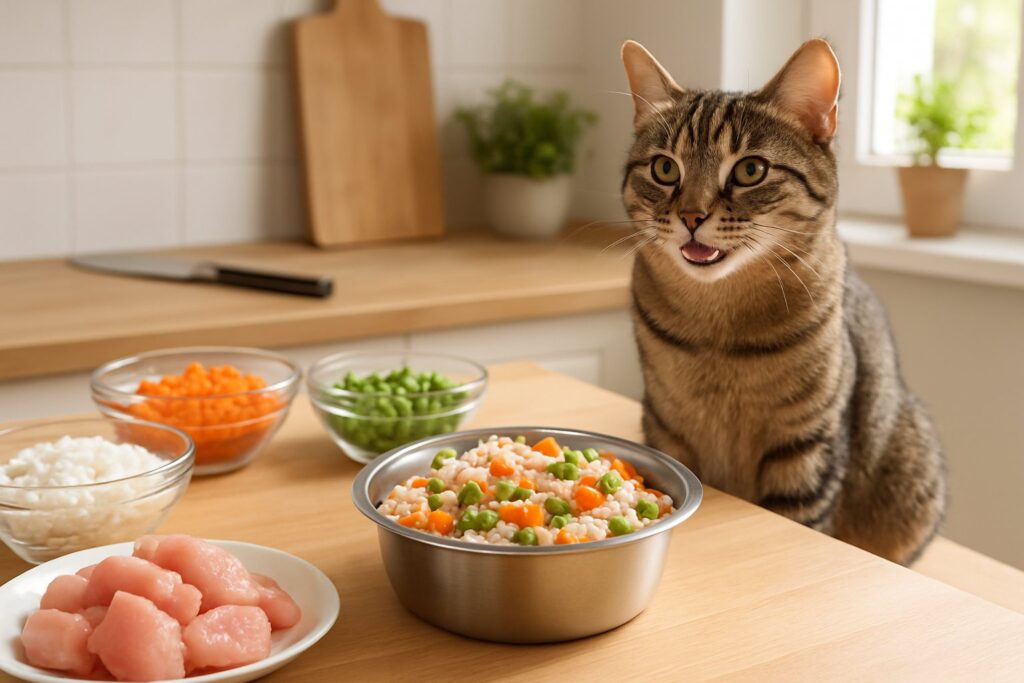
        Homemade Cat Food Recipes

        Let’s be real—have you ever read the ingredient list on your cat’s kibble and wondered what half those words mean? I definitely have, until I started exploring homemade cat food recipes that use premix supplements for balanced nutrition.

        The process isn’t as complicated as it sounds, especially once you understand the basics of feline nutrition and have a few good recipes. You’re about to learn everything from understanding your cat’s unique nutritional needs to preparing meals for different life stages.

        I’ll walk you through simple recipes, whether you like cooked or raw feeding. I’ll also share the mistakes I wish I’d avoided when I first started.

        Key Takeaways

        • Homemade cat food needs proper supplementation and veterinary guidance for complete nutrition.
        • Key ingredients: high-quality animal proteins, essential fats, and balanced vitamins and minerals.
        • Different life stages require specific nutritional tweaks for optimal health and development.

        Why Choose Homemade Cat Food?

        Making your own cat food gives you total control over what goes into your furry friend’s bowl. It can save money and help you address specific health needs.

        Let me share why homemade cat food might be the game-changer your cat needs.

        Benefits of Homemade Cat Food

        Ever wonder what’s really in that can of commercial cat food? I used to trust those fancy labels until I started reading ingredient lists a little closer.

        Complete ingredient control is the biggest reason I go homemade. You know exactly what protein source you use—no mystery meat or weird fillers.

        When I make my cat’s food, I use fresh chicken breast, not “poultry by-products.” That peace of mind is hard to beat.

        Cost savings sneak up on you in a good way. A pound of chicken costs way less than premium wet food.

        I spend about $2 per day on homemade meals, while high-quality commercial options set me back $4 or more.

        Fresh nutrition just feels better. Commercial foods lose nutrients during processing and storage.

        Homemade cat food gives your cat fresh, wholesome nutrition that hasn’t been sitting in a warehouse for months.

        Your cat’s digestive health might improve, especially if they have a sensitive stomach. Many cats thrive on homemade diets because you get rid of artificial preservatives and questionable ingredients.

        Comparing Homemade vs. Commercial Cat Food

        Honestly, both options have their place. But here’s what I’ve noticed after switching between them.

        Homemade Cat FoodCommercial Cat Food
        Fresh ingredientsLong shelf life
        Complete controlConvenient
        $2-3 per day$3-5 per day (premium)
        Requires prep timeReady to serve
        Custom nutritionStandardized formula

        Quality matters more than convenience. Premium ingredients and fresh produce give you nutritional control that commercial foods just can’t touch.

        The time investment is real. I spend about 30 minutes a week prepping meals instead of just popping open a can. But when I see my cat’s energy levels jump? Totally worth it.

        Feeding homemade cat food means you have to add supplements like taurine and calcium. Commercial foods already have these. You’ll need to do some research or team up with your vet.

        Customizing for Allergies and Dietary Needs

        This is where homemade really shines. If your cat has food allergies, you’re probably tired of reading labels and paying extra for “limited ingredient” formulas.

        Food allergies are easier to manage when you control every ingredient. My friend’s cat couldn’t tolerate any commercial food because of a chicken sensitivity.

        Homemade meals tailored to special diets solved that problem completely.

        Medical conditions like kidney disease need specific nutrition. You can adjust protein, phosphorus, and sodium without searching for expensive specialty foods.

        Life stage needs change all the time. Kittens and seniors need different things. I tweak recipes as my cats age instead of buying multiple commercial formulas.

        Picky eaters usually prefer homemade because you can play with textures and flavors. My cat hated chunky wet food but goes nuts for smooth, homemade pâté.

        The key is working with your vet to make sure the diet is complete. Don’t just wing it—homemade cat food only works when you get the nutrition right.

        Understanding Cat Nutrition Basics

        A person preparing homemade cat food with fresh ingredients on a kitchen counter while a cat watches nearby.

        Cats are obligate carnivores. Their dietary needs are totally different from dogs or humans.

        Getting these requirements right means knowing which nutrients matter most and avoiding mistakes that can harm your cat.

        Obligate Carnivores: What Cats Really Need

        Let’s be honest—your cat isn’t built to eat like you or your dog. Cats are obligate carnivores. They have to eat meat to survive.

        Unlike dogs, who can handle plant-based diets, cats rely on nutrients found only in animal tissue. Their bodies just can’t make some of the essential stuff on their own.

        This carnivorous need shapes everything about what should go into cat recipes. Their digestive systems are short and acidic, built to break down raw meat fast.

        Key meat requirements include:

        • Fresh muscle meat (chicken, turkey, beef, rabbit)
        • Organ meats for concentrated nutrients
        • Fish now and then for omega-3s

        When I make homemade cat food, meat makes up at least 85% of the recipe. Plant ingredients? I keep those under 10-15% of the total meal.

        Essential Nutrients for Feline Health

        Making nutritionally complete cat food means understanding the seven essential nutrients cats need every day. If you miss one, it can cause real problems.

        Protein is the foundation. Cats need way more protein than dogs—about 26% minimum for adults and 30% for kittens.

        Fats provide energy and help with vitamin absorption. I add healthy fats like chicken fat or a splash of fish oil to every batch.

        Essential amino acids are where it gets tricky. Cats can’t make taurine or arginine, so these have to come from meat or supplements.

        Here’s what I focus on:

        NutrientWhy It MattersBest Sources
        TaurineHeart health, visionHeart, liver, muscle meat
        ArginineRemoves toxinsAll animal proteins
        Vitamin AImmune systemLiver, fish
        B VitaminsEnergy metabolismMeat, organs

        Vitamins and minerals are honestly the trickiest part. I always work with my vet to make sure my recipes include the right supplements.

        Common Nutrition Mistakes

        I see cat owners make the same mistakes over and over with homemade food. These errors can really hurt your cat long-term.

        Mistake #1: Forgetting taurine supplements. Even meat-heavy diets can lack enough taurine, especially since cooking destroys a lot of it.

        Mistake #2: Using too many veggies. Some cats like a berry or veggie here and there, but keep these under 5-10% of their diet. Carbs shouldn’t go over 20% of the food.

        Mistake #3: Feeding only muscle meat. Cats need organ meats for extra nutrients. I make sure about 10% of each batch is liver.

        Mistake #4: Ignoring calcium balance. Raw meat diets often lack calcium. You’ll need bone meal or a calcium supplement to keep things balanced.

        Mistake #5: Not talking to a vet. Every cat is different—age, health, activity level all matter. What works for mine might not work for yours.

        Biggest mistake? Assuming homemade is automatically healthier. Without planning and supplements, homemade can be riskier than commercial foods.

        Key Ingredients for Homemade Cat Meals
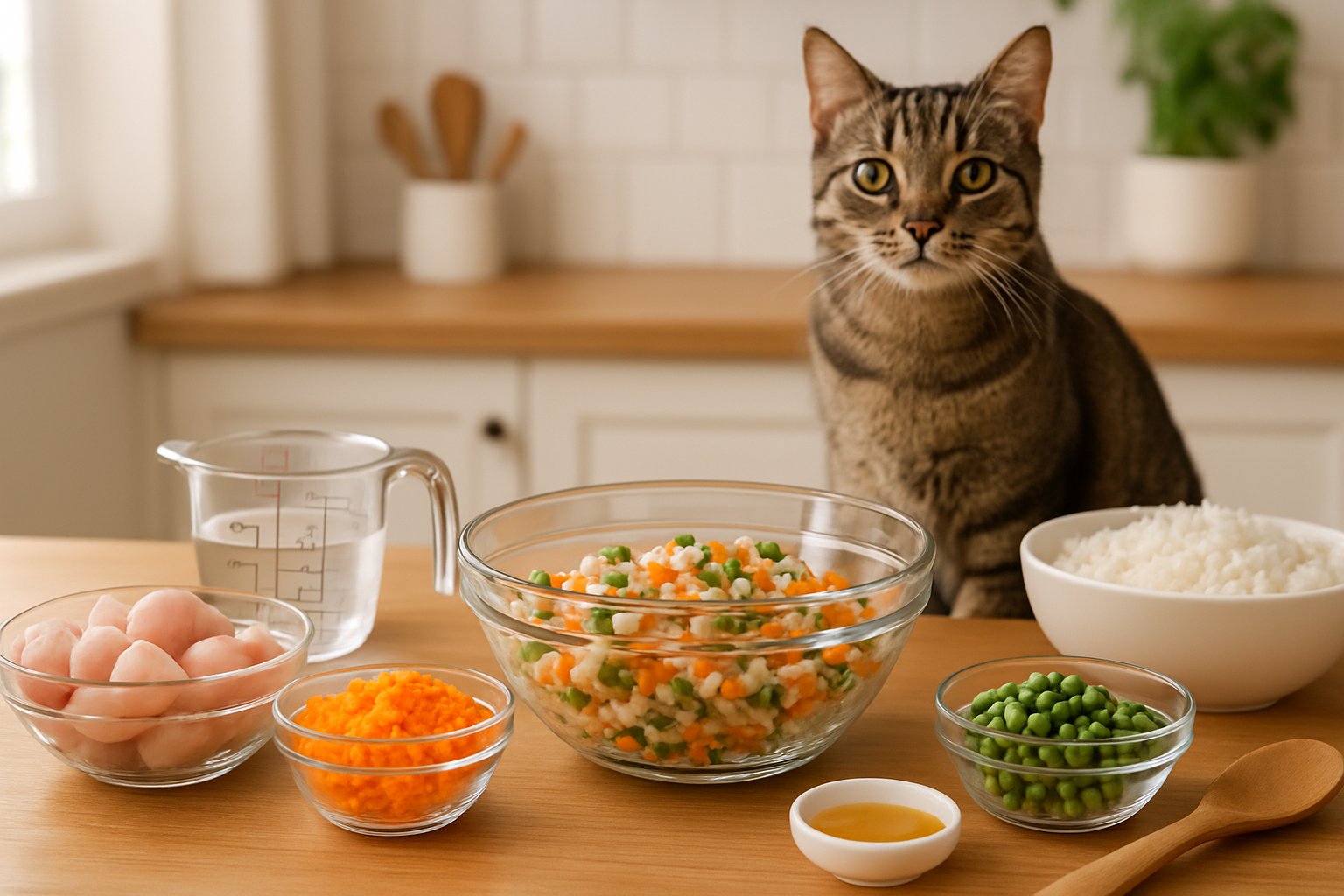
        A kitchen countertop with fresh ingredients for homemade cat food and a domestic cat watching nearby.

        Making your own cat food means picking the right proteins, safe extras, and knowing what to skip. I’ve learned that cats need specific nutrients to thrive, and missing even one can lead to health problems.

        Choosing the Right Proteins and Fats

        Let me tell you—protein is everything when it comes to homemade cat food ingredients.

        Cats are true carnivores. They need meat to survive and thrive.

        I always start with lean proteins like turkey breast, chicken thigh, or pork loin as my base.

        These meats are easy on your cat’s stomach and pack the protein punch they crave.

        But here’s what most people miss—organ meats are non-negotiable.

        Your cat absolutely needs heart, liver, and brain because these contain taurine, an amino acid that prevents heart disease and blindness.

        Best protein choices for homemade cat food:

        • Chicken (boneless, skinless)
        • Turkey breast
        • Beef (lean cuts)
        • Duck
        • Rabbit
        • Fish (salmon, tuna)

        The fat content should stay between 8-15% for optimal health.

        Too little fat and your cat won’t absorb vitamins properly. Too much and you’re looking at obesity problems down the road.

        I’ve found that mixing different protein sources keeps meals interesting and ensures balanced nutrition.

        One day chicken, the next day beef with some fish mixed in.

        Safe Add-Ins: Vegetables, Supplements, and More

        Now, here’s where I see cat owners get confused.

        Cats don’t actually need vegetables, but some can be safely added in small amounts.

        Safe vegetables for homemade kitten food and adult meals:

        • Green peas (small amounts)
        • Pumpkin (great for digestion)
        • Carrots (cooked and mashed)

        But honestly? I focus more on the essential supplements that cats actually need.

        Calcium lactate, taurine, and fish oil are the big three that prevent serious health issues.

        Must-have supplements:

        • Taurine – prevents heart problems
        • Calcium – for strong bones and teeth
        • Fish oil – for healthy skin and coat
        • Vitamin B complex – supports metabolism

        I always add a pinch of kelp for trace minerals and some psyllium husks for fiber.

        These small additions make a huge difference in your cat’s overall health.

        The key is balance. Too many supplements can be just as harmful as too few.

        Foods to Always Avoid

        This is where things get serious.

        Some foods that seem harmless can actually kill your cat.

        Never include these in homemade cat food:

        • Onions and garlic (destroy red blood cells)
        • Chocolate (toxic to cats)
        • Grapes and raisins (kidney failure)
        • Raw fish bones (choking hazard)
        • Cooked bones (splinter and cause internal damage)

        But here’s what shocked me when I started making homemade cat food—carbohydrates are actually harmful to cats long-term.

        Corn, wheat, rice, and potatoes put strain on their liver and pancreas.

        I used to think a little rice was harmless. Wrong.

        Extended feeding of carbs can cause diabetes, kidney disease, and obesity in cats.

        Carbs that damage cat health:

        • Corn
        • Wheat
        • Rice
        • Potatoes
        • Oats

        Even “healthy” fruits like apples or bananas have no place in cat food.

        Cats can’t process plant matter efficiently, and it just takes up space that should be filled with meat.

        Types of Homemade Cat Food Recipes

        Making your own cat food gives you complete control over what goes into your furry friend’s bowl.

        You can choose between cooked recipes that are gentler on sensitive stomachs, raw diets that mimic what cats eat in the wild, or soft options perfect for senior cats and picky eaters.

        Cooked Cat Food Recipes

        Let’s be real—cooked homemade cat food recipes are where most of us start.

        I get it. The idea of handling raw meat makes some people squeamish, and cooking feels safer.

        Cooked recipes typically use lean proteins like turkey breast, chicken thighs, or ground beef.

        You cook the meat thoroughly, then mix it with premix supplements to balance the nutrition.

        I’ve tried the Balance It Turkey and Sweet Potato recipe, and my cats loved it.

        You roast turkey breast at 350°F until it hits 165°F internally. Then you bake sweet potatoes until tender.

        Key benefits of cooked recipes:

        • Kills harmful bacteria
        • Easier for nervous pet parents
        • Good for cats with sensitive digestive systems
        • Premix supplements make balancing nutrition simpler

        The EZComplete cooked meat approach is super straightforward.

        You just need boneless meat, water, and their premix powder.

        I slow-cooked ground beef for 4-6 hours, skimmed the fat, then mixed in the supplement.

        Pro tip: Always let cooked meat cool completely before adding supplements.

        Heat destroys some vitamins.

        Raw Cat Food Recipes

        Raw cat food recipe enthusiasts swear by this approach.

        It mimics what cats would eat in nature—fresh meat, organs, and bones.

        The most popular method is the Prey Model Raw (PMR) diet.

        It follows the 80/10/10 rule: 80% muscle meat, 10% raw bones, and 10% organs.

        I’ll be honest—raw feeding takes more research and prep work.

        You need multiple protein sources to avoid nutritional gaps.

        The Little Carnivore PMR recipe uses white meat, red meat, chicken hearts, gizzards, liver, and whole sardines.

        What makes raw cat food work:

        • Higher moisture content
        • No cooking damage to nutrients
        • Natural enzymes intact
        • Better dental health from chewing bones

        The Alnutrin raw ground rabbit recipe is simpler.

        You grind whole rabbit with bones and organs, then mix in their premix supplement with water.

        Safety warning: Raw diets carry bacteria risks.

        Always use fresh, high-quality meat from trusted sources. Wash everything thoroughly.

        Wet Cat Food and Soft Cat Food Options

        Senior cats, cats with dental issues, or just plain picky eaters often need softer textures.

        Homemade soft cat food bridges the gap between commercial wet food and DIY nutrition.

        Think of soft homemade options as comfort food for cats.

        You can make chicken liver pâté by blending cooked liver with a little broth. It’s smooth, nutritious, and most cats go crazy for it.

        Homemade wet cat food usually starts with cooked meat that you shred or chop finely.

        Add bone broth (without onion, garlic, or salt) to create a gravy-like consistency.

        I’ve made “Chicken Meowy Jello” by mixing gelatin with chicken broth and shredded meat.

        It sets up soft and jiggly—perfect for cats who struggle with harder textures.

        Soft food advantages:

        • Easier to digest
        • Higher moisture content
        • Good for medication mixing
        • Appeals to finicky eaters

        You can also blend any cooked homemade cat food recipe with extra water or broth to create a softer texture.

        Just make sure you’re not diluting the nutrition too much.

        Step-By-Step: Preparing DIY Cat Food at Home

        Making pet food at home requires careful planning and proper techniques to keep your cat healthy.

        Safe preparation methods and smart storage systems help you create nutritious meals while pet food makers can simplify the entire process.

        Making Cat Food Safely

        I learned the hard way that making homemade cat food isn’t just about mixing ingredients together.

        Your cat’s life depends on getting this right.

        Start with clean everything.

        I wash my hands, sanitize all surfaces, and use separate cutting boards for meat.

        Cross-contamination can make your cat seriously sick.

        Here’s my safety checklist:

        • Fresh ingredients only – no expired meat or questionable fish
        • Cook meat to 165°F to kill harmful bacteria
        • Avoid toxic foods like onions, garlic, and grapes
        • Balance nutrients with proper protein, fat, and vitamin ratios

        I always consult my vet before switching recipes.

        Cats need specific nutrients that differ from dogs or humans.

        Missing even one essential vitamin can cause health problems over time.

        Temperature matters big time.

        I use a meat thermometer every single time.

        Raw diets need extra care with sourcing and handling.

        Vet-approved recipes take the guesswork out of nutrition balance.

        Never wing it with portions.

        I measure everything precisely because cats are small and nutrient imbalances hit them harder than larger animals.

        Batching, Storing, and Freezing

        I make large batches once a week to save time and money.

        Proper portioning and freezing keeps the food fresh and makes feeding simple.

        My batching system works like this:

        1. Cook 7-10 days worth of food in one session
        2. Cool completely before portioning
        3. Divide into meal-sized containers
        4. Label with dates and freeze immediately

        I use glass containers or freezer-safe bags for storage.

        Each portion equals exactly what my cat eats in 48 hours. Anything longer in the fridge goes bad.

        Freezing saves money and time.

        I pull out 2-3 portions at a time and thaw them in the refrigerator.

        Never microwave or use hot water—it creates hot spots that can burn your cat’s mouth.

        My freezer stays organized with a rotation system. Oldest food gets used first.

        Frozen homemade cat food lasts up to 3 months if stored properly.

        Room temperature thawed food spoils fast.

        I throw away anything left out longer than 2 hours.

        Using a Pet Food Maker

        Pet food makers totally changed my DIY cat food game. These machines grind, mix, and portion everything for you.

        The ChefPaw pet food maker does it all in one device. I just add the ingredients, pick a recipe, and out comes a balanced meal.

        No more guessing ratios or wasting hours in the kitchen.

        Here’s what I actually like about using a pet food maker:

        • Consistent texture every batch
        • Precise nutrient mixing
        • Less cleanup than prepping by hand
        • Built-in safety features for correct cooking temps

        I still have to buy quality ingredients and stick to vet-approved recipes. The machine just makes everything foolproof.

        Cost breakdown matters. Pet food makers need some upfront cash, but they save money in the long run. I found making food at home costs about 40% less than fancy store-bought food.

        Some models even link to recipe apps. I can tweak portions for my cat’s weight and activity. The texture stays the same every time, which helps with picky eaters.

        Cleaning takes me 5 minutes now, instead of the 30 minutes I used to spend washing all those prep tools.

        Homemade Cat Food Recipes for Every Life Stage

        A kitchen countertop with bowls of homemade cat food and fresh ingredients, with a cat sitting nearby looking at the food.

        Cats need different nutrients as they grow from wild little kittens to wise old seniors. Each stage comes with its own protein needs, vitamins, and portions to keep your cat healthy.

        Nutritious Recipes for Kittens

        Ever watched a kitten bounce off the walls after eating? Growing kittens need twice the calories of adult cats to fuel all that chaos and development.

        I’ve learned that homemade kitten food has to be loaded with nutrition. Your little furball needs at least 30% protein—way more than adults.

        My Go-To Kitten Power Bowl:

        • 4 oz ground chicken (cooked)
        • 1 egg yolk (raw)
        • 1 tsp salmon oil
        • Pinch of calcium carbonate

        The trick? Feed tiny portions 4-6 times a day. Kittens have walnut-sized stomachs and huge appetites.

        Kittens need taurine supplements because their hearts are working overtime. Without it, you risk some serious heart problems.

        Pro tip: Blend it smooth for kittens under 8 weeks. They can’t chew chunks yet.

        Always ask your vet before switching up their food. Kittens are surprisingly fragile, and one mistake with nutrition can mess them up long-term.

        Homemade Meals for Adult Cats

        Let’s face it—most adult cats act like food critics. I’ve found that simple, consistent recipes work best.

        Adults need at least 26% protein and way fewer calories than kittens. It’s like going from teen metabolism to adult reality.

        My Foolproof Adult Cat Recipe:

        • 6 oz lean meat (chicken, turkey, or beef)
        • 1 tbsp cooked sweet potato
        • 1 tsp fish oil
        • Vitamin supplement (vet-approved)

        I meal prep on Sundays and portion out a week’s worth. My cat gets the same nutrition every day, and I save a ton of time.

        Don’t skip the arginine and taurine supplements. These are must-haves to prevent blindness and heart issues.

        Feed twice a day, about 12 hours apart. Routine is everything for adult cats, and their stomachs need that break.

        Watch the carbs—keep them under 10% or you’ll end up with a chunky cat.

        Special Options for Senior Cats

        You know that look your senior cat gives you when they’re not feeling great? Older cats (7+ years) need some special attention at mealtime.

        Senior cats often deal with kidney problems, arthritis, and less appetite. Their meals need to be gentle but still packed with nutrients.

        My Senior Cat Comfort Recipe:

        • 5 oz easy-to-digest protein (fish or chicken breast)
        • 2 tbsp bone broth (low sodium)
        • 1 tsp coconut oil
        • Joint support supplement

        Warm the food slightly—seriously. Senior cats lose some of their sense of smell, and warming up dinner makes it more tempting.

        Senior cats do better with smaller, more frequent meals. Their bodies can’t handle big portions anymore.

        Key adjustments for seniors:

        • Lower phosphorus (for kidneys)
        • Higher moisture
        • Softer texture
        • Anti-inflammatory add-ins

        Add some glucosamine for those creaky joints. I’ve seen 12-year-old cats get playful again with the right food tweaks.

        Keep an eye on their weight—seniors lose muscle fast if they’re not eating enough protein.

        Frequently Asked Questions

        A person preparing homemade cat food in a kitchen with fresh ingredients on the counter and a cat watching nearby.

        Making homemade cat food brings up a million questions. Is it balanced? Are the ingredients safe? Can kitchen recipes really meet your cat’s needs?

        What’s in a balanced cat food recipe that I can make at home to keep my furry buddy purring?

        A balanced homemade cat food needs three things: good animal protein, essential fats, and the right vitamins and minerals. For adults, that’s at least 26% protein, and for kittens, 30%—all on a dry matter basis.
        I always start with muscle meat like chicken, turkey, or beef. Then I add organ meats (especially liver) for vitamin A and nutrients cats just can’t get elsewhere.
        Here’s the tricky part: You’ll need a commercial supplement made for homemade cat food. Most homemade recipes miss key nutrients like taurine, calcium, and B vitamins unless you add a premix.
        EZComplete Fur Cats, Alnutrin, and Balance IT Feline are all good supplement options. They fill the gaps that whole foods just can’t cover.
        Don’t forget healthy fats like fish oil or chicken fat. Cats need at least 9% fat for energy and a shiny coat.

        Have you wondered how to craft a homemade feast for your indoor cat that meets all their needs?

        Indoor cats have different needs than outdoor hunters. They’re less active, so portion control is everything if you want to avoid a chubby cat.
        I stick to lean proteins like skinless chicken breast or turkey for my indoor cats. They need fewer calories but still lots of protein.
        Indoor cats also need extra fiber to help with hairballs and digestion. I toss in a bit of pumpkin or green beans—about 5% of the recipe.
        Hydration matters more for indoor cats. I make sure their food is nice and moist, or I add extra water to make a stew.
        Definitely ask your vet about portions. Indoor cats usually need 20-30% fewer calories than outdoor ones.

        Do you know the staples of a vet-approved, nutritious wet cat food you can whip up in your kitchen?

        Vet-approved homemade wet food starts with 75-80% animal protein from muscle meat and organs. I use chicken thighs, beef heart, or turkey for the base.
        The “wet” part comes from cooking methods that keep in moisture. I slow-cook meats with water or bone broth for natural gravy.
        Must-haves:
        Muscle meat (chicken, turkey, beef)
        Organ meat (liver, kidney, heart)
        Commercial vitamin/mineral premix
        Healthy fats (fish oil, chicken fat)
        Optional: small amounts of veggies
        Veterinary nutritionists recommend working with a pro to tailor recipes for your cat’s needs.
        I cook everything thoroughly and store portions in the fridge for 3 days, or freeze them for longer.

        Searching for a pocket-friendly homemade cat food strategy? What essentials do you really need?

        Homemade cat food can save you money if you’re smart about it. I go for affordable proteins like chicken leg quarters, turkey necks, or beef heart—way cheaper than fancy cuts.
        Gear you actually need:
        Large slow cooker ($30-50)
        Food processor or grinder ($40-80)
        Kitchen scale ($15-25)
        Storage containers ($20-30)
        The main ongoing cost is the vitamin supplement—usually $20-40 a month, depending on how much you’re making.
        I buy meat in bulk when it’s on sale and freeze it. Chicken leg quarters can be under $1 a pound, so homemade food ends up cheaper than fancy canned stuff.
        Skip the expensive “pet-grade” labels. Grocery store meat is perfect and costs less.

        Ever thought about what should top your list when picking ingredients for a homemade chicken cat food dish?

        Dark meat chicken should be your go-to—thighs and drumsticks have more fat and flavor than breasts. Cats need that extra fat for energy and taste.
        I always add chicken liver. It’s packed with vitamin A, iron, and other essentials. Just keep it to about 5% of the recipe—too much isn’t good.
        Chicken hearts are another favorite. They’re muscle meat but loaded with taurine, which cats absolutely need.
        For cooking liquid, I use low-sodium chicken broth or plain water. Never add onions, garlic, or any seasoning—those can be dangerous for cats.
        About bones: Never give cooked chicken bones to cats—they splinter. If you want to add bone meal for calcium, buy it already ground or talk to a vet nutritionist.

        Is your cat’s taste buds begging for variety? What are some tested and loved homemade cat food recipes to shake up their menu?

        I’ve got a handful of go-to recipes that my cats can’t seem to get enough of.
        Recipe 1: Simple Turkey Delight
        I slow-cook about 2 pounds of ground turkey with water. Once it’s cooled, I stir in EZComplete premix.
        It takes a good 4-6 hours in the crockpot, but the batch lasts for weeks.
        Recipe 2: Salmon Sunday Special
        I bake salmon with sweet potato and add a splash of fish oil. Those omega-3s really do wonders for their coats—I’ve noticed it myself.
        Recipe 3: Beef and Liver Power Bowl
        I cook up ground beef with chicken liver and toss in a little pumpkin. It seems perfect for my more energetic cats.
        Research shows variety prevents nutritional gaps that can happen when feeding the same ingredients constantly.
        I like to rotate these recipes each week. Maybe turkey on Monday, salmon on Wednesday, beef on Friday—just mixing it up keeps things interesting for them.
        When I introduce a new recipe, I usually mix about 25% new food with 75% of what they’re used to for a few days. Seems to go over well and avoids any upset tummies.

        As an Amazon Associate, we may earn a commission from qualifying purchases if you click on the links within this article. Learn more.

        Leave a Reply