# Frontend Runtime Extension Contract (V1) This document defines the stable frontend runtime integration surface for plugins that extend FrontEdit in the browser. ## Purpose This contract answers four questions for external integrations: 1. How another plugin may open and control FrontEdit editing. 2. What schema-resolved runtime data FrontEdit guarantees to expose. 3. Which lifecycle hooks and events are stable for observing editing and the standard FrontEdit save flow. 4. Which globals and implementation details are explicitly private. ## Scope This contract covers the browser runtime only. It does not define: 1. PHP handler registration. 2. Schema authoring rules. 3. Internal editor-state layout. 4. REST endpoint internals or private save helpers. 5. Internal DOM classes or data attributes unless explicitly documented here. ## Stability Model FrontEdit exposes one stable base namespace for browser integrations: ```js window.MWP.SFE.PublicApi ``` When FrontEdit Pro is active, FrontEdit also exposes one optional pro-only namespace: ```js window.MWP.SFE.ProApi ``` Everything else on `window.MWP.SFE` is private unless this document explicitly says otherwise. ### Two-tier contract This document uses two stability tiers: 1. `V1 committed surface` External plugins may rely on these methods, events, and return shapes. 2. `Candidate APIs under evaluation` These are roadmap items only. They are not part of the stable contract and may change or never ship. ### Versioning The runtime extension contract is versioned independently from the schema contract. `window.MWP.SFE.PublicApi` must expose: ```js SFE.PublicApi.getApiInfo(); ``` Expected shape: ```js { apiVersion: 1, namespace: 'window.MWP.SFE.PublicApi', features: { editorControl: true, runtimeInspection: true, editableBlockDiscovery: true, editingRuntimeResolution: true, publicOperationContracts: true, operations: true, operationPreflight: true, listOperationContracts: true, mediaInspection: true, mediaSessionControl: true, explicitStaging: true, events: true, blockRefresh: true } } ``` Version rules: 1. Additive methods, additive event payload fields, and additive snapshot fields are minor-safe. 2. Removing or renaming methods, changing event semantics, or changing documented return-shape meaning requires an `apiVersion` bump. 3. Private internals may change at any time without notice. ## Public Namespace Rules External plugins may: 1. Call documented `SFE.PublicApi.*` methods. 2. Call documented `SFE.ProApi.*` methods only when the pro plugin is active and the method is documented here as pro-only. 3. Subscribe only to documented `SFE.PublicApi` events. 4. Store and compare documented snapshot data returned by the API. External plugins must not: 1. Monkey-patch FrontEdit methods. 2. Directly mutate `window.MWP.SFE` objects unless a documented API explicitly allows it. 3. Depend on underscore-prefixed properties. 4. Rebuild schema runtime resolution, media descriptor resolution, or block-state hydration from private internals when a public API exists. ## V1 Committed Surface ### Discovery #### Server-side AI discovery When the WordPress Abilities API is available, an authorized FrontEdit editor may call the following post-scoped, read-only abilities: 1. `mwpsfe/list-editable-blocks` with `post_id` to retrieve selectable block UUIDs, block types, edit handler IDs, and source-text summaries. 2. `mwpsfe/get-editable-block` with `post_id` and `uuid` to retrieve focused content for one already-authorized editable block. 3. `mwpsfe/get-public-operation-contract` with `post_id` and `uuid` to retrieve the handler-derived public operation contract and its current public input state for one already-authorized editable block. 4. `mwpsfe/get-frontend-runtime-contract` with `post_id` to retrieve this canonical browser contract. These abilities authorize the current user against the exact requested post; they do not discover WordPress posts/pages, execute browser methods, or create an external save path. WordPress core remains responsible for page discovery. Once the browser runtime is present, integrations must still verify availability through `SFE.PublicApi.getApiInfo()` and use `SFE.PublicApi.getEditableBlocks()` to enumerate the live page. #### Server-side `current_operation_state` `mwpsfe/get-public-operation-contract` returns an immutable `contract` and a separate mutable `current_operation_state` array. Each record is: ```json { "componentId": "content", "operationId": "rewrite_text", "state": { "runs": [] } } ``` The record's `state` object contains only the public inputs declared by that operation. FrontEdit derives these values from the owning handler's schema and current parsed block state; it never publishes attributes, bindings, selectors, or executor metadata. Integrations must use this projection when a generated proposal needs to preserve a current text, media, link, or setting value. They must not reconstruct an equivalent map from raw block attributes. `core/list` keeps its documented browser-owned current-state surface through `SFE.PublicApi.getListStructure(...)` and its operation descriptor through `SFE.PublicApi.getListOperationContract(...)`, because its runtime list-item UUIDs are session-scoped rather than server-side generic operation IDs. #### `getEditableBlocks() -> EditableBlock[]` Return the FrontEdit-editable blocks currently known to the live page runtime. ```js const blocks = SFE.PublicApi.getEditableBlocks(); const match = blocks.find(block => block.contentText.includes('Pricing')); ``` Each entry is a `BlockSnapshot` plus `contentText`, which is normalized text from the current rendered block element. Use its `uuid` with `resolveEditingRuntime(...)` before choosing a documented edit operation. This method is the supported browser discovery path; integrations must not scrape private FrontEdit DOM attributes to enumerate UUIDs. #### Human save handoff An integration may inspect a block, open FrontEdit, and apply documented runtime operations or staging. It must then hand control to the authorized human to review and complete FrontEdit's standard save UI. V1 has no external direct-save API. #### `getApiInfo()` ```js const info = SFE.PublicApi.getApiInfo(); ``` Returns the contract version and feature flags for this runtime. ### Editor Control #### `openEditor(options) -> Promise` Open FrontEdit editing for a target block through the supported runtime path. ```js await SFE.PublicApi.openEditor({ uuid, element, handlerId, componentId, mode: 'edit', source: 'external' }); ``` Rules: 1. `uuid` is required. 2. `element` is optional when the block can be resolved from `uuid`. 3. `handlerId` is optional when FrontEdit can resolve the applicable handler for the block. 4. `componentId` is optional. When supplied, FrontEdit targets the documented editable component for the session. 5. `mode` defaults to `'edit'`. 6. `source` is a caller label for diagnostics and event payloads. Returns an `EditorSnapshot` when FrontEdit opened an editor session, otherwise `null`. #### `closeEditor(options = {}) -> boolean` Close the active editor session through the supported runtime path. ```js SFE.PublicApi.closeEditor({ uuid, restoreOriginal: true, reason: 'api', source: 'external' }); ``` Rules: 1. `uuid` is optional. When omitted, FrontEdit closes the active editor if one exists. 2. `restoreOriginal` defaults to `true`. 3. `reason` is an informational reason token. 4. `source` is a caller label for diagnostics and event payloads. Returns `true` when a close was attempted through the active supported editor session, otherwise `false`. #### `isEditorOpen() -> boolean` Returns whether FrontEdit currently has an active editor session. #### `getActiveEditor() -> EditorSnapshot|null` Returns a stable snapshot of the current active editor session. The return value is a snapshot, not a mutable live internal object. ### Runtime Inspection #### `resolveRuntime(options) -> ResolvedRuntime|null` Resolve the schema-aware runtime view FrontEdit would use for editing. ```js const runtime = SFE.PublicApi.resolveRuntime({ uuid, element, handlerId }); ``` Returns a stable runtime snapshot for the target block or `null` when no supported runtime could be resolved. #### `resolveEditingRuntime(options) -> ResolvedEditingRuntime|null` Resolve the richer schema-driven editing runtime FrontEdit would use for active editing or proposal materialization. ```js const runtime = SFE.PublicApi.resolveEditingRuntime({ uuid, element, handlerId, blockState, attributeChanges }); ``` Returns a detailed editing runtime snapshot with resolved component metadata and live component element references. Rules: 1. `uuid`, `element`, and `handlerId` follow the same resolution rules as `resolveRuntime()`. 2. `blockState` is optional. When supplied, FrontEdit resolves the runtime against that staged block state instead of the current session baseline. 3. `attributeChanges` is optional. When supplied, FrontEdit resolves the runtime against those pending block attribute changes. 4. The returned runtime data is read-only snapshot data except for documented DOM element references inside component entries. #### `getEditOperationContract(options) -> EditOperationContract|null` Return FrontEdit's read-only, schema-derived contract for AI or other generated operation proposals. It is a compact projection of the currently resolved handler components and their `editor.operations`; it does not expose a DOM element, route, save control, nonce, or mutable editor state. ```js const contract = SFE.PublicApi.getEditOperationContract({ uuid, element, handlerId }); ``` ```ts type EditOperationContract = { contractVersion: 1; uuid: string; operations: Array<{ id: string; componentId: string; inputs: Record; values?: Array; allowedRunFormats?: string[]; requiredRunFormatAttributes?: Record; }>; }; ``` Rules: 1. Use this contract to discover the exact operations, allowed values, and required inputs for this live block. Do not infer them from a block name or toolbar label. 2. The contract deliberately excludes attribute paths, selectors, executor kinds, serialization behavior, routes, and mutable editor internals. 3. It is not an authorization or mutation API. Generated proposals remain untrusted and must pass FrontEdit preflight before apply. 4. A handler must explicitly mark an operation `publicOperation: true` before it appears here. FrontEdit does not maintain a second public allowlist or synthesize generic operations from a block type. 5. `allowedRunFormats`, when present for a `rich_text_runs` input, contains the handler-declared format tokens permitted in each returned run. `requiredRunFormatAttributes`, when present, maps a format token to the minimum named values that must be present in that run's `formatAttributes[formatToken]` object. It exposes neither rendering tags, optional format data, selectors, nor mutation details. 6. List editing retains its established UUID-oriented list API. Its legal operation kinds and inputs are exposed separately through `getListOperationContract(...)`; they are not part of this generic generated-proposal envelope. #### `getEditableComponents(options) -> EditableComponent[]` Returns the runtime-editable components for the resolved block. #### `getDefaultComponent(options) -> EditableComponent|null` Returns the default editable component for the resolved block, if one exists. ### Public Operation Runtime V1 uses one attribute-free public operation envelope: ```js const operations = [ { id: operation.id, componentId: operation.componentId, inputs: { /* only values declared by getEditOperationContract() */ } } ]; const preflight = SFE.PublicApi.preflightOperations({ uuid, operations }); if (preflight?.valid === true) { SFE.PublicApi.applyOperations({ uuid, operations }); } ``` #### `preflightOperations(options) -> OperationPreflightResult|null` Validate an opaque operation batch against an already open editor without mutating DOM, history, preview state, or saved content. ```ts type OperationPreflightResult = { uuid: string; valid: boolean; validatedOperationIds: string[]; errors: Array<{ code: string; id?: string; componentId?: string }>; }; ``` #### `applyOperations(options) -> OperationResult|null` Stage the same preflighted opaque batch through FrontEdit's shared schema executor. FrontEdit resolves the operation locally from the active handler, performs normal preview and history work, and leaves review, save, and cancel under its normal editor lifecycle. Rules: 1. Call `openEditor(...)` explicitly before preflight or apply. 2. Each operation must exactly match a declaration from `getEditOperationContract(...)`. 3. Callers must not send `kind`, `attribute`, `attributes`, `bindingSource`, DOM selectors, or serialization metadata. 4. Callers processing generated or untrusted content must require `valid === true` before apply. 5. This is a staging API, never a direct-save API. `applyOperations(...)` returns `appliedOperationCount` in addition to its operation ID summary. Integrations that generate a batch must treat the stage as failed unless that count equals the requested operation count. ### V1 Operation Recipes All non-list mutations use the schema-derived operation envelope. Discover the operation on the live block, open that block's editor, preflight the exact batch, then apply the same batch. FrontEdit owns the resulting preview, history, review, cancel, and save lifecycle. #### Operation Envelope ```js const contract = SFE.PublicApi.getEditOperationContract({ uuid, element, handlerId }); if (!contract) { throw new Error('No edit-operation contract is available for this block.'); } const getOperation = predicate => { const operation = contract.operations.find(predicate); if (!operation) { throw new Error('The requested operation is not supported by this block.'); } return operation; }; const stage = async operations => { const preflight = SFE.PublicApi.preflightOperations({ uuid, operations }); if ( preflight?.valid !== true || preflight.validatedOperationIds.length !== operations.length ) { throw new Error('FrontEdit rejected the operation batch.'); } const result = SFE.PublicApi.applyOperations({ uuid, operations }); if (result?.appliedOperationCount !== operations.length) { throw new Error('FrontEdit did not stage every operation.'); } return result; }; ``` Every generic operation has exactly this shape: ```js { id: operation.id, componentId: operation.componentId, inputs: { // Exactly the declared input names and values for this operation. } } ``` Use the operation's `inputs` map as the complete field contract. Include every required input, omit optional inputs you do not need, and do not send `kind`, attribute paths, selectors, binding metadata, or other internal fields. #### Text Replacement Find an operation that declares a `rich_text_runs` input and submit the complete replacement run sequence for that component: ```js const rewrite = getOperation(operation => ( operation.componentId === 'content' && operation.inputs.runs?.type === 'rich_text_runs' )); await SFE.PublicApi.openEditor({ uuid, element, handlerId, componentId: rewrite.componentId }); await stage([{ id: rewrite.id, componentId: rewrite.componentId, inputs: { runs: [ { text: 'Updated copy', formats: [], formatAttributes: {} } ] } }]); ``` Use only `allowedRunFormats` exposed by that operation. When `requiredRunFormatAttributes` declares values for a format, include them in the matching run's `formatAttributes` object. #### Scalar Block Setting Settings such as alignment or heading level are schema operations with a declared scalar input. The concrete ID, component, allowed values, and any additional inputs come from the resolved contract: ```js const alignment = getOperation(operation => ( operation.componentId === 'content' && operation.inputs.value?.type === 'scalar' && Array.isArray(operation.values) && operation.values.includes('center') )); await SFE.PublicApi.openEditor({ uuid, element, handlerId, componentId: alignment.componentId }); await stage([{ id: alignment.id, componentId: alignment.componentId, inputs: { value: 'center' } }]); ``` If the declared operation has additional required inputs, include those exact fields in `inputs`. For example, a column-scoped setting can require a `columns` input in addition to `value`. #### Host Link Update For an anchor-host component, select the operation that declares the URL input and provide its declared optional link settings only when needed: ```js const link = getOperation(operation => ( operation.componentId === 'label' && operation.inputs.href?.type === 'url' )); await SFE.PublicApi.openEditor({ uuid, element, handlerId, componentId: link.componentId }); await stage([{ id: link.id, componentId: link.componentId, inputs: { href: 'https://example.com/pricing', new_tab: true } }]); ``` #### Media URL Replacement When the live operation contract declares a URL input for a media component, stage the URL as a generic operation. The operation ID remains contract-owned: ```js const media = getOperation(operation => ( operation.componentId === 'image' && operation.inputs.url?.type === 'url' )); await SFE.PublicApi.openEditor({ uuid, element, handlerId, componentId: media.componentId }); await stage([{ id: media.id, componentId: media.componentId, inputs: { url: 'https://example.com/uploads/updated-image.jpg', source: 'input' } }]); ``` Include `attachmentId` only when the media source provides one. When the contract declares `source`, use `library` for a WordPress media-library item or `input` for a direct URL. For a selected WordPress media-library or upload item, use the documented [`applyActiveMediaSelection(options)`](#applyactivemediaselectionoptions---editorsnapshotnull) method in [Media Inspection And Session Control](#media-inspection-and-session-control). That method's reference includes its required active-session setup and exact request shape. ### List Runtime V1 retains the public list-tree runtime for `core/list`-style blocks that are edited as one root block while exposing nested item/list structure to external callers. #### `getListStructure(options) -> ListNode|null` Return the current live structural snapshot for one open or discoverable list block. ```js const structure = SFE.PublicApi.getListStructure({ uuid, element }); ``` Rules: 1. `uuid` is required unless `element` can be resolved to a block UUID. 2. The target block must resolve to a live `UL` or `OL` root. 3. The return value is a read-only structural snapshot of the live DOM tree. #### `getListOperationContract(options) -> ListOperationContract|null` Return the FrontEdit-owned, read-only operation descriptor for one live list root. This is the machine-readable source of truth for public list operation kinds and their exact input fields. Integrations must use it rather than maintaining a separate list-operation catalog. ```js const contract = SFE.PublicApi.getListOperationContract({ uuid, element }); ``` ```ts type ListOperationContract = { contractVersion: 1; uuid: string; operations: Array<{ kind: string; inputs: Record; }>; }; ``` Rules: 1. `uuid` is required unless `element` can be resolved to a block UUID. 2. The target must resolve to a live `UL` or `OL` root. 3. Each `inputs` map is exact: callers must not add an input not declared for that operation. 4. `existing_list_item_uuid` accepts an item UUID from the current `getListStructure(...)` result. `new_list_item_uuid` is a fresh caller-owned item UUID for an insertion. `direct_list_item_html` is direct item text HTML and must not contain `li`, `ul`, or `ol` wrappers. 5. This is an inspection API, not mutation authority. Callers still must use `preflightListOperations(...)` successfully before `applyListOperations(...)`. #### `applyListOperations(options) -> ListOperationResult|null` Apply one or more structural list mutations as one runtime batch. #### `preflightListOperations(options) -> ListOperationPreflightResult|null` Validate a UUID-oriented list batch against the open FrontEdit list editor without mutating it. ```js const preflight = SFE.PublicApi.preflightListOperations({ uuid, operations }); if (preflight?.valid === true) { SFE.PublicApi.applyListOperations({ uuid, operations }); } ``` Return shape: ```ts type ListOperationPreflightResult = { uuid: string; valid: boolean; validatedOperationKinds: string[]; errors: Array<{ code: string; index?: number }>; }; ``` `insert_child` validates its supplied insertion command during preflight. Its internal follow-up indent is resolved only during the subsequent FrontEdit apply because the new runtime item does not exist until that point. ```js const result = SFE.PublicApi.applyListOperations({ uuid, operations: [ { kind: 'update_list_item_text', itemUuid: '7db1a4ff-8e25-4f7d-a806-9328d473bb96', contentHtml: 'Alpha' }, { kind: 'toggle_list_type', itemUuid: '7db1a4ff-8e25-4f7d-a806-9328d473bb96', } ] }); ``` Rules: 1. `uuid` is required. 2. The target list editor must already be open. 3. `operations` are applied in order against the live mutated tree. 4. Every operation must supply the correct documented UUID target token family for its kind. 5. FrontEdit resolves each operation's runtime UUIDs against the current post-mutation tree immediately before that operation runs. 6. Public callers must use only operation kinds and exact inputs advertised by `getListOperationContract(...)`. 7. Some public operations may expand into multiple internal primitive mutations. For example, `insert_child` inserts the new item after the parent item, then indents it so the tracker creates the nested child list through the normal editor path. 8. Successful batches return one updated list structure snapshot. #### Current V1 list operation descriptor The contract currently advertises: 1. `update_list_item_text` 2. `insert_before` 3. `insert_after` 4. `insert_child` 5. `remove_list_item` 6. `move_before` 7. `move_after` 8. `indent_list_item` 9. `outdent_list_item` 10. `toggle_list_type` These are the public API kinds only. Internally FrontEdit still executes lower-level primitive list operations such as `insert_list_item`, `move_list_item`, and `toggle_list_type`, but only the descriptor returned by `getListOperationContract(...)` is the machine-readable runtime contract. #### List operation payloads | Kind | Required fields | Optional fields | Description | | --- | --- | --- | --- | | `update_list_item_text` | `kind`, `itemUuid`, `contentHtml` | -- | Replaces the direct text HTML for one existing list item. | | `insert_before` | `kind`, `newItemUuid`, `targetItemUuid`, `contentHtml` | -- | Inserts a new sibling item before the target item. | | `insert_after` | `kind`, `newItemUuid`, `targetItemUuid`, `contentHtml` | -- | Inserts a new sibling item after the target item. | | `insert_child` | `kind`, `newItemUuid`, `targetItemUuid`, `contentHtml` | -- | Creates a new child item under the target item. | | `remove_list_item` | `kind`, `itemUuid` | -- | Removes one existing list item and its nested children. | | `move_before` | `kind`, `itemUuid`, `targetItemUuid` | -- | Moves an existing item before the target item. | | `move_after` | `kind`, `itemUuid`, `targetItemUuid` | -- | Moves an existing item after the target item. | | `indent_list_item` | `kind`, `itemUuid` | -- | Indents one existing item through the normal editor list behavior. | | `outdent_list_item` | `kind`, `itemUuid` | -- | Outdents one existing item through the normal editor list behavior. | | `toggle_list_type` | `kind`, `itemUuid` | -- | Toggles the containing list for the referenced item between ordered and unordered. | `contentHtml` is required for operations that create or replace item content. It represents the direct item text HTML only. It must not include wrapping `
  • `, `
      `, or `
        ` elements. Consumers must derive whether an operation carries content from its `direct_list_item_html` input descriptor, not from a copied operation-kind allowlist. #### Public target-token rules Public list operations must use only the documented runtime UUID token family for their kind. FrontEdit rejects public operations that omit the required token. 1. `update_list_item_text`, `remove_list_item`, `indent_list_item`, and `outdent_list_item` target one existing list item and must provide `itemUuid`. 2. `insert_before` and `insert_after` must provide `newItemUuid` plus `targetItemUuid`. 3. `insert_child` must provide `newItemUuid` plus `targetItemUuid`. If the target item does not already own a child list, FrontEdit creates the required nested list automatically. 4. `move_before` and `move_after` must provide `itemUuid` plus `targetItemUuid`. 5. `toggle_list_type` must provide `itemUuid`. FrontEdit resolves that item to its current containing list immediately before the toggle runs. 6. Public callers must use only the documented camelCase keys above. Any other keys are outside the API contract. 7. Public callers must not rely on cursor or selection state. Cursor-based inference is reserved for internal editor-originated calls only. #### Runtime UUID ownership List-item UUIDs and list-node UUIDs have different ownership rules. 1. Public callers are responsible for generating UUIDs for newly created list items. 2. FrontEdit is responsible for generating and managing UUIDs for list nodes. 3. Public callers must not create, assign, or mutate list-node UUIDs directly. 4. When a structural operation creates a new nested list, FrontEdit assigns the resulting `listUuid`. 5. Public list operations target items, not list nodes, even though returned structure snapshots still expose `listUuid` values. #### Recommended UUID convention FrontEdit does not enforce a specific caller UUID format for public list operations. Recommended convention: 1. Use RFC 4122 version 4 UUID strings for `itemUuid`, `targetItemUuid`, and `newItemUuid`. 2. Generate one fresh UUID for every new list item the caller intends to create. 3. Treat runtime UUIDs as session-scoped cursor tokens only. Do not persist or reuse them after the list editor closes or the page reloads. #### `ListNode` `getListStructure()` and successful list-operation results return recursive list nodes plus item nodes so child lists remain distinct from the list items that own them. A list node contains: 1. `listUuid` (string): session-scoped runtime UUID for this list node 2. `listPath` (string): empty string for the root list, or the parent item path that owns this nested child list 3. `ordered` (boolean): whether this specific list node is `OL` 4. `items` (array): direct child list items for this list node Each item contains: 1. `itemUuid` (string): session-scoped runtime UUID for this item 2. `path` (string): item tree path 3. `pathLabel` (string): human-readable 1-based path label 4. `depth` (number): zero-based nesting depth 5. `contentHtml` (string): direct item text HTML only 6. `childList` (`ListNode|null`): nested list node owned by this item, or `null` Example: ```json { "listUuid": "e183f2b5-2f90-4ca2-8ea8-c3d8c72ab2c1", "listPath": "", "ordered": false, "items": [ { "itemUuid": "7db1a4ff-8e25-4f7d-a806-9328d473bb96", "path": "0", "pathLabel": "1", "depth": 0, "contentHtml": "a", "childList": { "listUuid": "fd818143-75d8-4ae9-8f3f-798d54150472", "listPath": "0", "ordered": false, "items": [ { "itemUuid": "c71fad00-2d1f-4f70-b0fc-84681f5ef8a0", "path": "0_0", "pathLabel": "1.1", "depth": 1, "contentHtml": "b", "childList": { "listUuid": "2cd9f476-1d91-45e5-bd0b-ae981b78a111", "listPath": "0_0", "ordered": false, "items": [ { "itemUuid": "b2f4ffad-edbc-48e9-950d-2716b5bf6942", "path": "0_0_0", "pathLabel": "1.1.1", "depth": 2, "contentHtml": "c", "childList": null } ] } } ] } } ] } ``` #### `ListOperationResult` Successful list runtime mutations return: 1. `uuid` (string): target block UUID 2. `operationsApplied` (array of strings): normalized operation kinds applied in order 3. `structure` (`ListNode`): updated live list structure snapshot ### Media Inspection And Session Control #### `getMediaContext(options) -> MediaContext|null` Resolve the media-editable context for a block or specific component. ```js const mediaContext = SFE.PublicApi.getMediaContext({ uuid, element, handlerId, componentId }); ``` Returns `null` when the target block is not media-editable through the documented runtime surface. #### `getMediaDescriptor(options) -> MediaDescriptor|null` Returns the stable media descriptor for the selected file component, if one exists. #### `isMediaEditable(options) -> boolean` Returns whether the resolved block exposes a file-editable component through the public runtime contract. #### `applyActiveMediaSelection(options) -> EditorSnapshot|null` Apply one selected media item to the current active schema-media editor session through FrontEdit's supported runtime path. ```js const editor = SFE.PublicApi.applyActiveMediaSelection({ uuid, url, attachmentId, source: 'library' }); ``` Rules: 1. `uuid` is required and must match the current active editor session. 2. `url` is required. 3. `attachmentId` is optional. 4. `source` may be `'library'` or `'input'` and defaults to the input-style save transition when omitted. 5. Returns an updated `EditorSnapshot` when the active media session accepted the selection, otherwise `null`. ### Explicit Staging V1 supports explicit block-state staging only. Staging is editor preparation, not external save execution. External plugins may stage block state and open or guide the FrontEdit editor, but the user must complete saving through FrontEdit's standard save UI and normal FrontEdit save workflow. #### `stageBlockState(stage) -> void` Stage a temporary block-state payload for one block so that subsequent editor open and hydration flows may consume it through FrontEdit's supported staging path. ```js SFE.PublicApi.stageBlockState({ uuid, handlerId, blockState, source: 'external' }); ``` Rules: 1. `uuid` is required. 2. `handlerId` is optional metadata for the caller and diagnostics. 3. `blockState` must match the shape FrontEdit's canonical block hydration path expects. 4. Staged block state is temporary and applies only through the documented FrontEdit runtime path. 5. Staged changes do not create a supported external save path in V1. #### `clearStagedBlockState(uuid) -> void` Clear any currently staged block state for the given block UUID. ### Session Utilities #### `on(eventName, handler) -> unsubscribeFn` Subscribe to one documented runtime event. ```js const unsubscribe = SFE.PublicApi.on('save:after', payload => { // observe successful save completion }); ``` Returns an unsubscribe function equivalent to calling `off(eventName, handler)`. #### `off(eventName, handler) -> void` Remove a previously registered event handler. #### `refreshBlock(uuid, options?) -> Promise` Request that FrontEdit refresh the live DOM for one block through its supported refresh path and return the resulting `BlockSnapshot`. ### Dirty State, Page Context, and Lookup Utilities #### `getDirtyBlocks() -> DirtyBlock[]` Returns a stable summary of the blocks that currently have unsaved changes in the active runtime session. #### `hasDirtyBlocks() -> boolean` Returns whether any block currently has unsaved changes. #### `isBatchSessionActive() -> boolean` Returns whether FrontEdit currently has an active batch-edit session. #### `resetDirtyBlocks(uuids, options?) -> boolean` Reset the tracked dirty batch state for the supplied block UUIDs back to the current batch-session baseline. ### Pro-only Session Utilities These methods exist only when FrontEdit Pro is active on the page. #### `ensureBatchSession() -> Promise` Ensure the shared batch-edit session exists before downstream runtime checks or mutations depend on it. ```js const ready = await SFE.ProApi.ensureBatchSession(); ``` Rules: 1. This method is available only on `window.MWP.SFE.ProApi`. 2. It returns `false` when batch editing is unavailable or disabled for the current page. 3. It may be called repeatedly; repeated calls are safe and reuse any in-flight session bootstrap work. #### `getPageContext() -> PageContext` Returns a stable page-level runtime snapshot. #### `getRestContext() -> RestContext` Returns the REST context FrontEdit guarantees to expose for supported runtime integrations. #### `setRestNonce(nonce) -> RestContext` Update the REST nonce FrontEdit should use for subsequent supported runtime requests on the current page. ```js const restContext = SFE.PublicApi.setRestNonce(refreshedNonce); ``` Rules: 1. `nonce` must be a non-empty string. 2. This updates only the current page runtime state. It does not fetch or mint a new nonce on its own. 3. Callers should use this after their own authenticated nonce-refresh flow succeeds. 4. The return value is the updated `RestContext`. #### `getElementByUuid(uuid) -> Element|null` Returns the current live DOM element for a block UUID, if present. #### `getUuidForElement(element) -> string` Returns the FrontEdit block UUID for the supplied element, or an empty string when none is available. #### `getBlockSnapshot(uuid) -> BlockSnapshot|null` Returns a stable summary snapshot for one block UUID. #### `getEditableBlocks() -> EditableBlock[]` Returns the stable live-page discovery snapshots described above. ## Stable Snapshot Shapes Snapshots are plain data contracts. They are not live editor-state objects and must not be mutated to control FrontEdit. ### `EditorSnapshot` ```json { "uuid": "8d63...", "handlerId": "core_image", "mode": "edit", "blockName": "core/image", "componentType": "file", "componentId": "image", "saveStrategy": "single", "hasMediaSession": true, "isDirty": false, "isDraftSession": false, "isBatchSession": false } ``` Required fields: 1. `uuid` 2. `handlerId` 3. `mode` 4. `blockName` 5. `componentType` 6. `componentId` 7. `saveStrategy` 8. `hasMediaSession` 9. `isDirty` 10. `isDraftSession` 11. `isBatchSession` Field notes: 1. `hasMediaSession` is `true` when the active editor host currently exposes the supported media-selection control surface used by `SFE.PublicApi.applyActiveMediaSelection(...)`. ### `ResolvedRuntime` ```json { "uuid": "8d63...", "handlerId": "core_cover", "blockName": "core/cover", "schemaVersion": 1, "mode": "mixed", "defaultComponentId": "image", "components": [] } ``` Required fields: 1. `uuid` 2. `handlerId` 3. `blockName` 4. `schemaVersion` 5. `mode` 6. `defaultComponentId` 7. `components` ### `EditableComponent` ```json { "id": "image", "label": "Image", "type": "file", "selector": "figure", "default": true, "target": { "selector": "img", "attribute": "src", "mediaType": "image" }, "mediaDescriptor": { "componentId": "image", "scopeSelector": "figure", "targetSelector": "img", "attribute": "src", "mediaType": "image" } } ``` Required fields: 1. `id` 2. `label` 3. `type` 4. `selector` 5. `default` Optional fields: 1. `required` 2. `placeholder` 3. `target` 4. `mediaDescriptor` 5. `editor` ### `MediaDescriptor` ```json { "componentId": "image", "scopeSelector": "figure", "targetSelector": "img", "attribute": "src", "mediaType": "image" } ``` Required fields: 1. `componentId` 2. `scopeSelector` 3. `targetSelector` 4. `attribute` 5. `mediaType` ### `MediaContext` ```json { "supported": true, "componentId": "image", "mediaType": "image", "accept": "image/*", "label": "image block", "descriptor": { "componentId": "image", "scopeSelector": "figure", "targetSelector": "img", "attribute": "src", "mediaType": "image" } } ``` Required fields: 1. `supported` 2. `componentId` 3. `mediaType` 4. `accept` 5. `label` 6. `descriptor` ### `DirtyBlock` ```json { "uuid": "8d63...", "handlerId": "core_paragraph", "blockName": "core/paragraph", "beforeRaw": "

        Old

        ", "afterRaw": "

        New

        " } ``` Required fields: 1. `uuid` 2. `handlerId` 3. `blockName` 4. `beforeRaw` 5. `afterRaw` ### `PageContext` ```json { "postId": 123, "permissions": { "can_publish": true, "can_draft": false, "can_comment": true, "can_batch": true }, "hasDraftPreview": false, "isEditorOpen": false, "activeMode": "" } ``` Required fields: 1. `postId` 2. `permissions` 3. `hasDraftPreview` 4. `isEditorOpen` 5. `activeMode` ### `RestContext` ```json { "baseUrl": "https://example.com/wp-json/", "namespaceUrl": "https://example.com/wp-json/mwpsfe/v1/", "nonce": "..." } ``` Required fields: 1. `baseUrl` 2. `namespaceUrl` 3. `nonce` ### `BlockSnapshot` ```json { "uuid": "8d63...", "blockName": "core/image", "handlerIds": ["core_image", "core_image_comment"], "isPending": false, "pendingInfo": null, "elementPresent": true } ``` Required fields: 1. `uuid` 2. `blockName` 3. `handlerIds` 4. `isPending` 5. `pendingInfo` 6. `elementPresent` ### `EditableBlock` An `EditableBlock` contains every `BlockSnapshot` field plus: ```json { "contentText": "Visible normalized text from this block" } ``` `contentText` is the current rendered text used for live-page matching. It is not serialized Gutenberg block markup and must not be used as a write payload. ## Stable Events V1 events are observable only. They provide visibility into FrontEdit runtime lifecycle. They are not interception points and do not allow cancellation, mutation, or alternate control flow through event payload side effects. ### Subscription rules 1. Consumers may subscribe only through `SFE.PublicApi.on()`. 2. Consumers must treat event payloads as snapshots. 3. Event payload objects must not be mutated. ### `editor:opened` Fires after FrontEdit has opened an editor session through a supported path. Payload: ```json { "source": "external", "editor": {} } ``` Required fields: 1. `source` 2. `editor` as `EditorSnapshot` ### `editor:beforeClose` Fires before FrontEdit closes an editor session through a supported path. Payload: ```json { "source": "api", "reason": "api", "editor": {} } ``` Required fields: 1. `source` 2. `reason` 3. `editor` as `EditorSnapshot` ### `editor:closed` Fires after FrontEdit closes an editor session through a supported path. Payload: ```json { "source": "api", "reason": "api", "editor": {} } ``` Required fields: 1. `source` 2. `reason` 3. `editor` as `EditorSnapshot` ### `editor:componentChanged` Fires when FrontEdit changes the active editable component within one editor session. Payload: ```json { "source": "sfe", "editor": {} } ``` Required fields: 1. `source` 2. `editor` as `EditorSnapshot` ### `save:before` Fires when FrontEdit is about to begin a supported save path. Payload: ```json { "source": "sfe", "editor": {}, "saveStrategy": "single" } ``` Required fields: 1. `source` 2. `editor` as `EditorSnapshot` 3. `saveStrategy` ### `save:after` Fires after FrontEdit completes a supported save path successfully. Payload: ```json { "source": "sfe", "editor": {}, "saveStrategy": "single", "success": true } ``` Required fields: 1. `source` 2. `editor` as `EditorSnapshot` 3. `saveStrategy` 4. `success` ### `save:error` Fires when FrontEdit's supported save path fails. Payload: ```json { "source": "sfe", "editor": {}, "saveStrategy": "single", "message": "REVISION_CONFLICT" } ``` Required fields: 1. `source` 2. `editor` as `EditorSnapshot` 3. `saveStrategy` 4. `message` ### `block:staged` Fires after `stageBlockState()` records a staged block-state payload. Payload: ```json { "source": "external", "uuid": "8d63...", "handlerId": "core_image" } ``` Required fields: 1. `source` 2. `uuid` 3. `handlerId` ### `block:stageCleared` Fires after `clearStagedBlockState()` clears a staged block-state payload. Payload: ```json { "source": "external", "uuid": "8d63..." } ``` Required fields: 1. `source` 2. `uuid` ### `block:refreshed` Fires after FrontEdit refreshes a block's live DOM through the supported refresh path. Payload: ```json { "source": "sfe", "block": {} } ``` Required fields: 1. `source` 2. `block` as `BlockSnapshot` ## Candidate APIs Under Evaluation The following APIs are not part of V1 and are intentionally non-contractual in this document: 1. `consumeMediaSelection()` 2. `getActiveMediaSession()` 3. `registerBlockStateProvider()` 4. `unregisterBlockStateProvider()` These remain candidate APIs under evaluation so FrontEdit can improve its internal runtime boundaries before committing to stable provider or live media-session semantics. ## Private Runtime Boundary The following names and object families are explicitly private and unsupported for external integrations: 1. `SFE.Context` 2. `SFE.ManagerData` 3. `SFE.SchemaRuntime` 4. `SFE.MediaHelper` 5. `SFE.Api` 6. `SFE.SaveHelpers` 7. `SFE.SaveHooks` 8. `SFE.BlockSerializer` 9. `SFE.BatchEditManager` 10. `SFE.ResolveBlockState` 11. `SFE.ResolveEditorStrategy` 12. Raw `handler.client_config` 13. Raw editor-state objects 14. Underscore-prefixed properties such as `_mwpSchemaRuntime` and `_mwpSchemaMediaSession` 15. Undocumented DOM classes and data attributes Private APIs may change without a public contract version notice. ## Extension Rules External runtime integrations must follow these rules: 1. Use `window.MWP.SFE.PublicApi` as the only supported JS entry point. 2. Use FrontEdit runtime inspection APIs instead of re-resolving schema handlers or media descriptors from private state. 3. Use explicit staging APIs instead of overriding global block-state resolvers. 4. Use documented lifecycle events instead of patching editor open or close methods. 5. Use stable snapshots only for observation and coordination, never for direct mutation of live FrontEdit state. 6. Preserve FrontEdit's canonical save pipeline and do not bypass block serialization rules. 7. Do not treat V1 as a supported direct-save API; saving remains user-driven through standard FrontEdit controls. 8. When an integration refreshes the shared REST nonce during a long-lived session, it should synchronize FrontEdit through `SFE.PublicApi.setRestNonce(...)` instead of mutating `SFE.ManagerData` directly. Pet Food Brand Reviews: The Shocking Truth 2026 | PetEatWell

        Pet Food Brand Reviews: The Shocking Truth

        When I started looking into pet food brands for my own dog, it hit me fast—flashy marketing doesn’t always line up with what’s actually in the bowl.

        The best pet food brands come down to ingredient quality, manufacturing standards, customer reviews, and how well they meet your specific pet’s nutritional needs—not just clever promises on a bag.

        Most pet parents grab food based on price or packaging. But honestly, the real story is in what sets truly good brands apart from those just talking a big game.

        I’ve spent way too many hours digging through online customer reviews and product analysis to figure out which brands actually deliver. What surprised me? Some of the most expensive brands weren’t the best, while a few lesser-known companies got rave reviews from pet owners who saw real changes in their dogs’ health and energy.

        So here’s my honest breakdown of popular pet food brands—the red flags I wish I’d spotted earlier, and the standouts that genuinely impressed me.

        I’ll walk you through how to decode ingredient lists, spot marketing tricks, and find the food that fits your dog’s needs and your budget.

        Pet Food Brand Reviews – Key Takeaways

        • Quality pet food brands focus on transparent ingredient sourcing and manufacturing standards, not just flashy marketing
        • Reading online reviews from real customers tells you more than brand ads or even some vet recommendations
        • The best food for your dog depends on their age, breed, health, and activity—not a one-size-fits-all label

        What Makes or Breaks a Pet Food Brand
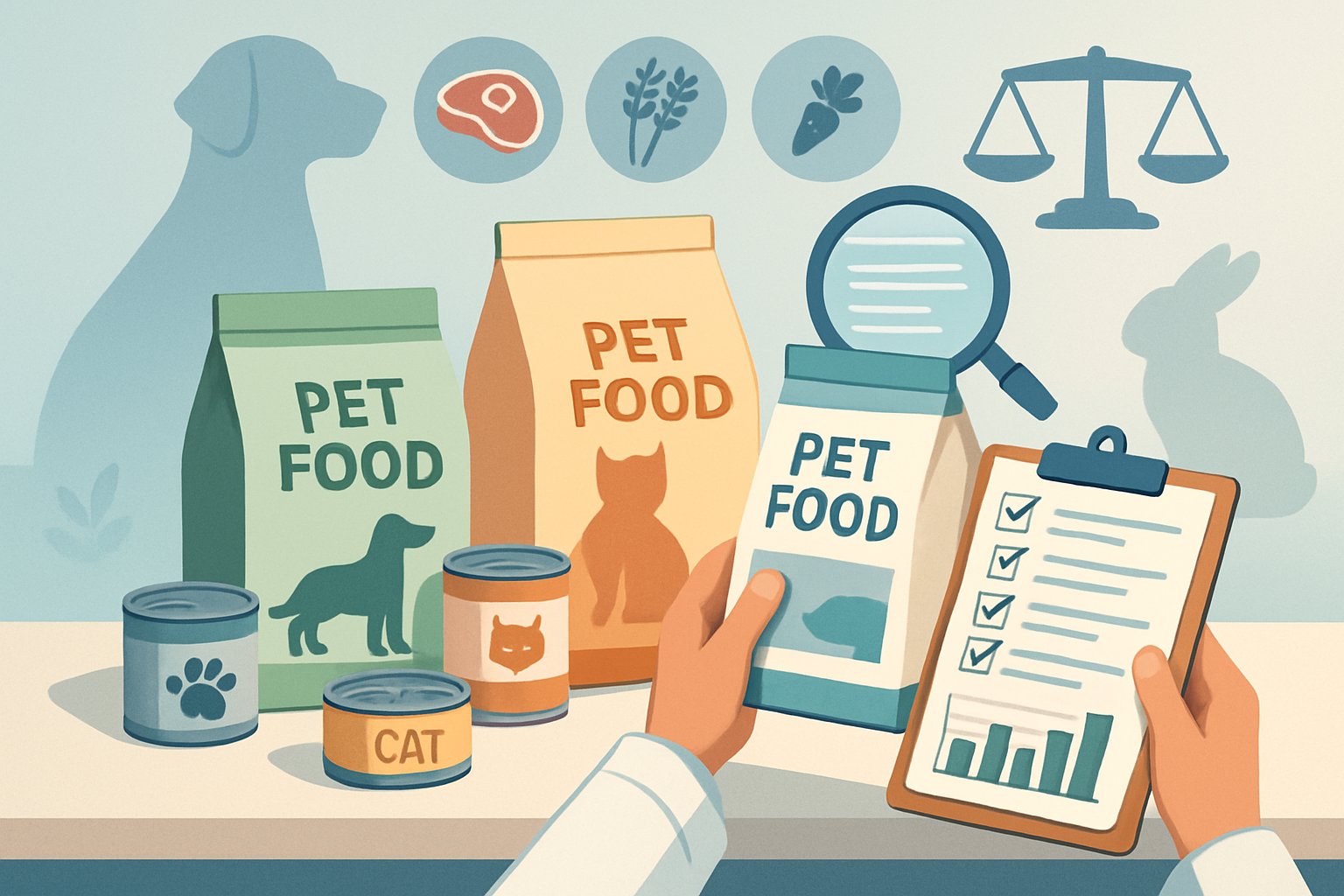
        A person in a lab coat examines pet food packages on a table with charts and checklists, surrounded by icons representing ingredients and pets.

        Brand reputation in the pet food world really boils down to three things: ingredient quality, meeting nutritional standards, and how transparent a company stays during recalls.

        Ingredient Quality and Sourcing

        I’ve watched lots of pet owners buy food without a clue where the ingredients come from. But your dog’s health starts with what’s in that bag.

        Premium brands source ingredients domestically and use whole meats and named proteins. They skip vague stuff like “meat meal” or “poultry by-products.”

        Watch for these red flags on ingredient lists:

        • Generic terms like “animal fat”
        • Chemical preservatives (BHA, BHT, ethoxyquin)
        • Too much corn gluten meal
        • Artificial colors and flavors

        The best brands tell you exactly where their chicken, beef, or fish comes from. Some even name the farms.

        Research shows that pet food price fairness and brand reputation really drive what people buy. Ingredient transparency always tops my checklist.

        Fresh beats processed. Brands using freeze-dried or dehydrated ingredients usually offer higher nutritional value than heavily processed kibble.

        Nutritional Standards and Testing

        Every reputable pet food brand should meet AAFCO standards. But honestly, that’s just the bare minimum.

        I look for brands that go further. They run feeding trials—not just lab analysis. Feeding trials show real results with actual dogs over time.

        Here’s what separates the good from the great:

        Testing protocols matter. Top brands test every batch for:

        • Nutritional content
        • Contamination (salmonella, listeria)
        • Heavy metals
        • Mycotoxins

        Plenty of budget brands skip these pricey tests. That’s where health concerns start stacking up.

        Life stage formulas show real expertise. Puppies need different nutrition than seniors. Brands making specific recipes for different ages really get canine nutrition.

        Be careful with brands making medical claims without vet backing. No dog food “cures” diabetes or kidney disease, no matter what the marketing says.

        Transparency and Recall History

        I always check a brand’s recall history before I recommend anything. It tells you a lot about their quality control.

        Good brands own their recalls. They notify customers fast, explain what happened, and show what they did to fix it.

        Red flags for me:

        • Multiple recalls in recent years
        • Same issue, over and over
        • Poor communication during recalls
        • Blaming suppliers instead of taking responsibility

        Some brands have never had a recall. That’s either amazing quality control or, honestly, maybe they’re not testing enough. I prefer brands with minimal, well-handled recalls over those claiming perfection.

        Online customer reviews reveal problems company websites won’t. I read through complaints about digestive issues, packaging, or sudden formula changes.

        Manufacturing transparency matters too. Brands should tell you which facilities make their food and what certifications those plants have.

        The most trusted brands publish annual reports showing their testing results, sourcing changes, and quality improvements. They’re not hiding from pet parents.

        I’ve tested dozens of dog food brands, and the differences can be wild. From fresh meal delivery that shows up at your door to budget kibbles that still pack nutrition, each category serves different needs and wallets.

        Standout Fresh Dog Food: The Farmer’s Dog, Nom Nom, Freshpet

        The day I switched my golden retriever to fresh food? Total game changer.

        The Farmer’s Dog tops my fresh food picks with custom meal plans tailored to your dog’s exact needs. I love how they factor in age, weight, and activity. Meals arrive frozen in perfect portions.

        Their ingredients are human-grade. Real turkey, sweet potatoes, carrots—stuff you’d eat yourself. My dog’s coat got shinier within weeks.

        Nom Nom impressed me with their vet-formulated recipes and detailed nutrition info. Their customer service actually answers questions fast. The packaging keeps meals fresh during shipping.

        Freshpet wins for convenience since you can grab it at most grocery stores. I keep their rolls in my fridge for easy serving. The Select line uses high-quality proteins and skips fillers.

        Price reality check: Fresh food costs three or four times more than kibble. But I’ve seen fewer vet visits and better energy levels in dogs eating fresh diets.

        Kibble Kings: Blue Buffalo, IAMS, Canidae, Nature’s Logic

        Kibble still feeds most dogs in America, and these brands prove dry food can be solid nutrition when done right.

        Blue Buffalo earned my respect with their Life Protection Formula. Real chicken is the first ingredient, not chicken meal. I appreciate their LifeSource Bits—those dark kibbles full of antioxidants.

        The brand ran into controversy years ago over ingredient sourcing. They’ve stepped up transparency and quality since then.

        IAMS surprised me as a budget pick that doesn’t cut corners on nutrition. Their ProActive Health line includes prebiotics for digestion. My friend’s lab thrived on it for years.

        Canidae is on my list for their All Life Stages formula. One bag works for puppies and seniors. The ingredient list stays clean with real whole foods.

        Nature’s Logic takes the all-natural thing seriously. No synthetic vitamins or minerals—they use whole foods like dried kelp and montmorillonite clay. It’s pricier but a solid choice for sensitive dogs.

        Premium and Specialty Picks: Orijen, Open Farm, Instinct, Nulo

        These brands are for pet parents who want the absolute best, no matter the price.

        Orijen makes what I call “ancestral diets”—high protein formulas based on what wolves eat. Their Regional Red formula has wild boar, bison, and lamb. It’s rich, so go slow when switching.

        I’ve seen amazing results in working dogs and active breeds on Orijen. Protein content hits 38-40% in most formulas.

        Open Farm scores for transparency. You can trace every ingredient to the source farm. Their humanely raised proteins and non-GMO produce appeal to conscious shoppers.

        Instinct by Nature’s Variety does freeze-dried raw coated kibble that dogs go nuts for. The raw coating adds probiotics and flavor. Their Limited Ingredient Diets work well for allergic pups.

        Nulo offers grain-free recipes with high meat and low glycemic ingredients. I like their puppy formulas with DHA for brain development. The small kibble size is great for tiny breeds.

        Research shows that pet food marketing strategies focus hard on premium positioning and ingredient transparency for these high-end brands.

        Budget and Everyday Choices: Merrick, Taste of the Wild, A Pup Above

        You don’t have to spend a fortune for good nutrition. These brands prove it.

        Merrick delivers premium ingredients at mid-range prices. Their Classic recipes start with deboned meat. I’ve fed their Backcountry line to hunting dogs with great results.

        The brand got bought by Purina, which made some fans nervous. Quality has stayed solid in my experience.

        Taste of the Wild brings exotic proteins like venison and salmon at grocery store prices. Their grain-free formulas include probiotics and antioxidants. Dogs love the flavors.

        A Pup Above bridges fresh and kibble with sous-vide cooked meals. You can buy them frozen or shelf-stable. The texture feels more like real meat than processed kibble.

        Merrick recently added more wet food with whole ingredients you can actually see. The chunks of sweet potato and peas look good enough for people.

        Consumer reviews analysis shows pet owners want real meat and transparent labels, and these brands deliver at prices that aren’t out of reach.

        How to Decipher Brand Promises Versus Real Results

        A split scene showing pet food packages on one side and healthy, happy pets on the other, with a magnifying glass symbolizing review and comparison.

        Pet food companies love to brag about nutrition and health benefits. But honestly, separating marketing hype from real results means looking past all that flashy packaging.

        I’ve figured out that the secret is digging into actual customer feedback, catching sneaky marketing moves, and knowing which health claims really matter.

        Evaluating Customer Reviews and Social Buzz

        Ever notice those perfect before-and-after photos in pet food ads? I always go deeper to see what real customers are actually saying.

        When I scan dog food reviews and customer experiences, I hunt for details. The best reviews talk about specific changes, like “my dog’s energy improved after three weeks,” instead of just “best food ever.”

        Timing matters too. If a bunch of five-star reviews pop up all at once, something’s off. Real owners usually share their stories after weeks or months with a food.

        Social media is where the truth comes out. I scroll through Instagram hashtags and Facebook groups, because that’s where pet parents vent about issues brands never mention.

        Research shows user reviews and ratings seriously influence pet food choices. I focus on reviews that mention the same health stuff my dog deals with.

        Red flags in reviews:

        • Way too many perfect ratings
        • Copy-paste language in different reviews
        • No mention of switching foods or adjustment time
        • All about packaging, not results

        Spotting Marketing Red Flags

        Let me tell you, pet food brands have some sneaky tricks to make their products sound better than they are.

        Meaningless buzzwords are everywhere. Stuff like “premium,” “gourmet,” or “restaurant-quality” sounds fancy but means nothing legally. I just ignore it and check the ingredient list.

        Wild promises make me pause. If a brand claims “transforms your dog’s health in days” or “eliminates all allergies,” that’s a red flag. Real changes take time—weeks, not days.

        Misleading ingredient marketing is common. When brands hype one ingredient but list it at the end, it’s mostly for show. I always check where ingredients rank by weight.

        Photos can lie, too. Those perfect kibble shots and grinning dogs rarely show what you’ll actually get. I trust brands that set realistic expectations, not miracle claims.

        Price tricks get me suspicious. Sometimes brands charge a ton just to seem “premium.” Expensive doesn’t always mean healthier for your pup.

        Recognizing Legitimate Health Benefits

        I’ve learned to spot which health claims actually matter for my dog’s wellbeing and which are just marketing noise.

        Real benefits take time. Improvements in coat shine, energy, or digestion usually show up after 4-6 weeks of the same food. If a brand promises instant results, I don’t buy it.

        I look for specific, research-backed claims. “Contains omega-3 fatty acids for skin health” is way more believable than “gives your dog a lustrous coat.”

        If my dog has allergies, I read reviews from pet parents dealing with the same thing. Generic health claims don’t help when you need something specific.

        Legit brands share detailed nutritional info—not just the basics. I can actually contact their customer service and get answers about protein sources, processing, and quality tests.

        Evidence-based ingredients matter. Probiotics for digestion, glucosamine for joint support, and certain proteins for allergies have real research behind them.

        I trust brands that admit their food isn’t perfect for every dog. If a company claims their food works for every pup, I’m skeptical.

        Choosing the Best Food for Your Pup’s Needs

        I’ve seen so many dog parents frozen in pet store aisles, totally overwhelmed by all the choices. It comes down to matching your dog’s health needs with the right ingredients, knowing their life stage, and deciding on dry kibble or fresh food.

        Matching Ingredients to Your Dog’s Health

        Ever catch your pup scratching nonstop or having tummy trouble? I’ve learned that picking the right food for dogs can be tough, but it starts with reading ingredient lists like a detective.

        For sensitive stomachs, I look for:

        • Single protein sources (like just chicken or just lamb)
        • Limited ingredients (under 10 total)
        • No artificial colors or preservatives

        If your dog has skin allergies, steer clear of:

        • Beef and chicken (top allergens)
        • Wheat, corn, and soy
        • Preservatives like BHA and BHT

        I always check the first five ingredients. That’s where the real nutrition is. If I see “chicken meal” instead of “chicken,” that’s actually a win—more protein packed in.

        Pro tip: Switch foods slowly over 7-10 days. Start with 25% new food and 75% old, then gradually increase the new stuff.

        Understanding Life Stage Formulas

        I wish someone told me sooner—puppy food isn’t just a marketing ploy. Dogs’ nutritional needs change as they age.

        Puppy Stage (0-12 months):

        • At least 22% protein
        • More fat for brain growth
        • Small kibble for little mouths
        • Feed 3-4 times a day

        Adult Dogs (1-7 years):

        • 18% protein minimum
        • Balanced fat (8-15%)
        • Keep weight steady
        • Two meals daily

        Senior Dogs (7+ years):

        • Easy-to-digest proteins
        • Glucosamine for joints
        • Lower calories to avoid weight gain
        • Softer food if needed

        I kept my lab on puppy food too long once, and he packed on 15 pounds in three months. Trust me, life stage formulas exist for a reason.

        Dry Dog Food vs. Fresh or Wet Diets

        Honestly, I used to think dry dog food was just the cheap, boring option. Turns out, quality beats format every time.

        Dry Dog Food Perks:

        • Super convenient
        • Helps keep teeth cleaner
        • Long shelf life
        • Cheaper per meal

        Fresh/Wet Food Advantages:

        • Lots of moisture (great for hydration)
        • Smells and tastes better
        • Easier on the stomach
        • Picky dogs usually love it

        Lately, I’ve seen pet food companies adding more specialty products, including fresh options.

        What works for me: I mix both! My dog gets good dry kibble with a scoop of wet food or some fresh veggies.

        Budget Breakdown:

        • Premium dry: $2-4/day
        • Fresh delivery: $8-15/day
        • Homemade fresh: $3-6/day (if you do the work)

        Watch your dog’s energy and coat. Honestly, that tells you more than any label ever will.

        Dog parents preparing homemade dog food in a kitchen while a dog watches nearby, with fresh ingredients and pet food products around them.

        I’ve seen so many dog parents ditch plain kibble and get creative with meals. Two things that really work: adding tasty mix-ins and using rotational feeding to keep picky eaters happy.

        Mix-Ins and Toppers

        Let’s be honest — I’ve watched plenty of dogs ignore boring kibble, and I can’t blame them.

        Fresh mix-ins make a huge difference. Try starting with easy stuff like:

        Bone broth (low sodium)
        Plain Greek yogurt
        Shredded carrots or green beans
        Cooked sweet potato cubes
        A spoonful of pumpkin puree

        Protein boosters are magic, too. I’ll toss in scrambled eggs, bits of cooked chicken, or even sardines for extra flavor and nutrients.

        The trick is switching things up. Maybe Monday is bone broth day, Wednesday is for eggs—keeps it interesting.

        Lots of dog owners store food wrong, but keeping mix-ins fresh is just as important.

        Pro tip: Freeze bone broth in ice cube trays. Pop a cube in the kibble and watch your dog’s excitement go through the roof.

        Rotational Feeding for Picky Eaters

        Ever notice how your dog gets bored eating the same thing every single day? I sure did.

        Rotational feeding means switching between different protein sources and brands every few weeks.

        Think chicken-based kibble for two weeks, then salmon, then lamb. This approach prevents food boredom and reduces the risk of developing sensitivities to specific ingredients.

        I’ve seen dogs who refused to eat suddenly become enthusiastic about mealtime again. Start slowly when transitioning.

        Mix 75% old food with 25% new food for the first few days. Then shift to 50/50, and finally transition completely.

        Keep a feeding journal. I track which proteins my dog loves most and any digestive reactions.

        This helps me create the perfect rotation schedule. Many veterinarians acknowledge that old feeding methods are outdated.

        Rotational feeding represents a modern approach to canine nutrition. Storage tip: Buy smaller bags when rotating to maintain freshness across multiple protein sources.

        Frequently Asked Questions

        A group of pet owners gathered around a table reviewing pet food products while their dog and cat play nearby.

        Pet parents ask tough questions about food choices, and I’m here to give you straight answers based on real research and experience.

        From picky eaters to senior cats, these are the burning questions that keep coming up in my inbox.

        Who’s got the scoop on the best kibble for fussy terriers, and how do their ingredients stack up?

        I’ve worked with countless terrier parents, and let me tell you—these little guys have strong opinions about their food.
        Hill’s Science Diet and Royal Canin consistently get thumbs up from terrier owners I know.
        Both brands focus on highly digestible proteins and avoid common allergens that make terriers turn their noses up. The secret sauce? Look for chicken or salmon as the first ingredient, not chicken meal.
        Terriers seem to prefer real meat textures over processed versions. Blue Buffalo and Wellness Core also score well with picky terriers.
        They use smaller kibble sizes that work better for terrier mouths. Here’s what I’ve learned from consumer reviews of pet food products: terriers respond best to brands that keep ingredient lists short and simple.
        Too many proteins or flavors confuse their palates. Pro tip: Mix a tiny bit of warm water with the kibble.
        Most terriers I know go crazy for the enhanced aroma.

        Is it true what they’re saying about grain-free diets, or is it just a trend with no real benefit for our pups?

        The grain-free craze hit hard, but here’s the real deal from what I’ve seen in practice.

        The controversy: FDA investigations linked some grain-free diets to heart problems in dogs, specifically dilated cardiomyopathy (DCM).
        This scared a lot of pet parents, including me initially. Most dogs actually digest grains just fine.
        Wheat, rice, and oats provide good energy and fiber that supports healthy digestion. The truth? Only about 10% of dogs have genuine grain allergies.

        If your pup isn’t showing skin issues, digestive problems, or excessive scratching, grains probably aren’t the enemy. I’ve noticed dogs on long-term grain-free diets sometimes develop loose stools when you try to switch them back.
        Their digestive systems adapt to the higher protein, lower carb content. My take: Unless your vet diagnosed a grain allergy, don’t feel pressured to go grain-free.
        Quality matters more than grain-free labels.

        What are the real MVP ingredients in senior cat food that’ll keep your whiskered friends purring well into their golden years?

        Senior cats need different nutrition, and I’ve learned this the hard way watching my own cats age.
        Omega-3 fatty acids top my list. They fight inflammation in aging joints and keep that coat shiny.
        Look for foods with fish oil or flaxseed. High-quality protein becomes crucial as cats age.
        Their bodies get less efficient at processing protein, so they need more of the good stuff. Chicken, turkey, or fish should dominate the ingredient list.
        Glucosamine and chondroitin support those creaky joints I see in every senior cat. Hill’s Prescription Diet and Royal Canin Senior formulas include these.
        Lower phosphorus protects kidney function. Senior kidneys work harder, so foods with controlled phosphorus levels help them last longer.
        Prebiotics and probiotics keep their digestive systems running smoothly. Older cats often develop sensitive stomachs, and these ingredients help maintain gut health.
        I always recommend smaller, more frequent meals for senior cats. Their metabolism slows down, but their nutritional needs actually increase.

        Ever wonder if that ‘all-natural’ pet food brand is truly what it claims? What should you really look for on the label?

        “Natural” on pet food labels drives me crazy because it’s mostly marketing fluff with little regulation behind it.
        Here’s the reality: Research shows that pet food mislabeling occurs in up to 83% of tested diets, even in “natural” or “limited ingredient” formulas.
        What I actually look for:
        Named protein sources—”Chicken” beats “poultry meal” every time. If they won’t tell you exactly what animal it came from, that’s a red flag.
        Short ingredient lists—Natural foods shouldn’t need 47 different additives and preservatives.
        AAFCO certification—This tells you the food meets basic nutritional standards, regardless of marketing claims.
        Manufacturing location—I prefer foods made in facilities that also process human food. Higher safety standards usually apply.
        Avoid these buzzwords: “Premium,” “gourmet,” “holistic.” They mean nothing legally and often hide lower-quality ingredients.
        The most “natural” brands I trust? Orijen, Acana, and Wellness Simple. They’re transparent about sourcing and processing methods.

        Considering a raw diet for your four-legged buddy? What are the pros and cons according to real pet parents who’ve tried it?

        I’ve talked to dozens of pet parents about their raw feeding experiences, and the results vary wildly.
        The success stories tell me: Shinier coats, better breath, and more energy top the benefits list.
        One dog mom swears her German Shepherd’s hip dysplasia improved on raw. Dental health seems to genuinely improve.
        Raw bones clean teeth naturally, and I’ve seen impressive before-and-after photos. But here’s what went wrong: Three families I know ended up at emergency vets due to bone fragments or bacterial infections.
        Raw feeding requires serious food safety knowledge. The time commitment broke most people.
        Meal prep, proper storage, and nutritional balancing take hours weekly. Cost reality check: Quality raw diets run $3-5 per day for medium dogs.
        That’s $1,500+ annually, compared to $400-600 for premium kibble. Vet concerns center on nutritional imbalances and food safety.
        Most vets I’ve spoken with prefer high-quality commercial foods over homemade raw diets. My honest take: Raw works for dedicated pet parents with time, money, and education.
        But premium kibble is safer and more practical for most families.

        How often should we be switching up our pets’ food brands, or is ‘if it ain’t broke, don’t fix it’ the way to go?

        This question hits close to home. I’ll admit, I used to be a bit of a serial food switcher.

        As an Amazon Associate, we may earn a commission from qualifying purchases if you click on the links within this article. Learn more.

        One response to “Pet Food Brand Reviews: The Shocking Truth”

        1. Registrácia Avatar
          Registrácia

          Your point of view caught my eye and was very interesting. Thanks. I have a question for you.

        Leave a Reply